Tiger Data glossary of terms
This glossary defines technical terms, concepts, and terminology used in Tiger Data documentation, database industry, and real-time analytics.
A
ACL (Access Control List): a table that tells a computer operating system which access rights each user has to a particular system object, such as a file directory or individual file.
ACID: a set of properties (atomicity, consistency, isolation, durability) that guarantee database transactions are processed reliably.
ACID compliance: a set of database properties—Atomicity, Consistency, Isolation, Durability—ensuring reliable and consistent transactions. Inherited from Postgres.
Adaptive query optimization: dynamic query plan adjustment based on actual execution statistics and data distribution patterns, improving performance over time.
Aggregate (Continuous Aggregate): a materialized, precomputed summary of query results over time-series data, providing faster access to analytics.
Alerting: the process of automatically notifying administrators when predefined conditions or thresholds are met in system monitoring.
Analytics database: a system optimized for large-scale analytical queries, supporting complex aggregations, time-based queries, and data exploration.
Anomaly detection: the identification of abnormal patterns or outliers within time-series datasets, common in observability, IoT, and finance.
Append-only storage: a storage pattern where data is only added, never modified in place. Ideal for time-series workloads and audit trails.
Archival: the process of moving old or infrequently accessed data to long-term, cost-effective storage solutions.
Auto-partitioning: automatic division of a hypertable into chunks based on partitioning dimensions to optimize scalability and performance.
Availability zone: an isolated location within a cloud region that provides redundant power, networking, and connectivity.
B
B-tree: a self-balancing tree data structure that maintains sorted data and allows searches, sequential access, insertions, and deletions in logarithmic time.
Background job: an automated task that runs in the background without user intervention, typically for maintenance operations like compression or data retention.
Background worker: a Postgres process that runs background tasks independently of client sessions.
Batch processing: handling data in grouped batches rather than as individual real-time events, often used for historical data processing.
Backfill: the process of filling in historical data that was missing or needs to be recalculated, often used during migrations or after schema changes.
Backup: a copy of data stored separately from the original data to protect against data loss, corruption, or system failure.
Bloom filter: a probabilistic data structure that tests set membership with possible false positives but no false negatives. TimescaleDB uses blocked bloom filters to speed up point lookups by eliminating chunks that don't contain queried values.
Buffer pool: memory area where frequently accessed data pages are cached to reduce disk I/O operations.
BRIN (Block Range Index): a Postgres index type that stores summaries about ranges of table blocks, useful for large tables with naturally ordered data.
Bytea: a Postgres data type for storing binary data as a sequence of bytes.
C
Cache hit ratio: the percentage of data requests served from memory cache rather than disk, indicating query performance efficiency.
Cardinality: the number of unique values in a dataset or database column.
Check constraint: a database constraint that limits the values that can be stored in a column by checking them against a specified condition.
Chunk: a horizontal partition of a hypertable that contains data for a specific time interval and space partition. See [chunks][use-hypertables-chunks].
Chunk interval: the time period covered by each chunk in a hypertable, which affects query performance and storage efficiency.
Chunk skipping: a query optimization technique that skips chunks not relevant to the query's time range, dramatically improving performance.
CIDR (Classless Inter-Domain Routing): a method for allocating IP addresses and routing IP packets.
Client credentials: authentication tokens used by applications to access services programmatically without user interaction.
Close: in financial data, the closing price of a security at the end of a trading period.
Cloud: computing services delivered over the internet, including servers, storage, databases, networking, software, analytics, and intelligence.
Cloud deployment: the use of public, private, or hybrid cloud infrastructure to host TimescaleDB, enabling elastic scalability and managed services.
Cloud-native: an approach to building applications that leverage cloud infrastructure, scalability, and services like Kubernetes.
Cold storage: a tier of data storage for infrequently accessed data that offers lower costs but higher access times.
Columnar: a data storage format that stores data column by column rather than row by row, optimizing for analytical queries.
Columnstore: TimescaleDB's columnar storage engine optimized for analytical workloads and compression.
Compression: the process of reducing data size by encoding information using fewer bits, improving storage efficiency and query performance. See [compression][use-compression].
Connection pooling: a technique for managing multiple database connections efficiently, reducing overhead for high-concurrency environments.
Consensus algorithm: protocols ensuring distributed systems agree on data state, critical for multi-node database deployments.
Compression policy: an automated rule that compresses hypertable chunks after they reach a specified age or size threshold.
Compression ratio: the ratio between the original data size and the compressed data size, indicating compression effectiveness.
Constraint: a rule enforced by the database to maintain data integrity and consistency.
Continuous aggregate: a materialized view that incrementally updates with new data, providing fast access to pre-computed aggregations. See [continuous aggregates][use-continuous-aggregates].
Counter aggregation: aggregating monotonic counter data, handling counter resets and extrapolation.
Cron: a time-based job scheduler in Unix-like computer operating systems.
Cross-region backup: a backup stored in a different geographical region from the primary data for disaster recovery.
D
Data lake: a centralized repository storing structured and unstructured data at scale, often integrated with time-series databases for analytics.
Data lineage: the tracking of data flow from source to destination, including transformations, essential for compliance and debugging.
Data pipeline: automated workflows for moving, transforming, and loading data between systems, often using tools like Apache Kafka or Apache Airflow.
Data migration: the process of moving data from one system, storage type, or format to another. See the [migration guides][migrate].
Data retention: the practice of storing data for a specified period before deletion, often governed by compliance requirements or storage optimization. See [data retention][use-data-retention].
Data rollup: the process of summarizing detailed historical data into higher-level aggregates, balancing storage needs with query efficiency.
Data skew: uneven distribution of data across partitions or nodes, potentially causing performance bottlenecks.
Data tiering: a storage management strategy that places data on different storage tiers based on access patterns and performance requirements.
Data type: a classification that specifies which type of value a variable can hold, such as integer, string, or boolean.
Decompress: the process of restoring compressed data to its original, uncompressed state.
Delta: the difference between two values, commonly used in counter aggregations to calculate the change over time.
DHCP (Dynamic Host Configuration Protocol): a network management protocol used to automatically assign IP addresses and other network configuration parameters.
Dimension: a partitioning key in a hypertable that determines how data is distributed across chunks.
Disaster recovery: the process and procedures for recovering and protecting a business's IT infrastructure in the event of a disaster.
Double precision: a floating-point data type that provides more precision than the standard float type.
Downsample: the process of reducing the temporal resolution of time-series data by aggregating data points over longer time intervals.
Downtime: the period during which a system, service, or application is unavailable or not operational.
Dual-write and backfill: a migration approach where new data is written to both the source and target databases simultaneously, followed by backfilling historical data to ensure completeness.
Dual-write: a migration pattern where applications write data to both the source and target systems simultaneously.
E
Edge computing: processing data at or near the data source such as IoT devices, rather than solely in centralized servers, reducing latency.
Edge gateway: a device that aggregates data from sensors and performs preprocessing before sending data to cloud or centralized databases.
ELT (Extract, Load, Transform): a data pipeline pattern where raw data is loaded first, then transformed within the target system, leveraging database processing power.
Embedding: a vector representation of data such as text or images, that captures semantic meaning in a high-dimensional space.
Error rate: the percentage of requests or operations that result in errors over a given time period.
Euclidean distance: a measure of the straight-line distance between two points in multidimensional space.
Exactly-once: a message is delivered and processed precisely once. There is no loss and no duplicates.
Explain: a Postgres command that shows the execution plan for a query, useful for performance analysis.
Event sourcing: an architectural pattern storing all changes as a sequence of events, naturally fitting time-series database capabilities.
Event-driven architecture: a design pattern where components react to events such as sensor readings, requiring real-time data pipelines and storage.
Extension: a Postgres add-on that extends the database's functionality beyond the core features.
F
Fact table: the central table in a star schema containing quantitative measures, often time-series data with foreign keys to dimension tables.
Failover: the automatic switching to a backup system, server, or network upon the failure or abnormal termination of the primary system.
Financial time-series: high-volume, timestamped datasets like stock market feeds or trade logs, requiring low-latency, scalable databases like TimescaleDB.
Foreign key: a database constraint that establishes a link between data in two tables by referencing the primary key of another table.
Fork: a copy of a database service that shares the same data but can diverge independently through separate writes.
Free service: a free instance of Tiger Cloud with limited resources. You can create up to two free services under any pricing plan. When a free service reaches the resource limit, it converts to the read-only state. You can convert a free service to a standard one under paid pricing plans.
FTP (File Transfer Protocol): a standard network protocol used for transferring files between a client and server on a computer network.
G
Gap filling: a technique for handling missing data points in time-series by interpolation or other methods, often implemented with hyperfunctions.
GIN (Generalized Inverted Index): a Postgres index type designed for indexing composite values and supporting fast searches.
GiST (Generalized Search Tree): a Postgres index type that provides a framework for implementing custom index types.
GP-LTTB: an advanced downsampling algorithm that extends Largest-Triangle-Three-Buckets with Gaussian Process modeling.
GUC (Grand Unified Configuration): Postgres's configuration parameter system that controls various aspects of database behavior.
GUID (Globally Unique Identifier): a unique identifier used in software applications, typically represented as a 128-bit value.
H
Hash: an index type that provides constant-time lookups for equality comparisons but doesn't support range queries.
High-cardinality: refers to datasets with a large number of unique values, which can strain storage and indexing in time-series applications.
Histogram bucket: a predefined range of metrics organized for statistical analysis, commonly visualized in monitoring tools.
Hot standby: a replication configuration where the standby server can serve read-only queries while staying synchronized with the primary.
High availability: a system design that ensures an agreed level of operational performance, usually uptime, for a higher than normal period.
High: in financial data, the highest price of a security during a specific time period.
Histogram: a graphical representation of the distribution of numerical data, showing the frequency of data points in different ranges.
Historical data: previously recorded data that provides context and trends for analysis and decision-making.
HNSW (Hierarchical Navigable Small World): a graph-based algorithm for approximate nearest neighbor search in high-dimensional spaces.
Hot storage: a tier of data storage for frequently accessed data that provides the fastest access times but at higher cost.
Hypercore: TimescaleDB's hybrid storage engine that seamlessly combines row and column storage for optimal performance. See [Hypercore][use-hypercore].
Hyperfunction: an SQL function in TimescaleDB designed for time-series analysis, statistics, and specialized computations. See [Hyperfunctions][use-hyperfunctions].
HyperLogLog: a probabilistic data structure used for estimating the cardinality of large datasets with minimal memory usage.
Hypershift: a migration tool and strategy for moving data to TimescaleDB with minimal downtime.
Hypertable: TimescaleDB's core abstraction that automatically partitions time-series data for scalability. See [Hypertables][use-hypertables].
I
Idempotency: the property where repeated operations produce the same result, crucial for reliable data ingestion and processing.
Ingest rate: the speed at which new data is written to the system, measured in rows per second. Critical for IoT and observability.
Inner product: a mathematical operation that combines two vectors to produce a scalar, used in similarity calculations.
Insert: an SQL operation that adds new rows of data to a database table.
Integer: a data type that represents whole numbers without decimal points.
Intercept: a statistical measure representing the y-intercept in linear regression analysis.
Internet gateway: an AWS VPC component that enables communication between instances in a VPC and the internet.
Interpolation: a method of estimating unknown values that fall between known data points.
IP allow list: a security feature that restricts access to specified IP addresses or ranges.
Isolation level: a database transaction property that defines the degree to which operations in one transaction are isolated from those in other concurrent transactions.
J
Job: an automated task scheduled to run at specific intervals or triggered by certain conditions.
Job execution: the process of running scheduled background tasks or automated procedures.
JIT (Just-In-Time) compilation: Postgres feature that compiles frequently executed query parts for improved performance, available in TimescaleDB.
Job history: a record of past job executions, including their status, duration, and any errors encountered.
JSON (JavaScript Object Notation): a lightweight data interchange format that is easy for humans to read and write.
JWT (JSON Web Token): a compact, URL-safe means of representing claims to be transferred between two parties.
L
Latency: the time delay between a request being made and the response being received.
Lifecycle policy: a set of rules that automatically manage data throughout its lifecycle, including retention and deletion.
Live migration: a data migration technique that moves data with minimal or zero downtime.
Load balancer: a service distributing traffic across servers or database nodes to optimize resource use and avoid single points of failure.
Log-Structured Merge (LSM) Tree: a data structure optimized for write-heavy workloads, though TimescaleDB primarily uses B-tree indexes for balanced read/write performance.
LlamaIndex: a framework for building applications with large language models, providing tools for data ingestion and querying.
LOCF (Last Observation Carried Forward): a method for handling missing data by using the most recent known value.
Logical backup: a backup method that exports data in a human-readable format, allowing for selective restoration.
Logical replication: a Postgres feature that replicates data changes at the logical level rather than the physical level.
Logging: the process of recording events, errors, and system activities for monitoring and troubleshooting purposes.
Low: in financial data, the lowest price of a security during a specific time period.
LTTB (Largest-Triangle-Three-Buckets): a downsampling algorithm that preserves the visual characteristics of time-series data.
M
Manhattan distance: a distance metric calculated as the sum of the absolute differences of their coordinates.
Manual compression: the process of compressing chunks manually rather than through automated policies.
Materialization: the process of computing and storing the results of a query or view for faster access.
Materialized view: a database object that stores the result of a query and can be refreshed periodically.
Memory-optimized query: a query pattern designed to minimize disk I/O by leveraging available RAM and efficient data structures.
Metric: a quantitative measurement used to assess system performance, business outcomes, or operational efficiency.
MFA (Multi-Factor Authentication): a security method that requires two or more verification factors to grant access.
Migration: the process of moving data, applications, or systems from one environment to another. See [migration guides][migrate].
Monitoring: the continuous observation and measurement of system performance and health.
Multi-tenancy: an architecture pattern supporting multiple customers or applications within a single database instance, with proper isolation.
MQTT (Message Queuing Telemetry Transport): a lightweight messaging protocol designed for small sensors and mobile devices.
MST (Managed Service for TimescaleDB): a fully managed TimescaleDB service that handles infrastructure and maintenance tasks.
N
NAT Gateway: a network address translation service that enables instances in a private subnet to connect to the internet.
Node (database node): an individual server within a distributed system, contributing to storage, compute, or replication tasks.
Normalization: database design technique organizing data to reduce redundancy, though time-series data often benefits from denormalized structures.
Not null: a database constraint that ensures a column cannot contain empty values.
Numeric: a Postgres data type for storing exact numeric values with user-defined precision.
O
OAuth: an open standard for access delegation commonly used for token-based authentication and authorization.
Observability: the ability to measure the internal states of a system by examining its outputs.
OLAP (Online Analytical Processing): systems or workloads focused on large-scale, multidimensional, and complex analytical queries.
OLTP (Online Transaction Processing): high-speed transactional systems optimized for data inserts, updates, and short queries.
OHLC: an acronym for Open, High, Low, Close prices, commonly used in financial data analysis.
OHLCV: an extension of OHLC that includes Volume data for complete candlestick analysis.
Open: in financial data, the opening price of a security at the beginning of a trading period.
OpenTelemetry: open standard for collecting, processing, and exporting telemetry data, often stored in time-series databases.
Optimization: the process of making systems, queries, or operations more efficient and performant.
P
Parallel copy: a technique for copying large amounts of data using multiple concurrent processes to improve performance.
Parallel Query Execution: a Postgres feature that uses multiple CPU cores to execute single queries faster, inherited by TimescaleDB.
Partitioning: the practice of dividing large tables into smaller, more manageable pieces based on certain criteria.
Percentile: a statistical measure that indicates the value below which a certain percentage of observations fall.
Performance: a measure of how efficiently a system operates, often quantified by metrics like throughput, latency, and resource utilization.
pg_basebackup: a Postgres utility for taking base backups of a running Postgres cluster.
pg_dump: a Postgres utility for backing up database objects and data in various formats.
pg_restore: a Postgres utility for restoring databases from backup files created by pg_dump.
pgVector: a Postgres extension that adds vector similarity search capabilities for AI and machine learning applications. See [pgvector][ai-pgvector].
pgai on Tiger Cloud: a cloud solution for building search, RAG, and AI agents with Postgres. Enables calling AI embedding and generation models directly from the database using SQL. See [pgai][ai-pgai].
pgvectorscale: a performance enhancement for pgvector featuring StreamingDiskANN indexing, binary quantization compression, and label-based filtering. See [pgvectorscale][ai-pgvectorscale].
pgvectorizer: a TimescaleDB tool for automatically vectorizing and indexing data for similarity search.
Physical backup: a backup method that copies the actual database files at the storage level.
PITR (Point-in-Time Recovery): the ability to restore a database to a specific moment in time.
Policy: an automated rule or procedure that performs maintenance tasks like compression, retention, or refresh operations.
Predictive maintenance: the use of time-series data to forecast equipment failure, common in IoT and industrial applications.
Postgres: an open-source object-relational database system known for its reliability, robustness, and performance.
PostGIS: a Postgres extension that adds support for geographic objects and spatial queries.
Primary key: a database constraint that uniquely identifies each row in a table.
psql: an interactive terminal-based front-end to Postgres that allows users to type queries interactively.
Q
QPS (Queries Per Second): a measure of database performance indicating how many queries a database can process per second.
Query: a request for data or information from a database, typically written in SQL.
Query performance: a measure of how efficiently database queries execute, including factors like execution time and resource usage.
Query planner/optimizer: a component determining the most efficient strategy for executing SQL queries based on database structure and indexes.
Query planning: the database process of determining the most efficient way to execute a query.
R
RBAC (Role-Based Access Control): a security model that assigns permissions to users based on their roles within an organization.
Read committed: an isolation level where transactions can read committed changes made by other transactions.
Read scaling: a technique for improving database performance by distributing read queries across multiple database replicas.
Read uncommitted: the lowest isolation level where transactions can read uncommitted changes from other transactions.
Read-only role: a database role with permissions limited to reading data without modification capabilities.
Read replica: a copy of the primary database that serves read-only queries, improving read scalability and geographic distribution.
Real-time analytics: the immediate analysis of incoming data streams, crucial for observability, trading platforms, and IoT monitoring.
Real: a Postgres data type for storing single-precision floating-point numbers.
Real-time aggregate: a continuous aggregate that includes both materialized historical data and real-time calculations on recent data.
Refresh policy: an automated rule that determines when and how continuous aggregates are updated with new data.
Region: a geographical area containing multiple data centers, used in cloud computing for data locality and compliance.
Repeatable read: an isolation level that ensures a transaction sees a consistent snapshot of data throughout its execution.
Replica: a copy of a database that can be used for read scaling, backup, or disaster recovery purposes.
Replication: the process of copying and maintaining data across multiple database instances to ensure availability and durability.
Response time: the time it takes for a system to respond to a request, measured from request initiation to response completion.
REST API: a web service architecture that uses HTTP methods to enable communication between applications.
Restore: the process of recovering data from backups to restore a database to a previous state.
Restore point: a snapshot of database state that can be used as a reference point for recovery operations.
Retention policy: an automated rule that determines how long data is kept before being deleted from the system.
Route table: a set of rules that determine where network traffic is directed within a cloud network.
RTO (Recovery Time Objective): the maximum acceptable time that systems can be down after a failure or disaster.
RPO (Recovery Point Objective): the maximum acceptable amount of data loss measured in time after a failure or disaster.
Rowstore: traditional row-oriented data storage where data is stored row by row, optimized for transactional workloads.
S
SAML (Security Assertion Markup Language): an XML-based standard for exchanging authentication and authorization data between security domains.
Scheduled job: an automated task that runs at predetermined times or intervals.
Schema evolution: the process of modifying database structure over time while maintaining compatibility with existing applications.
Schema: the structure of a database, including tables, columns, relationships, and constraints.
Security group: a virtual firewall that controls inbound and outbound traffic for cloud resources.
Service discovery: mechanisms allowing applications to dynamically locate services like database endpoints, often used in distributed environments.
Segmentwise recompression: a TimescaleDB compression technique that recompresses data segments to improve compression ratios.
Serializable: the highest isolation level that ensures transactions appear to run serially even when executed concurrently.
Service: see Tiger Cloud service.
Sharding: horizontal partitioning of data across multiple database instances, distributing load and enabling linear scalability.
SFTP (SSH File Transfer Protocol): a secure version of FTP that encrypts both commands and data during transmission.
SkipScan: query optimization for DISTINCT operations that incrementally jumps between ordered values without reading intermediate rows. Uses a Custom Scan node to efficiently traverse ordered indexes, dramatically improving performance over traditional DISTINCT queries.
Similarity search: a technique for finding items that are similar to a given query item, often used with vector embeddings.
SLA (Service Level Agreement): a contract that defines the expected level of service between a provider and customer.
SLI (Service Level Indicator): a quantitative measure of some aspect of service quality.
SLO (Service Level Objective): a target value or range for service quality measured by an SLI.
Slope: a statistical measure representing the rate of change in linear regression analysis.
SMTP (Simple Mail Transfer Protocol): an internet standard for email transmission across networks.
Snapshot: a point-in-time copy of data that can be used for backup and recovery purposes.
SP-GiST (Space-Partitioned Generalized Search Tree): a Postgres index type for data structures that naturally partition search spaces.
Storage optimization: techniques for reducing storage costs and improving performance through compression, tiering, and efficient data organization.
Streaming data: continuous flows of data generated by devices, logs, or sensors, requiring high-ingest, real-time storage solutions.
SQL (Structured Query Language): a programming language designed for managing and querying relational databases.
SSH (Secure Shell): a cryptographic network protocol for secure communication over an unsecured network.
SSL (Secure Sockets Layer): a security protocol that establishes encrypted links between networked computers.
Standard service: a regular Tiger Cloud service that includes the resources and features according to the pricing plan. You can create standard services under any of the paid plans.
Streaming replication: a Postgres replication method that continuously sends write-ahead log records to standby servers.
Synthetic monitoring: simulated transactions or probes used to test system health, generating time-series metrics for performance analysis.
T
Table: a database object that stores data in rows and columns, similar to a spreadsheet.
Tablespace: a Postgres storage structure that defines where database objects are physically stored on disk.
TCP (Transmission Control Protocol): a connection-oriented protocol that ensures reliable data transmission between applications.
TDigest: a probabilistic data structure for accurate estimation of percentiles in distributed systems.
Telemetry: the collection of real-time data from systems or devices for monitoring and analysis.
Text: a Postgres data type for storing variable-length character strings.
Throughput: a measure of system performance indicating the amount of work performed or data processed per unit of time.
Tiered storage: a storage strategy that automatically moves data between different storage classes based on access patterns and age.
Tiger Cloud: Tiger Data's managed cloud platform that provides TimescaleDB as a fully managed solution with additional features.
Tiger Lake: Tiger Data's service for integrating operational databases with data lake architectures.
Tiger Cloud service: an instance of optimized Postgres extended with database engine innovations such as TimescaleDB, in a cloud infrastructure that delivers speed without sacrifice. You can create free services and standard services.
Time series: data points indexed and ordered by time, typically representing how values change over time.
Time-weighted average: a statistical calculation that gives more weight to values based on the duration they were held.
Time bucketing: grouping timestamps into uniform intervals for analysis, commonly used with hyperfunctions.
Time-series forecasting: the application of statistical models to time-series data to predict future trends or events.
TimescaleDB: an open-source Postgres extension for real-time analytics that provides scalability and performance optimizations.
Timestamp: a data type that stores date and time information without timezone data.
Timestamptz: a Postgres data type that stores timestamp with timezone information.
TLS (Transport Layer Security): a cryptographic protocol that provides security for communication over networks.
Tombstone: marker indicating deleted data in append-only systems, requiring periodic cleanup processes.
Transaction isolation: the database property controlling the visibility of uncommitted changes between concurrent transactions.
TPS (Transactions Per Second): a measure of database performance indicating transaction processing capacity.
Transaction: a unit of work performed against a database that must be completed entirely or not at all.
Trigger: a database procedure that automatically executes in response to certain events on a table or view.
U
UDP (User Datagram Protocol): a connectionless communication protocol that provides fast but unreliable data transmission.
Unique: a database constraint that ensures all values in a column or combination of columns are distinct.
Uptime: the amount of time that a system has been operational and available for use.
Usage-based storage: a billing model where storage costs are based on actual data stored rather than provisioned capacity.
UUID (Universally Unique Identifier): a 128-bit identifier used to uniquely identify information without central coordination.
V
Vacuum: a Postgres maintenance operation that reclaims storage and updates database statistics.
Varchar: a variable-length character data type that can store strings up to a specified maximum length.
Vector operations: SIMD (Single Instruction, Multiple Data) optimizations for processing arrays of data, improving analytical query performance.
Vertical scaling (scale up): increasing system capacity by adding more power (CPU, RAM) to existing machines, as opposed to horizontal scaling.
Visualization tool: a platform or dashboard used to display time-series data in charts, graphs, and alerts for easier monitoring and analysis.
Vector: a mathematical object with magnitude and direction, used in machine learning for representing data as numerical arrays.
VPC (Virtual Private Cloud): a virtual network dedicated to your cloud account that provides network isolation.
VWAP (Volume Weighted Average Price): a financial indicator that shows the average price weighted by volume over a specific time period.
W
WAL (Write-Ahead Log): Postgres's method for ensuring data integrity by writing changes to a log before applying them to data files.
Warm storage: a storage tier that balances access speed and cost, suitable for data accessed occasionally.
Watermark: a timestamp that tracks the progress of continuous aggregate materialization.
WebSocket: a communication protocol that provides full-duplex communication channels over a single TCP connection.
Window function: an SQL function that performs calculations across related rows, particularly useful for time-series analytics and trend analysis.
Workload management: techniques for prioritizing and scheduling different types of database operations to optimize overall system performance.
X
XML (eXtensible Markup Language): a markup language that defines rules for encoding documents in a format that is both human-readable and machine-readable.
Y
YAML (YAML Ain't Markup Language): a human-readable data serialization standard commonly used for configuration files.
Z
Zero downtime: a system design goal where services remain available during maintenance, upgrades, or migrations without interruption.
Zero-downtime migration: migration strategies that maintain service availability throughout the transition process, often using techniques like dual-write and gradual cutover.
===== PAGE: https://docs.tigerdata.com/api/compression/ =====
Compression
Old API since TimescaleDB v2.18.0 Replaced by <a href="https://docs.timescale.com/api/latest/hypercore/">Hypercore</a>.
Compression functionality is included in Hypercore.
Before you set up compression, you need to [configure the hypertable for compression][configure-compression] and then [set up a compression policy][add_compression_policy].
Before you set up compression for the first time, read the compression blog post and documentation.
You can also [compress chunks manually][compress_chunk], instead of using an automated compression policy to compress chunks as they age.
Compressed chunks have the following limitations:
ROW LEVEL SECURITYis not supported on compressed chunks.- Creation of unique constraints on compressed chunks is not supported. You can add them by disabling compression on the hypertable and re-enabling after constraint creation.
Restrictions
In general, compressing a hypertable imposes some limitations on the types of data modifications that you can perform on data inside a compressed chunk.
This table shows changes to the compression feature, added in different versions of TimescaleDB:
| TimescaleDB version | Supported data modifications on compressed chunks |
|---|---|
| 1.5 - 2.0 | Data and schema modifications are not supported. |
| 2.1 - 2.2 | Schema may be modified on compressed hypertables. Data modification not supported. |
| 2.3 | Schema modifications and basic insert of new data is allowed. Deleting, updating and some advanced insert statements are not supported. |
| 2.11 | Deleting, updating and advanced insert statements are supported. |
In TimescaleDB 2.1 and later, you can modify the schema of hypertables that have compressed chunks. Specifically, you can add columns to and rename existing columns of compressed hypertables.
In TimescaleDB v2.3 and later, you can insert data into compressed chunks and to enable compression policies on distributed hypertables.
In TimescaleDB v2.11 and later, you can update and delete compressed data. You can also use advanced insert statements like ON CONFLICT and RETURNING.
===== PAGE: https://docs.tigerdata.com/api/distributed-hypertables/ =====
Distributed hypertables ( Sunsetted v2.14.x )
[Multi-node support is sunsetted][multi-node-deprecation].
TimescaleDB v2.13 is the last release that includes multi-node support for Postgres versions 13, 14, and 15.
Distributed hypertables are an extension of regular hypertables, available when using a [multi-node installation][getting-started-multi-node] of TimescaleDB. Distributed hypertables provide the ability to store data chunks across multiple data nodes for better scale-out performance.
Most management APIs used with regular hypertable chunks also work with distributed hypertables as documented in this section. There are a number of APIs for specifically dealing with data nodes and a special API for executing SQL commands on data nodes.
===== PAGE: https://docs.tigerdata.com/self-hosted/install/ =====
Install self-hosted TimescaleDB
TimescaleDB is an open-source Postgres extension that powers Tiger Cloud. Designed for running real-time analytics on time-series data, it supercharges ingest, query, storage, and analytics performance.
You can install self-hosted TimescaleDB from [source][self-hosted-source], with a [pre-built Docker container][self-hosted-container], or on one of the [supported platforms][platform-support]. This section provides instructions for installing the latest version of self-hosted TimescaleDB.
The following instructions are for development and testing installations. For a production environment, we strongly recommend that you implement the following, many of which you can achieve using Postgres tooling:
- Incremental backup and database snapshots, with efficient point-in-time recovery.
- High availability replication, ideally with nodes across multiple availability zones.
- Automatic failure detection with fast restarts, for both non-replicated and replicated deployments.
- Asynchronous replicas for scaling reads when needed.
- Connection poolers for scaling client connections.
- Zero-down-time minor version and extension upgrades.
- Forking workflows for major version upgrades and other feature testing.
- Monitoring and observability.
Deploying for production? With a Tiger Cloud service we tune your database for performance and handle scalability, high availability, backups, and management, so you can relax.
Installation
Refer to the installation documentation for detailed setup instructions.
For more details about the latest release, see the [release notes][release-notes] section.
===== PAGE: https://docs.tigerdata.com/self-hosted/configuration/ =====
Configuration
By default, TimescaleDB uses the default Postgres server configuration settings. However, in some cases, these settings are not appropriate, especially if you have larger servers that use more hardware resources such as CPU, memory, and storage.
- [Learn about configuration][config] to understand how it works before you begin using it.
- Use the [TimescaleDB tune tool][tstune-conf].
- Manually edit the
postgresql.conf[configuration file][postgresql-conf]. - If you run TimescaleDB in a Docker container, configure [within Docker][docker-conf].
- Find out more about the [data that we collect][telemetry].
===== PAGE: https://docs.tigerdata.com/self-hosted/backup-and-restore/ =====
Backup and restore
TimescaleDB takes advantage of the reliable backup and restore functionality provided by Postgres. There are a few different mechanisms you can use to back up your self-hosted TimescaleDB database:
- [Logical backup][logical-backups] with pg_dump and pg_restore.
- [Physical backup][physical-backups] with
pg_basebackupor another tool. - DEPRECATED [Ongoing physical backups][ongoing-physical-backups] using write-ahead log (WAL) archiving.
Tiger Cloud is a fully managed service with automatic backup and restore, high availability with replication, seamless scaling and resizing, and much more. You can try Tiger Cloud free for thirty days.
===== PAGE: https://docs.tigerdata.com/self-hosted/migration/ =====
Migrate your Postgres database to self-hosted TimescaleDB
You can migrate your existing Postgres database to self-hosted TimescaleDB.
There are several methods for migrating your data:
- If the database you want to migrate is smaller than 100 GB, [migrate your entire database at once][migrate-entire]: This method directly transfers all data and schemas, including Timescale-specific features. Your hypertables, continuous aggregates, and policies are automatically available in the new self-hosted TimescaleDB instance.
- For databases larger than 100GB, [migrate your schema and data separately][migrate-separately]: With this method, you migrate your tables one by one for easier failure recovery. If migration fails mid-way, you can restart from the failure point rather than from the beginning. However, Timescale-specific features won't be automatically migrated. Follow the instructions to restore your hypertables, continuous aggregates, and policies.
- If you need to move data from Postgres tables into hypertables within an existing self-hosted TimescaleDB instance, [migrate within the same database][migrate-same-db]: This method assumes that you have TimescaleDB set up in the same database instance as your existing table.
- If you have data in an InfluxDB database, [migrate using Outflux][outflux]: Outflux pipes exported data directly to your self-hosted TimescaleDB instance, and manages schema discovery, validation, and creation. Outflux works with earlier versions of InfluxDB. It does not work with InfluxDB version 2 and later.
Choose a migration method
Which method you choose depends on your database size, network upload and download speeds, existing continuous aggregates, and tolerance for failure recovery.
If you are migrating from an Amazon RDS service, Amazon charges for the amount of data transferred out of the service. You could be charged by Amazon for all data egressed, even if the migration fails.
If your database is smaller than 100 GB, choose to migrate your entire database at once. You can also migrate larger databases using this method, but the copying process must keep running, potentially over days or weeks. If the copy is interrupted, the process needs to be restarted. If you think an interruption in the copy is possible, choose to migrate your schema and data separately instead.
Migrating your schema and data separately does not retain continuous aggregates calculated using already-deleted data. For example, if you delete raw data after a month but retain downsampled data in a continuous aggregate for a year, the continuous aggregate loses any data older than a month upon migration. If you must keep continuous aggregates calculated using deleted data, migrate your entire database at once regardless of database size.
If you aren't sure which method to use, try copying the entire database at once to estimate the time required. If the time estimate is very long, stop the migration and switch to the other method.
Migrate an active database
If your database is actively ingesting data, take precautions to ensure that your self-hosted TimescaleDB instance contains the data that is ingested while the migration is happening. Begin by running ingest in parallel on the source and target databases. This ensures that the newest data is written to both databases. Then backfill your data with one of the two migration methods.
===== PAGE: https://docs.tigerdata.com/self-hosted/manage-storage/ =====
Manage storage using tablespaces
If you are running TimescaleDB on your own hardware, you can save storage by moving chunks between tablespaces. By moving older chunks to cheaper, slower storage, you can save on storage costs while still using faster, more expensive storage for frequently accessed data. Moving infrequently accessed chunks can also improve performance, because it isolates historical data from the continual read-and-write workload of more recent data.
Using tablespaces is one way to manage data storage costs with TimescaleDB. You can also use compression and data retention to reduce your storage requirements.
Tiger Cloud is a fully managed service with automatic backup and restore, high availability with replication, seamless scaling and resizing, and much more. You can try Tiger Cloud free for thirty days.
Move data
To move chunks to a new tablespace, you first need to create the new tablespace and set the storage mount point. You can then use the [move_chunk][api-move-chunk] API call to move individual chunks from the default tablespace to the new tablespace. The move_chunk command also allows you to move indexes belonging to those chunks to an appropriate tablespace.
Additionally, move_chunk allows you reorder the chunk during the migration. This can be used to make your queries faster, and works in a similar way to the [reorder_chunk command][api-reorder-chunk].
You must be logged in as a super user, such as the postgres user, to use the move_chunk() API call.
Moving data
Create a new tablespace. In this example, the tablespace is called
history, it is owned by thepostgressuper user, and the mount point is/mnt/history:sqlCREATE TABLESPACE history OWNER postgres LOCATION '/mnt/history';List chunks that you want to move. In this example, chunks that contain data that is older than two days:
sqlSELECT show_chunks('conditions', older_than => INTERVAL '2 days');Move a chunk and its index to the new tablespace. You can also reorder the data in this step. In this example, the chunk called
_timescaledb_internal._hyper_1_4_chunkis moved to thehistorytablespace, and is reordered based on its time index:sqlSELECT move_chunk( chunk => '_timescaledb_internal._hyper_1_4_chunk', destination_tablespace => 'history', index_destination_tablespace => 'history', reorder_index => '_timescaledb_internal._hyper_1_4_chunk_netdata_time_idx', verbose => TRUE );You can verify that the chunk now resides in the correct tablespace by querying
pg_tablesto list all of the chunks on the tablespace:sqlSELECT tablename from pg_tables WHERE tablespace = 'history' and tablename like '_hyper_%_%_chunk';You can also verify that the index is in the correct location:
sqlSELECT indexname FROM pg_indexes WHERE tablespace = 'history';
Move data in bulk
To move several chunks at once, select the chunks you want to move by using FROM show_chunks(...). For example, to move chunks containing data between 1 and 3 weeks old, in a hypertable named example:
SELECT move_chunk(
  chunk => i,
  destination_tablespace => '')
FROM show_chunks('example', now() - INTERVAL '1 week', now() - INTERVAL '3 weeks') i;
Examples
After moving a chunk to a slower tablespace, you can move it back to the default, faster tablespace:
SELECT move_chunk(
  chunk => '_timescaledb_internal._hyper_1_4_chunk',
  destination_tablespace => 'pg_default',
  index_destination_tablespace => 'pg_default',
  reorder_index => '_timescaledb_internal._hyper_1_4_chunk_netdata_time_idx'
);
You can move a data chunk to the slower tablespace, but keep the chunk's indexes on the default, faster tablespace:
SELECT move_chunk(
  chunk => '_timescaledb_internal._hyper_1_4_chunk',
  destination_tablespace => 'history',
  index_destination_tablespace => 'pg_default',
  reorder_index => '_timescaledb_internal._hyper_1_4_chunk_netdata_time_idx'
);
You can also keep the data in pg_default but move the index to history. Alternatively, you can set up a third tablespace called history_indexes, and move the data to history and the indexes to history_indexes.
In TimescaleDB v2.0 and later, you can use move_chunk with the job scheduler framework. For more information, see the [jobs section][jobs].
===== PAGE: https://docs.tigerdata.com/self-hosted/replication-and-ha/ =====
High availability
Postgres relies on replication for high availability, failover, and balancing read loads across multiple nodes. Replication ensures that data written to the primary Postgres database is mirrored on one or more nodes. By virtue of having multiple nodes with an exact copy of the primary database available, the primary database can be replaced with a replica node in the event of a failure or outage on the primary server. Replica nodes can also be used as read only databases, also called read replicas, allowing reads to be horizontally scaled by spreading the read query volume across multiple nodes.
- [Learn about high availability][about-ha] to understand how it works before you begin using it.
- [Configure replication][replication-enable].
Tiger Cloud is a fully managed service with automatic backup and restore, high availability with replication, seamless scaling and resizing, and much more. You can try Tiger Cloud free for thirty days.
===== PAGE: https://docs.tigerdata.com/self-hosted/tooling/ =====
Additional tooling
Get the most from TimescaleDB with open source tools that help you perform common tasks.
- Automatically configure your TimescaleDB instance with [
timescaledb-tune][tstune] - Install [TimescaleDB Toolkit][tstoolkit] to access more hyperfunctions and function pipelines
===== PAGE: https://docs.tigerdata.com/self-hosted/upgrades/ =====
Upgrade TimescaleDB
A major upgrade is when you update from TimescaleDB X.<minor version> to Y.<minor version>. A minor upgrade is when you update from TimescaleDB <major version>.x, to TimescaleDB <major version>.y. You upgrade your self-hosted TimescaleDB installation in-place.
Tiger Cloud is a fully managed service with automatic backup and restore, high availability with replication, seamless scaling and resizing, and much more. You can try Tiger Cloud free for thirty days.
This section shows you how to:
- Upgrade self-hosted TimescaleDB to a new [minor version][upgrade-minor].
- Upgrade self-hosted TimescaleDB to a new [major version][upgrade-major].
- Upgrade self-hosted TimescaleDB running in a [Docker container][upgrade-docker] to a new minor version.
- Upgrade [Postgres][upgrade-pg] to a new version.
- Downgrade self-hosted TimescaleDB to the [previous minor version][downgrade].
===== PAGE: https://docs.tigerdata.com/self-hosted/uninstall/ =====
Uninstall TimescaleDB
If you want to uninstall TimescaleDB because it does not meet your requirements, you can uninstall it without having to uninstall Postgres.
- [Learn how to uninstall][uninstall-timescaledb] TimescaleDB in macOS
===== PAGE: https://docs.tigerdata.com/self-hosted/multinode-timescaledb/ =====
Multi-node
[Multi-node support is sunsetted][multi-node-deprecation].
TimescaleDB v2.13 is the last release that includes multi-node support for Postgres versions 13, 14, and 15.
If you have a larger workload, you might need more than one TimescaleDB instance. TimescaleDB multi-node allows you to run and manage multiple instances, giving you faster data ingest, and more responsive and efficient queries.
- [Learn about multi-node][about-multi-node] to understand how it works before you begin using it.
- Set up [multi-node][setup-selfhosted] in a self-hosted environment.
- Set up [authentication][multi-node-auth] for your cluster
- [Configure][multi-node-config] your cluster
- [Administer][multi-node-administration] your cluster
- [Grow or shrink][multi-node-grow-shrink] your cluster
- Set up [high availability][multi-node-ha] (HA) for your cluster
- [Maintain][multi-node-maintenance] your multi-node environment
===== PAGE: https://docs.tigerdata.com/self-hosted/distributed-hypertables/ =====
Distributed hypertables
[Multi-node support is sunsetted][multi-node-deprecation].
TimescaleDB v2.13 is the last release that includes multi-node support for Postgres versions 13, 14, and 15.
Distributed hypertables are hypertables that span multiple nodes. With distributed hypertables, you can scale your data storage across multiple machines and benefit from parallelized processing for some queries.
Many features of distributed hypertables work the same way as standard hypertables. To learn how hypertables work in general, see the [hypertables][hypertables] section.
In this section:
- [Learn about distributed hypertables][about-distributed-hypertables] for multi-node databases
- [Create a distributed hypertable][create]
- [Insert data][insert] into distributed hypertables
- [Query data][query] in distributed hypertables
- [Alter and drop][alter-drop] distributed hypertables
- [Create foreign keys][foreign-keys] on distributed hypertables
- [Set triggers][triggers] on distributed hypertables
===== PAGE: https://docs.tigerdata.com/mst/about-mst/ =====
About Managed Service for TimescaleDB
Managed Service for TimescaleDB (MST) is TimescaleDB hosted on Azure and GCP. MST is offered in partnership with Aiven.
Tiger Cloud is a high-performance developer focused cloud that provides Postgres services enhanced with our blazing fast vector search. You can securely integrate Tiger Cloud with your AWS, GCS or Azure infrastructure. [Create a Tiger Cloud service][timescale-service] and try for free.
If you need to run TimescaleDB on GCP or Azure, you're in the right place — keep reading.
Your Managed Service for TimescaleDB account has three main components: projects, services, and databases.
Projects
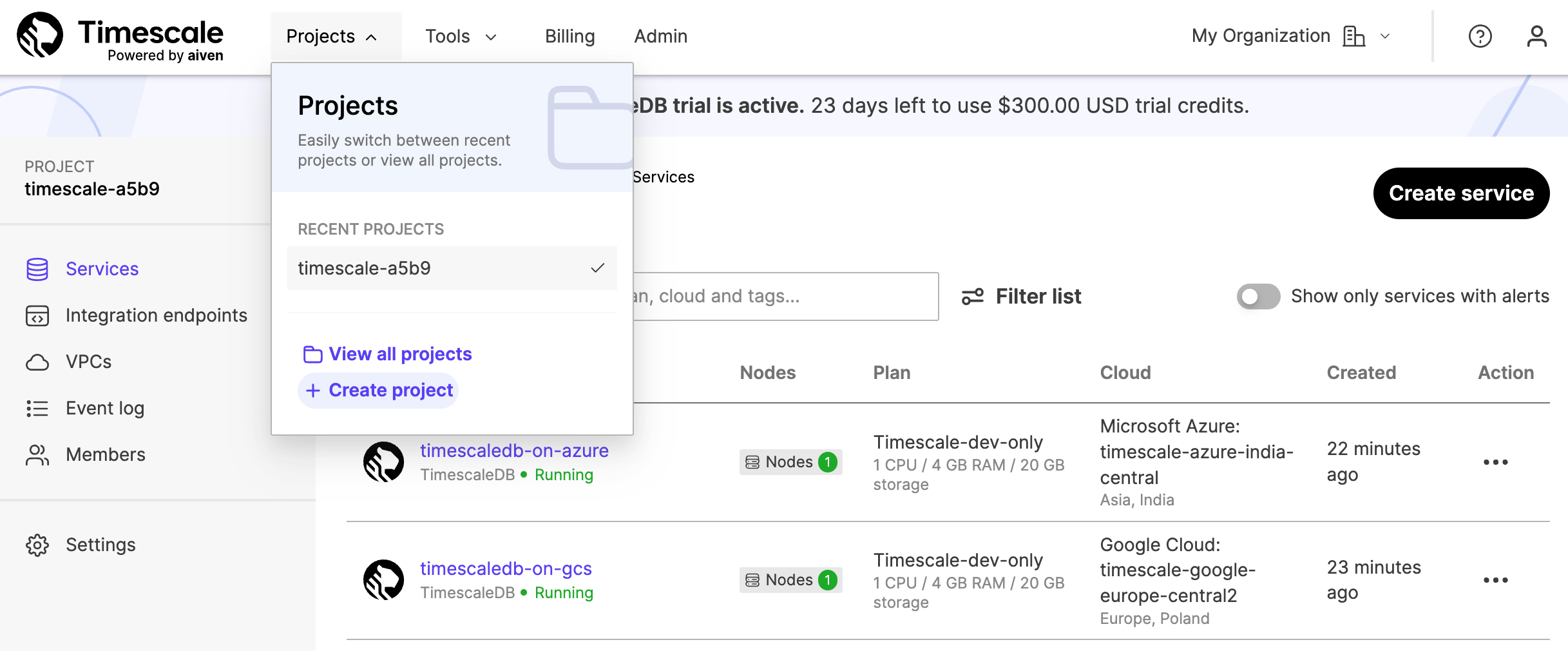
When you [sign up for Managed Service for TimescaleDB][mst-signup], an empty project is created for you automatically. Projects are the highest organization level, and they contain all your services and databases. You can use projects to organize groups of services. Each project can also have its own billing settings.
To create a new project: In [MST Console][mst-login], click Projects > Create project.
services
Each project contains one or more services. You can have multiple services under each project, and each service corresponds to a cloud service provider tier. You can access all your services from the Services tab within your projects.
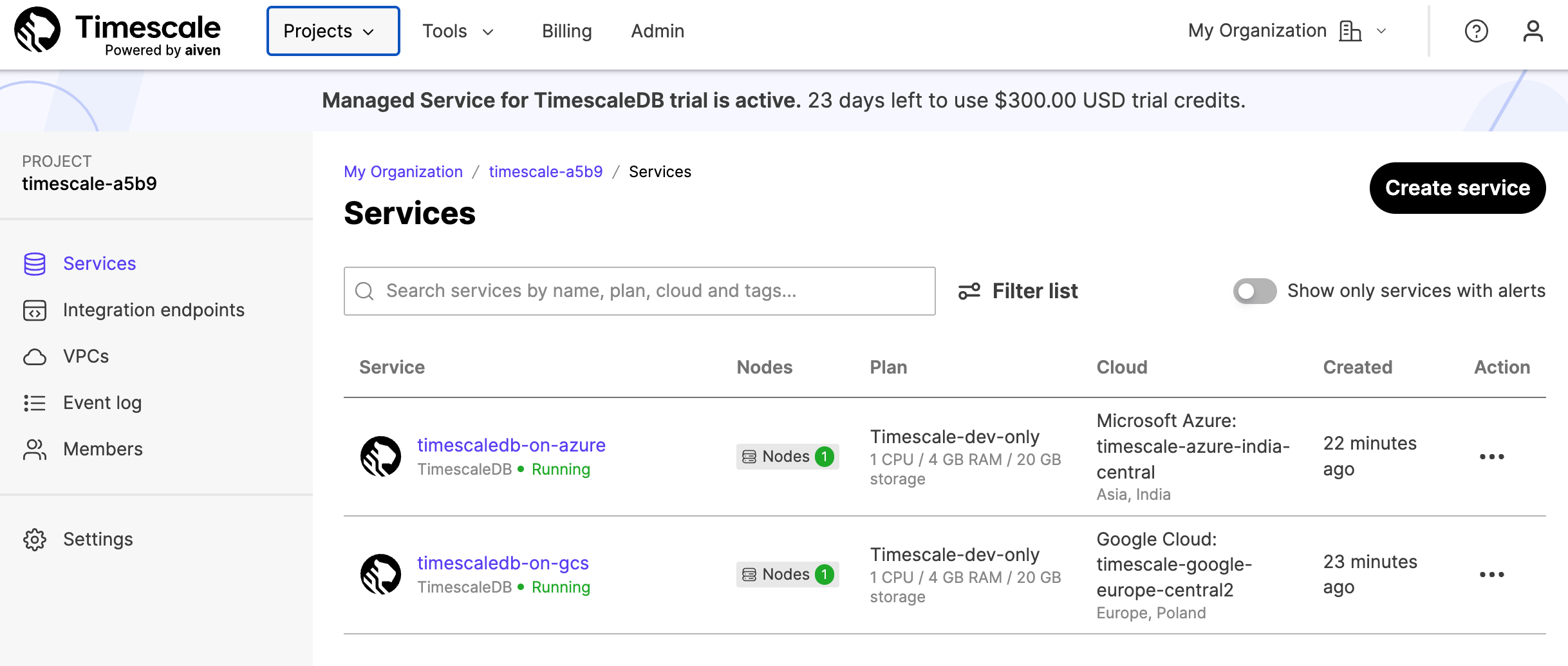
For more information about getting your first service up and running, see the [Managed Service for TimescaleDB installation section][mst-install].
When you have created, and named, a new Managed Service for TimescaleDB service, you cannot rename it. If you need to have your service running under a different name, you need to create a new service, and manually migrate the data. For more information about migrating data, see migrating your data.
For information about billing on Managed Service for TimescaleDB, see the [billing section][mst-billing].
Databases
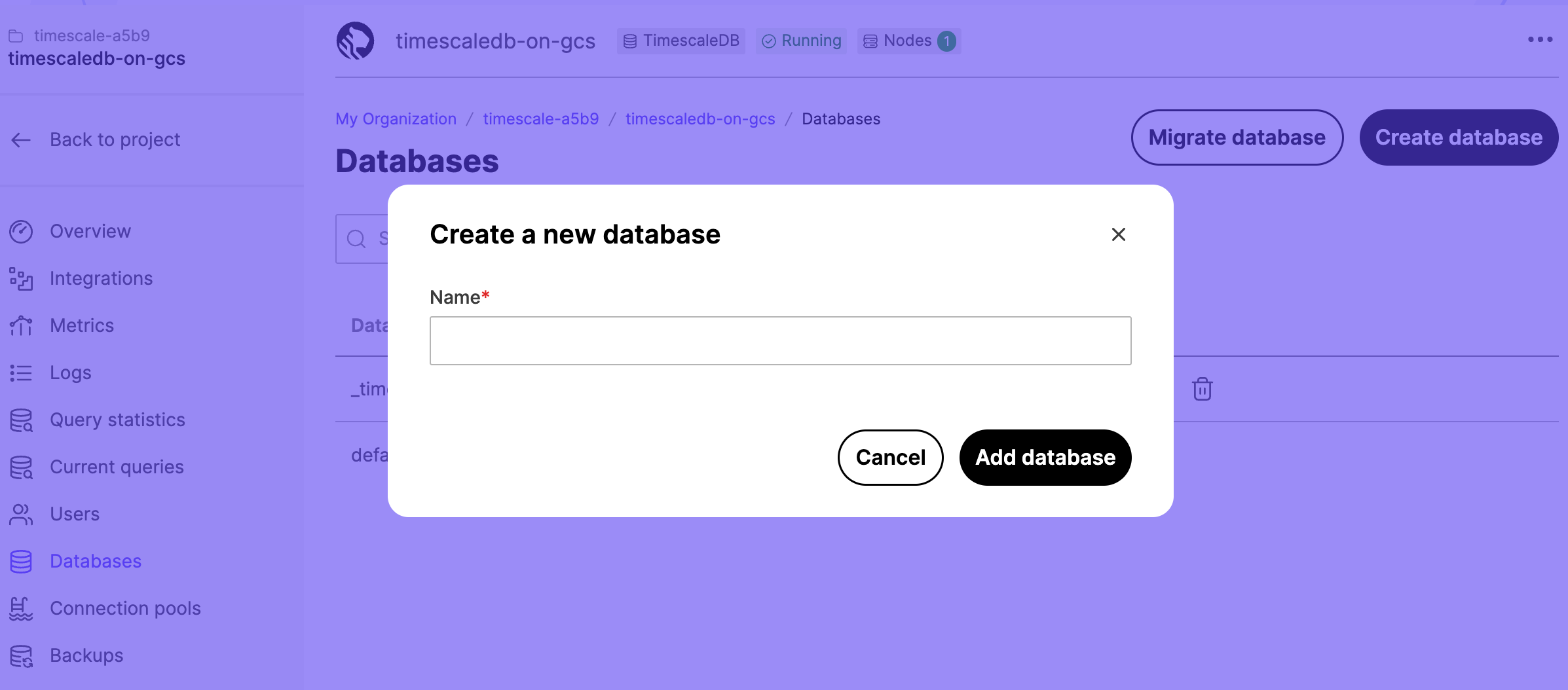
Each service can contain one or more databases. To view existing databases, or to create a new database, select a service in the services list, click Databases, then click Create database.
Service level agreement
Managed Service for TimescaleDB is provided through a partnership with Aiven. This provides you with a service commitment to deliver 99.99% availability. For more information, see the [Aiven Service Level Agreement policy][aiven-sla].
Service configuration plans
When you create a new service, you need to select a configuration plan. The plan determines the number of VMs the service runs in, the high availability configuration, the number of CPU cores, and size of RAM and storage volumes.
The plans are:
- Basic Plans: include 2 days of backups and automatic backup and restore if your instance fails.
- Dev Plans: include 1 day of backups and automatic backup and restore if your instance fails.
- Pro Plans: include 3 days of backups and automatic failover to a hot standby if your instance fails.
The Basic and Dev plans are serviced by a single virtual machine (VM) node. This means that if the node fails, the service is unavailable until a new VM is built. This can result in data loss, if some of the latest changes to the data weren't backed up before the failure. Sometimes, it can also take a long time to return the service back to normal operation, because a new VM needs to be created and restored from backups before the service can resume. The time to recover depends on the amount of data you have to restore.
The Pro plans are much more resilient to failures. A single node failure causes no data loss, and the possible downtime is minimal. If an acting TimescaleDB master node fails, an up-to-date replica node is automatically promoted to become the new master. This means there is only a small outage while applications reconnect to the database and access the new master.
You can upgrade your plan while the service is running. The service is reconfigured to run on larger VMs in the background and when the reconfiguration is complete, the DNS names are pointed to the new hosts. This can cause a short disruption to your service while DNS changes are propagated.
Within each configuration plan option, there are several plan types available:
IO-OptimizedandCompute-OptimizedThese configurations are optimized for input/output (I/O) performance, using SSD storage media.Storage-Optimized: These configurations usually have larger amounts of overall storage, using HDD storage media.Dev-Only: These configurations are typically smaller footprints, and lower cost, designed for development and testing scenarios.
<img class="main-content__illustration" width={1375} height={944} src="https://assets.timescale.com/docs/images/mst/service-plans.png" alt="MST selecting a service configuration plan"/>
High availability
Most minor failures are handled automatically without making any changes to your service deployment. This includes failures such as service process crashes, or a temporary loss of network access. The service automatically restores normal operation when the crashed process restarts automatically or when the network access is restored.
However, more severe failure modes, such as losing a single node entirely, require more drastic recovery measures. Losing an entire node or a virtual machine could happen for example due to hardware failure or a severe software failure.
A failing node is automatically detected by the MST monitoring infrastructure. Either the node starts reporting that its own self-diagnostics is reporting problems or the node stops communicating entirely. The monitoring infrastructure automatically schedules a new replacement node to be created when this happens.
In case of database failover, the service URL of your service remains the same. Only the IP address changes to point at the new master node.
Managed Service for TimescaleDB availability features differ based on the service plan:
- Basic and Dev plans: These are single-node plans. Basic plans include a two-day backup history, and Dev plans include a one-day backup history.
- Pro plans: These are two-node plans with a master and a standby for higher availability, and three-day backup histories.
Single node
In the Basic and Dev plans, if you lose the only node from the service, it immediately starts the automatic process of creating a new replacement node. The new node starts up, restores its state from the latest available backup, and resumes the service. Because there was just a single node providing the service, the service is unavailable for the duration of the restore operation. Also, any writes made since the backup of the latest write-ahead log (WAL) file is lost. Typically this time window is limited to either five minutes, or one WAL file.
Highly available nodes
In Pro plans, if a Postgres standby fails, the master node keeps running normally and provides normal service level to the client applications. When the new replacement standby node is ready and synchronized with the master, it starts replicating the master in real time and normal operation resumes.
If the Postgres master fails, the combined information from the MST monitoring infrastructure and the standby node is used to make a failover decision. On the nodes, the open source monitoring daemon PGLookout, in combination with the information from the MST system infrastructure, reports the failover. If the master node is down completely, the standby node promotes itself as the new master node and immediately starts serving clients. A new replacement node is automatically scheduled and becomes the new standby node.
If both master and standby nodes fail at the same time, two new nodes are automatically scheduled for creation and become the new master and standby nodes respectively. The master node restores itself from the latest available backup, which means that there can be some degree of data loss involved. For example, any writes made since the backup of the latest write-ahead log (WAL) file can be lost.
The amount of time it takes to replace a failed node depends mainly on the cloud region and the amount of data that needs to be restored. However, in the case of services with two-node Pro plans, the surviving node keeps serving clients even during the recreation of the other node. This process is entirely automatic and requires no manual intervention.
For backups and restoration, Managed Service for TimescaleDB uses the open source backup daemon PGHoard that MST maintains. It makes real-time copies of write-ahead log (WAL) files to an object store in a compressed and encrypted format.
Connection limits
Managed Service for TimescaleDB limits the maximum number of connections to each service. The maximum number of allowed connections depends on your service plan. To see the current connection limit for your service, navigate to the service Overview tab and locate the Connection Limit section.
If you have a lot of clients or client threads connecting to your database, use connection pooling to limit the number of connections. For more information about connection pooling, see the [connection pooling section][connection-pooling].
If you have a high number of connections to your database, your service might run more slowly, and could run out of memory. Remain aware of how many open connections your have to your database at any given time.
Service termination protection
You can protect your services from accidentally being terminated, by enabling service termination protection. When termination protection is enabled, you cannot power down the service from the web console, the REST API, or with a command-line client. To power down a protected service, you need to turn off termination protection first. Termination protection does not interrupt service migrations or upgrades.
To enable service termination protection, navigate to the service Overview tab. Locate the Termination protection section, and toggle to enable protection.
If you run out of free sign-up credit, and have not entered a valid credit card for payment, your service is powered down, even if you have enabled termination protection.
Idle connections
Managed Service for TimescaleDB uses the default keep alive settings for TCP connections. The default settings are:
tcp_keepalives_idle: 7200tcp_keepalive_count: 9tcp_keepalives_interval: 75
If you have long idle database connection sessions, you might need to adjust these settings to ensure that your TCP connection remains stable. If you experience a broken TCP connection, when you reconnect make sure that your client resolves the DNS address correctly, as the underlying address changes during automatic failover.
For more information about adjusting keep alive settings, see the [Postgres documentation][pg-keepalive].
Long running queries
Managed Service for TimescaleDB does not cancel database queries. If you have created a query that is taking a very long time, or that has hung, it could lock resources on your service, and could prevent database administration tasks from being performed.
You can find out if you have any long-running queries by navigating to the service Current Queries tab. You can also cancel long running queries from this tab.
Alternatively, you can use your connection client to view running queries with this command:
SELECT * FROM pg_stat_activity
    WHERE state <> 'idle';
Cancel long-running queries using this command, with the PID of the query you want to cancel:
SELECT pg_terminate_backend(<PID>);If you want to automatically cancel any query that runs over a specified length of time, you can use this command:
SET statement_timeout = <milliseconds>===== PAGE: https://docs.tigerdata.com/mst/installation-mst/ =====
Get started with Managed Service for TimescaleDB
Managed Service for TimescaleDB (MST) is TimescaleDB hosted on Azure and GCP. MST is offered in partnership with Aiven.
Tiger Cloud is a high-performance developer focused cloud that provides Postgres services enhanced with our blazing fast vector search. You can securely integrate Tiger Cloud with your AWS, GCS or Azure infrastructure. [Create a Tiger Cloud service][timescale-service] and try for free.
If you need to run TimescaleDB on GCP or Azure, you're in the right place — keep reading.
Create your first service
A service in Managed Service for TimescaleDB is a cloud instance on your chosen cloud provider, which you can install your database on.
Creating your first service
[Sign in][mst-login] to your MST Console.
Click
Create serviceand chooseTimescaleDB, and update your preferences: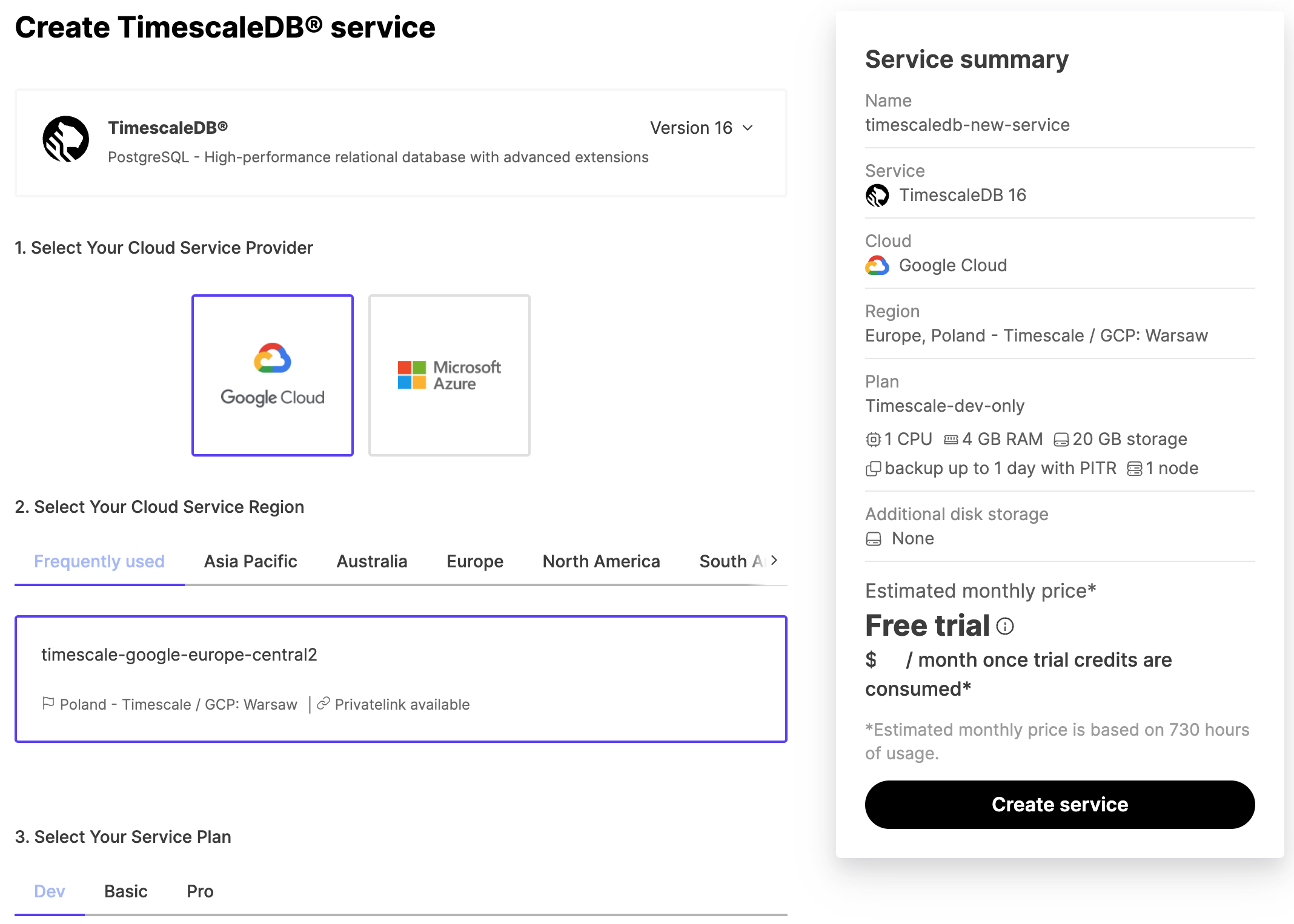
- In the
Select Your Cloud Service Providerfield, click your preferred provider. - In the
Select Your Cloud Service Regionfield, click your preferred server location. This is often the server that's physically closest to you. - In the
Select Your Service Planfield, click your preferred plan, based on the hardware configuration you require. If you are in your trial period, and just want to try the service out, or develop a proof of concept, we recommend theDevplan, because it is the most cost-effective during your trial period.
- In the
In the information bar on the right of the screen, review the settings you have selected for your service, and click
Create Service. The service takes a few minutes to provision.
Connect to your service from the command prompt
When you have a service up and running, you can connect to it from your local system using the psql command-line utility. This is the same tool you might have used to connect to Postgres before, but if you haven't installed it yet, check out the [installing psql][install-psql] section.
Connecting to your service from the command prompt
[Sign in][mst-login] to your MST Console.
In the
Servicestab, find the service you want to connect to, and check it is marked asRunning.Click the name of the service you want to connect to see the connection information. Take a note of the
host,port, andpassword.On your local system, at the command prompt, connect to the service, using your own service details:
bashpsql -x "postgres://tsdbadmin:<PASSWORD>@<HOSTNAME>:<PORT>/defaultdb?sslmode=require"If your connection is successful, you'll see a message like this, followed by the
psqlprompt:bashpsql (13.3, server 13.4) SSL connection (protocol: TLSv1.3, cipher: TLS_AES_256_GCM_SHA384, bits: 256, compression: off) Type "help" for help. defaultdb=>
Check that you have the TimescaleDB extension
TimescaleDB is provided as an extension to your Postgres database, and it is enabled by default when you create a new service on Managed Service for TimescaleDB You can check that the TimescaleDB extension is installed by using the \dx command at the psql prompt. It looks like this:
defaultdb=> \dx

List of installed extensions
-[ RECORD 1 ]------------------------------------------------------------------
Name        | plpgsql
Version     | 1.0
Schema      | pg_catalog
Description | PL/pgSQL procedural language
-[ RECORD 2 ]------------------------------------------------------------------
Name        | timescaledb
Version     | 2.5.1
Schema      | public
Description | Enables scalable inserts and complex queries for time-series data

defaultdb=>
Install and update TimescaleDB Toolkit
Run this command on each database you want to use the Toolkit with:
CREATE EXTENSION timescaledb_toolkit;Update an installed version of the Toolkit using this command:
ALTER EXTENSION timescaledb_toolkit UPDATE;Where to next
Now that you have your first service up and running, you can check out the [Managed Service for TimescaleDB][mst-docs] section in the documentation, and find out what you can do with it.
If you want to work through some tutorials to help you get up and running with TimescaleDB and time-series data, check out the [tutorials][tutorials] section.
You can always [contact us][contact] if you need help working something out, or if you want to have a chat.
===== PAGE: https://docs.tigerdata.com/mst/ingest-data/ =====
Ingest data
There are several different ways of ingesting your data into Managed Service for TimescaleDB. This section contains instructions to:
- Bulk upload from a
.csvfile - Insert data directly using a client driver, such as JDBC, ODBC, or Node.js
- Insert data directly using a message queue, such as Kafka
Before you begin, make sure you have [created your service][create-managed-service], and can connect to it using psql.
Preparing your new database
Use
psqlto connect to your service.sqlpsql -h <HOSTNAME> -p <PORT> -U <USERNAME> -W -d <DATABASE_NAME>You retrieve the service URL, port, and login credentials from the service overview in the [MST dashboard][mst-login].
Create a new database for your data. In this example, the new database is called
new_db:sqlCREATE DATABASE new_db; \c new_db;Create a new SQL table in your database. The columns you create for the table must match the columns in your source data. In this example, the table is storing weather condition data, and has columns for the timestamp, location, and temperature:
sqlCREATE TABLE conditions ( time TIMESTAMPTZ NOT NULL, location text NOT NULL, temperature DOUBLE PRECISION NULL );Load the
timescaledbPostgres extension:sqlCREATE EXTENSION timescaledb; \dxConvert the SQL table into a hypertable:
sqlSELECT create_hypertable('conditions', by_range('time'));The
by_rangedimension builder is an addition to TimescaleDB 2.13.
When you have successfully set up your new database, you can ingest data using one of these methods.
Bulk upload from CSV files
If you have a dataset stored in a .csv file, you can import it into an empty hypertable. You need to begin by creating the new table, before you import the data.
Before you begin, make sure you have prepared your new database.
Bulk uploading from a CSV file
Insert data into the new hypertable using the
timescaledb-parallel-copytool. You should already have the tool installed, but you can install it manually from [our GitHub repository][github-parallel-copy] if you need to. In this example, we are inserting the data using four workers:sqltimescaledb-parallel-copy \ --connection '<service_url>' \ --table conditions \ --file ~/Downloads/example.csv \ --workers 4 \ --copy-options "CSV" \ --skip-headerWe recommend that you set the number of workers lower than the number of available CPU cores on your client machine or server, to prevent the workers having to compete for resources. This helps your ingest go faster.
OPTIONAL: If you don't want to use the
timescaledb-parallel-copytool, or if you have a very small dataset, you can use the PostgresCOPYcommand instead:sqlpsql '<service_url>/new_db?sslmode=require' -c "\copy conditions FROM <example.csv> WITH (FORMAT CSV, HEADER)"
Insert data directly using a client driver
You can use a client driver such as JDBC, Python, or Node.js, to insert data directly into your new database.
See the [Postgres instructions][postgres-odbc] for using the ODBC driver.
See the [Code Quick Starts][code-qs] for using various languages, including Python and node.js.
Insert data directly using a message queue
If you have data stored in a message queue, you can import it into your service. This section provides instructions on using the Kafka Connect Postgres connector.
This connector deploys Postgres change events from Kafka Connect to a runtime service. It monitors one or more schemas in a service, and writes all change events to Kafka topics, which can then be independently consumed by one or more clients. Kafka Connect can be distributed to provide fault tolerance, which ensures the connectors are running and continually keeping up with changes in the database.
You can also use the Postgres connector as a library without Kafka or Kafka Connect. This allows applications and services to directly connect to MST and obtain the ordered change events. In this environment, the application must record the progress of the connector so that when it is restarted, the connect can continue where it left off. This approach can be useful for less critical use cases. However, for production use cases, we recommend that you use the connector with Kafka and Kafka Connect.
See [these instructions][gh-kafkaconnector] for using the Kafka connector.
===== PAGE: https://docs.tigerdata.com/mst/user-management/ =====
User management
You can add new users, and manage existing users, in MST Console. New users can be added to an entire project, or a single service.
Project members
You can invite new users to join your project as project members. There are several roles available for project members:
| Role | Invite more users | Modify billing information | Manage existing services | Start and stop services | View service information |
|---|---|---|---|---|---|
| Admin | ✅ | ✅ | ✅ | ✅ | ✅ |
| Operator | ❌ | ❌ | ✅ | ✅ | ✅ |
| Developer | ✅ | ❌ | ✅ | ❌ | ✅ |
| Read-only | ❌ | ❌ | ❌ | ❌ | ✅ |
Users who can manage existing services can create databases and connect to them, on a service that already exists. To create a new service, users need the start and stop services permission.
Adding project members
- [Sign in][mst-login] to your MST Console.
- Check that you are in the project that you want to change the members for, and click
Members. - In the
Project memberspage, type the email address of the member you want to add, and select a role for the member. - Click
Send invitation. - The new user is sent an email inviting them to the project, and the invite shows in the
Pending invitationslist. You can clickWithdraw invitationto remove an invitation before it has been accepted. - When they accept the invitation, the user details show in the
Memberslist. You can edit a member role by selecting a new role in the list. You can delete a member by clicking the delete icon in the list.
Service users
By default, when you create a new service, a new tsdbadmin user is created. This is the user that you use to connect to your new service.
The tsdbadmin user is the owner of the database, but is not a superuser. To access features requiring a superuser, log in as the postgres user instead.
The tsdbadmin user for Managed Service for TimescaleDBs can:
- Create a database
- Create a role
- Perform replication
- Bypass row level security (RLS)
This allows you to use the tsdbadmin user to create another user with any other roles. For a complete list of roles available, see the [Postgres role attributes documentation][pg-roles-doc].
Your service must be running before you can manage users.
Adding service users
[Sign in][mst-login] to MST Console. By default, you start in the
Servicesview, showing any services you currently have in your project.Click the name of the service that you want to add users to.
Select
Users, then clickAdd service user: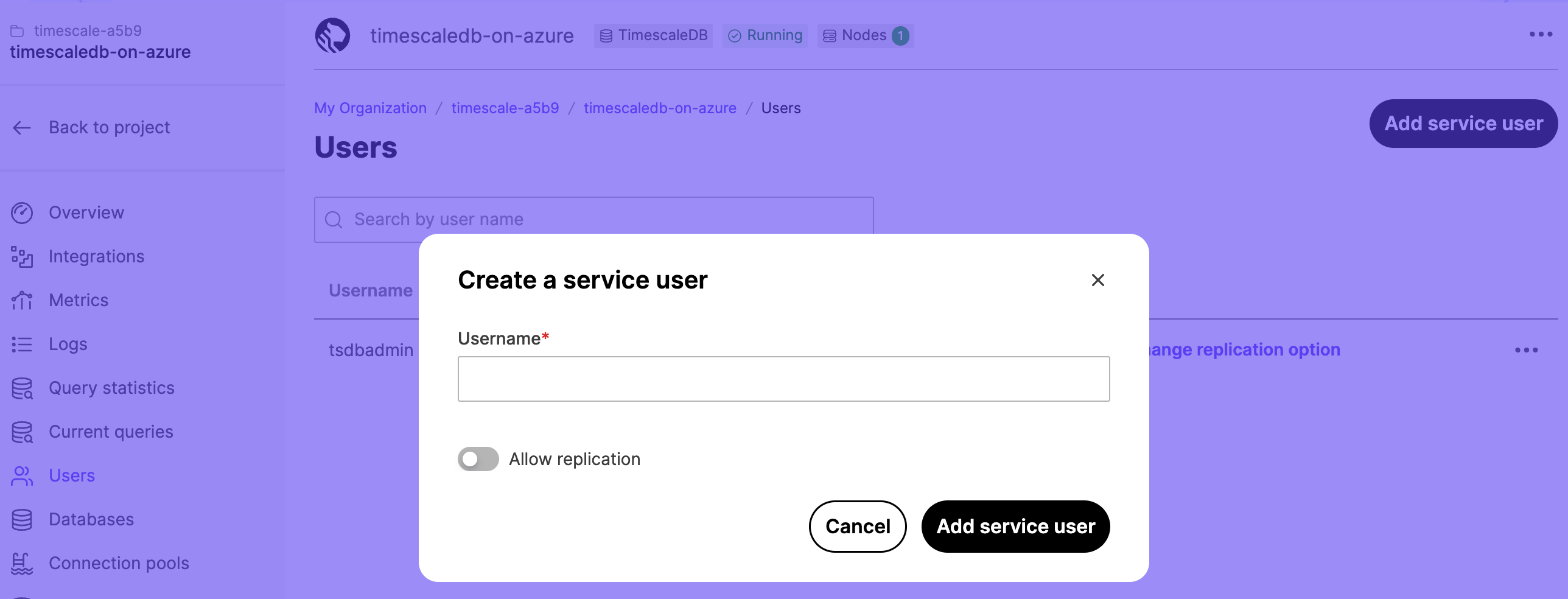
In the
Usernamefield, type a name for your user. If you want to allow the user to be replicated, toggleAllow replication. ClickAdd service userto save the user.The new user shows in the
Usernamelist.To view the password, click the eye icon. Use the options in the list to change the replication setting and password, or delete the user.
Multi-factor user authentication
You can use multi-factor authentication (MFA) to log in to MST Console. This requires an authentication code, provided by the Google Authenticator app on your mobile device.
You can see which authentication method is in use by each member of your Managed Service for TimescaleDB project. From the dashboard, navigate to the Members section. Each member is listed in the table with an authentication method of either Password or Two-Factor.
Before you begin, install the Google Authenticator app on your mobile device. For more information, and installation instructions, see [the Google Authenticator documentation][install-google-authenticator].
Configuring multi-factor authentication
- [Sign in][mst-login] to MST Console.
- Click the
User informationicon in the top-right of the dashboard to go to theUser profilesection. - In the
Authenticationtab, toggleTwo-factor authenticationtoEnabled, and enter your password. - On your mobile device, open the Google Authenticator app, tap
+and selectScan a QR code. - On your mobile device, scan the QR code provided by Managed Service for TimescaleDB.
- In your MST dashboard, enter the confirmation code provided by the Google Authenticator app, and click
Enable Two-Factor Auth.
If you lose access to the mobile device you use for multi-factor authentication, you cannot sign in to your Managed Service for TimescaleDB account. To regain access to your account, on the login screen, click Forgot password? and follow the step to reset your password. When you have regained access to your account, reconfigure multi-factor authentication.
User authentication tokens
Every time a registered user logs in, Managed Service for TimescaleDB creates a new authentication token. This occurs for login events using the portal, and using the API. By default, authentication tokens expire after 30 days, but the expiry date is adjusted every time the token is used. This means that tokens can be used indefinitely, if the user logs in at least every 30 days.
You can see the list of all current authentication tokens in the Managed Service for TimescaleDB dashboard. Sign in to your account, and click the User information icon in the top-right of the dashboard to go to the User profile section. In the Authentication tab, the table lists all current authentication tokens.
When you make authentication changes, such as enabling two factor authentication or resetting a password, all existing tokens are revoked. In some cases, a new token is immediately created so that the web console session remains valid. You can also manually revoke authentication tokens from the User profile page individually, or click Revoke all tokens to revoke all current tokens.
Additionally, you can click Generate token to create a new token. When you generate a token on this page, you can provide a description, maximum age, and an extension policy. Generating authentication tokens in this way allows you to use them with monitoring applications that make automatic API calls to Managed Service for TimescaleDB.
There is a limit to how many valid authentication tokens are allowed per user. This limit is different for tokens that are created as a result of a sign in operation, and for tokens created explicitly. For automatically created tokens, the system automatically deletes the oldest tokens as new ones are created. For explicitly created tokens, older tokens are not deleted unless they expire or are manually revoked. This can result in explicitly created tokens that stop working, even though they haven't expired or been revoked. To avoid this, make sure you sign out at the end of every user session, instead of just discarding your authentication token. This is especially important for automation tools that automatically sign in.
===== PAGE: https://docs.tigerdata.com/mst/billing/ =====
Billing on Managed Service for TimescaleDB
By default, all new services require a credit card, which is charged at the end of the month for all charges accrued over that month. Each project is charged separately. Your credit card statement records the transaction as coming from Aiven, as Aiven provides billing services for Managed Service for TimescaleDB.
Managed Service for TimescaleDB uses hourly billing. This charge is automatically calculated, based on the services you are running in your project. The price charged for your project includes:
- Virtual machine
- Networking
- Backups
- Setting up
Managed Service for TimescaleDB does not charge you for network traffic used by your service. However, your application cloud service provider might charge you for the network traffic going to or from your service.
Terminating or powering a service down stops the accumulation of new charges immediately. However, the minimum hourly charge unit is one hour. For example, if you launch a service and shut it down after 40 minutes, you are charged for one full hour.
Migrating to different service plan levels does not incur extra charges for the migration itself. Note, though, that some service plan levels are more costly per hour, and your new service is charged at the new rate.
Migrating a service to another cloud region or different cloud provider does not incur extra charges.
All prices listed for Managed Service for TimescaleDB are inclusive of credit card and processing fees. However, in some cases, your credit card provider might charge additional fees, such as an international transaction fee. These fees are not charged by Tiger Data or Aiven.
Billing groups
Create billing groups to set up common billing profiles for projects within an organization. Billing groups make it easier to manage your costs since you receive a consolidated invoice for all projects assigned to a billing group and can pay with one saved payment method.
Billing groups can only be used in one organization. Credits are assigned per billing group and are automatically used to cover charges of any project assigned to that group.
You can track spending by exporting cost information to business intelligence tools using the [invoice API][invoice-api].
To access billing groups in [MST Console][mst-console], you must be a super admin or account owner.
Create a billing group
To create a billing group, take the following steps:
In [MST Console][mst-console], click Billing > Billing groups > Create billing group.
Enter a name for the billing group and click Continue.
Enter the billing details.
You can copy these details from another billing group by selecting it from the list. Click Continue.
Select the projects to add to this billing group and click Continue
You can skip this step and add projects later.
Check the information in the Summary step. To make changes to any section, click Edit.
When you have confirmed everything is correct, click Create & Assign.
Manage billing groups
To view and update your billing groups, take the following steps:
Rename billing groups:
- In [MST Console][mst-console], go to Billing > Billing groups and find the billing group to rename.
- Click Actions > Rename.
- Enter the new name and click Rename.
Update your billing information:
- In [MST Console][mst-console], go to Billing > Billing groups and click on the name of the group to update.
- Open the Billing information tab and click Edit to update the details for each section.
Delete billing groups
- In [MST Console][mst-console], open Billing > Billing groups and select the group to delete.
- On the Projects tab, confirm that the billing group has no projects. If there are projects listed, move them to a different billing group.
- Go back to the list of billing groups and click Actions > Delete next to the group to be deleted.
Assign and unassign projects
To manage projects in billing groups, take the following steps.
Assign projects to a billing group:
- In [MST Console][mst-console], go to Billing > Billing groups.
- Select the billing group to assign the project to.
- On the Projects tab, click Assign projects.
- Select the projects and click Assign projects.
- Click Cancel to close the dialog box.
Assigning a project that is already assigned to another billing group will unassign it from that billing group.
Move a project to another billing group
- In [MST Console][mst-console], go to Billing > Billing groups.
- Click on the name of the billing group that the project is currently assigned to.
- On the Projects tab, find the project to move.
- Click the three dots for that project and select the billing group to move it to.
Taxation
Aiven provides billing services for Managed Service for TimescaleDB. These services are provided by Aiven Ltd, a private limited company incorporated in Finland.
If you are within the European Union, Finnish law requires that you are charged a value-added tax (VAT). The VAT percentage depends on where you are domiciled. For business customers in EU countries other than Finland, you can use the reverse charge mechanism of 2006/112/EC article 196, by entering a valid VAT ID into the billing information of your project.
If you are within the United States, no tax is withheld from your payments. In most cases, you do not require a W-8 form to confirm this, however, if you require a W-8BEN-E form describing this status, you can [request one][timescale-support].
If you are elsewhere in the world, no taxes are applied to your account, according to the Value-Added Tax Act of Finland, section 69 h.
Corporate billing
If you prefer to pay by invoice, or if you are unable to provide a credit card for billing, you can switch your project to corporate billing instead. Under this model, invoices are generated at the end of the month based on actual usage, and are sent in .pdf format by email to the billing email addresses you configured in your dashboard.
Payment terms for corporate invoices are 14 days net, by bank transfer, to the bank details provided on the invoice. By default, services are charged in US Dollars (USD), but you can request your invoices be sent in either Euros (EUR) or Pounds Sterling (GBP) at the invoice date's currency exchange rates.
To switch from credit card to corporate billing, make sure your billing profile and email address is correct in your project's billing settings, and send a message to the [Tiger Data support team][timescale-support] asking to be changed to corporate billing.
===== PAGE: https://docs.tigerdata.com/mst/connection-pools/ =====
Connection pools
When you connect to your database, you consume server resources. If you have a lot of connections to your database, you can consume a lot of server resources. One way to mitigate this is to use connection pooling, which allows you to have high numbers of connections, but keep your server resource use low. The more client connections you have to your database, the more useful connection pooling becomes.
By default, Postgres creates a separate backend process for each connection to the server. Connection pooling uses a tool called PGBouncer to pool multiple connections to a single backend process. PGBouncer automatically interleaves the client queries to use a limited number of backend connections more efficiently, leading to lower resource use on the server and better total performance.
Without connection pooling, the database connections are handled directly by Postgres backend processes, one process per connection: <img class="main-content__illustration" width={1375} height={944} src="https://assets.timescale.com/docs/images/pgbouncer-pooling-none.webp" alt="Connection pooling - pooling disabled"/>
When you add connection pooling, fewer backend connections are required. This frees up server resources for other tasks, such as disk caching: <img class="main-content__illustration" width={1375} height={944} src="https://assets.timescale.com/docs/images/pgbouncer-pooling-enabled.webp" alt="Connection pooling - pooling enabled"/>
Connection pooling allows you to handle up to 5000 database client connections simultaneously. You can calculate how many connections you can handle by the number of CPU cores you have available. You should have at least one connection per core, but make sure you are not overloading each core. A good number of connections to aim for is three to five times the available CPU cores, depending on your workload.
Connection pooling modes
There are several different pool modes:
- Transaction (default)
- Session
- Statement
Transaction pooling mode
This is the default pooling mode. It allows each client connection to take turns using a backend connection during a single transaction. When the transaction is committed, the backend connection is returned back into the pool and the next waiting client connection reuses the same connection immediately. This provides quick response times for queries as long as the most transactions are performed quickly. This is the most commonly used mode.
Session pooling mode
This mode holds a client connection until the client disconnects. When the client disconnects, the server connection is returned back into the connection pool free connection list, to wait for the next client connection. Client connections are accepted at TCP level, but their queries only proceed when another client disconnects and frees up the backend connection back into the pool. This mode is useful when you require a wait queue for incoming connections, while keeping the server memory usage low. However, it is not useful in most common scenarios because the backend connections are recycled very slowly.
Statement pooling mode
This mode is similar to the transaction pool mode, except that instead of allowing a full transaction to be run, it cycles the server side connections after each and every database statement (SELECT, INSERT, UPDATE, DELETE, for example). Transactions containing multiple SQL statements are not allowed in this mode. This mode is best suited to specialized workloads that use sharding front-end proxies.
Set up a connection pool
You can set up a connection pool from the MST Console. Make sure you have already created a service that you want to add connection pooling to.
Setting up a connection pool
- In [MST Console][mst-login], navigate to the
Serviceslist, and click the name of the service you want to add connection pooling to. - In the
Service overviewpage, navigate to thePoolstab. When you have created some pools, they are shown here. - Click
Add Poolto create a new pool. - In the
Create New Connection Pooldialog, use these settings:- In the
Pool namefield, type a name for your new pool. This name becomes the databasedbnameconnection parameter for your pooled client connectons. - In the
Databasefield, select a database to connect to. Each pool can only connect to one database. - In the
Pool Modefield, select which pool mode to use. - In the
Pool Sizefield, select the maximum number of server connections this pool can use at any one time. - In the
Usernamefield, select which database username to connect to the database with.
- In the
- Click
Createto create the pool, and see the details of the new pool in the list. You can clickInfonext to the pool details to see more information, including the URI and port details.
Pooled servers use a different port number than regular servers. This allows you to use both pooled and un-pooled connections at the same time.
===== PAGE: https://docs.tigerdata.com/mst/viewing-service-logs/ =====
Viewing service logs
Occasionally there is a need to inspect logs from Managed Service for TimescaleDB. For example, to debug query performance or inspecting errors caused by a specific workload.
There are different built-in ways to inspect service logs at Managed Service for TimescaleDB:
When you select a specific service, navigate to the
Logstab to see recent events. Logs can be browsed back in time.Download logs using the [command-line client][command-line-client] by running:
bashavn service logs -S desc -f --project <PROJECT_NAME> <SERVICE_NAME>[REST API][] endpoint is available for fetching the same information two above methods output, in case programmatic access is needed.
Service logs included on the normal service price are stored only for a few days. Unless you are using logs integration to another service, older logs are not accessible.
===== PAGE: https://docs.tigerdata.com/mst/vpc-peering/ =====
VPC peering
Virtual Private Cloud (VPC) peering is a method of connecting separate Cloud private networks to each other. It makes it possible for the virtual machines in the different VPCs to talk to each other directly without going through the public internet. VPC peering is limited to VPCs that share the same Cloud provider.
VPC peering setup is a per project and per region setting. This means that all services created and running utilize the same VPC peering connection. If needed, you can have multiple projects that peer with different connections.
services are only accessible using your VPC's internal network. They are not accessible from the public internet. TLS certificates for VPC peered services are signed by the MST project CA and cannot be validated against a public CA (Let's Encrypt). You can choose whether you want to run on a VPC peered network or on the public internet for every service.
You can set up VPC peering on:
- [Amazon Web Services (AWS)] [vpc-aws]
- [Google Cloud Platform (GCP)] [vpc-gcp]
- [Microsoft Azure] [vpc-azure]
===== PAGE: https://docs.tigerdata.com/mst/integrations/ =====
Integrations for Managed Service for TimescaleDB
Managed Service for TimescaleDB integrates with the other tools you are already using. You can combine your services with third-party tools and build a complete cloud data platform.
You can integrate Managed Service for TimescaleDB with:
- [Grafana]
- [Loggly]
- [Datadog]
- [Prometheus]
- Syslog
- External Elasticsearch
- External OpenSearch
===== PAGE: https://docs.tigerdata.com/mst/extensions/ =====
Supported Postgres extensions in Managed Service for TimescaleDB
Managed Service for TimescaleDB supports many Postgres extensions. See available extensions for a full list.
Add an extension
You can add a supported extension to your database from the command line.
Some extensions have dependencies. When adding these, make sure to create them in the proper order.
Some extensions require disconnecting and reconnecting the client connection before they are fully available.
Adding an extension
- Connect to your database as the
tsdbadminuser. - Run
CREATE EXTENSION IF NOT EXISTS <extension_name>.
Available extensions
These extensions are available on Managed Service for TimescaleDB:
- address_standardizer
- address_standardizer_data_us
- aiven_extras
- amcheck
- anon
- autoinc
- bloom
- bool_plperl
- btree_gin
- btree_gist
- citext
- cube
- dblink
- dict_int
- dict_xsyn
- earthdistance
- file_fdw
- fuzzystrmatch
- h3
- h3_postgis
- hll
- hstore
- hstore_plperl
- insert_username
- intagg
- intarray
- isn
- jsonb_plperl
- lo
- ltree
- moddatetime
- pageinspect
- pg_buffercache
- pg_cron
- pg_freespacemap
- pg_prewarm
- pg_repack
- pg_similarity
- pg_stat_monitor
- pg_stat_statements
- pg_surgery
- pg_trgm
- pg_visibility
- pg_walinspect
- pgaudit
- pgcrypto
- pgrouting
- pgrowlocks
- pgstattuple
- plperl
- plpgsql
- postgis
- postgis_raster
- postgis_sfcgal
- postgis_tiger_geocoder
- postgis_topology
- postgres_fdw
- refint
- rum
- seg
- sslinfo
- tablefunc
- tcn
- timescaledb
- tsm_system_rows
- tsm_system_time
- unaccent
- unit
- uuid-ossp
- vector
- vectorscale
- xml2
- timescaledb_toolkit
The postgis_legacy extension is not packaged or supported as an extension by the PostGIS project. Tiger Data provides the extension package for Managed Service for TimescaleDB.
Request an extension
You can request an extension not on the list by contacting Support. In your request, specify the database service and user database where you want to use the extension.
Untrusted language extensions are not supported. This restriction preserves our ability to offer the highest possible service level. An example of an untrusted language extension is plpythonu.
You can contact Support directly from Managed Service for TimescaleDB. Click the life-preserver icon in the upper-right corner of your dashboard.
===== PAGE: https://docs.tigerdata.com/mst/dblink-extension/ =====
Using the dblink extension in Managed Service for TimescaleDB
The dblink [Postgres extension][dblink-extension] allows you to connect to other Postgres databases and to run arbitrary queries.
You can use [foreign data wrappers][pg-fdw] (FDWs) to define a remote foreign server to access its data. The database connection details such as hostnames are kept in a single place, and you only need to create a user mapping to store remote connections credentials.
Prerequisites
Before you begin, sign in to your service, navigate to the Overview tab, and take a note of these parameters for the Postgres remote server. Alternatively, you can use the avn service get command in the Aiven client:
HOSTNAME: The remote database hostnamePORT: The remote database portUSER: The remote database user to connect. The default user istsdbadmin.PASSWORD: The remote database password for theUSERDATABASE_NAME: The remote database name. The default database name isdefaultdb.
Enable the dblink extension
To enable the dblink extension on an MST Postgres service:
Connect to the database as the
tsdbadminuser:bashpsql -x "postgres://tsdbadmin:<PASSWORD>@<HOSTNAME>:<PORT>/defaultdb?sslmode=require"Create the
dblinkextensionsqlCREATE EXTENSION dblink;Create a table named
inventory:
CREATE TABLE inventory (id int);- Insert data into the
inventorytable:
INSERT INTO inventory (id) VALUES (100), (200), (300);Create a foreign data wrapper using dblink_fdw
- Create a user
user1who can access thedblink
CREATE USER user1 PASSWORD 'secret1'Create a remote server definition named
mst_remote, usingdblink_fdwand the connection details of the service.sqlCREATE SERVER mst_remote FOREIGN DATA WRAPPER dblink_fdw OPTIONS ( host 'HOST', dbname 'DATABASE_NAME', port 'PORT' );Create a user mapping for the
user1to automatically authenticate as thetsdbadminwhen using thedblink:sqlCREATE USER MAPPING FOR user1 SERVER mst_remote OPTIONS ( user 'tsdbadmin', password 'PASSWORD' );Enable
user1to use the remote Postgres connectionmst_remote:
GRANT USAGE ON FOREIGN SERVER mst_remote TO user1;Query data using a foreign data wrapper
In this example in the user1 user queries the remote table inventory defined in the target Postgres database from the mst_remote server definition:
Quering data using a foreign data wrapper
To query a foreign data wrapper, you must be a database user with the necessary permissions on the remote server.
Connect to the service as
user1with necessary grants to the remote server.Establish the
dblinkconnection to the remote target server:
SELECT dblink_connect('my_new_conn', 'mst_remote');- Query using the foreign server definition as parameter:
SELECT * FROM dblink('my_new_conn','SELECT * FROM inventory') AS t(a int);Output is similar to:
    a
  -----
   100
   200
   300
 (3 rows)
===== PAGE: https://docs.tigerdata.com/mst/security/ =====
Security overview
This section covers how Managed Service for TimescaleDB handles security of your data while it is stored.
Cloud provider accounts
services are hosted by cloud provider accounts controlled by Tiger Data. These accounts are managed only by Tiger Data and Aiven operations personnel. Members of the public cannot directly access the cloud provider account resources.
Virtual machines
Your services are located on one or more virtual machines. Each virtual machine is dedicated to a single customer, and is never multi-tenanted. Customer data never leaves the virtual machine, except when uploaded to an offsite backup location.
When you create a new service, you need to select a cloud region. When the virtual machine is launched, it does so in the cloud region you have chosen. Your data never leaves the chosen cloud region.
If a cloud region has multiple Availability Zones, or a similar high-availability mechanism, the virtual machines are distributed evenly across the zones. This provides the best possible service if an Availability Zone becomes unavailable.
Access to the virtual machine providing your service is restricted. Software that is accessing your database needs to run on a different virtual machine. To reduce latency, it is best for it to be using a virtual machine provided by the same cloud provider, and in the same region, if possible.
Virtual machines are not reused. They are terminated and wiped when you upgrade or delete your service.
Project security
Every Managed Service for TimescaleDB project has its own certificate authority. This certificate authority is used to sign certificates used internally by your services to communicate between different cluster nodes and to management systems.
You can download your project certificate authority in MST Console. In the Services tab, click the service you want to find the certificate for. In the service Overview tab, under Connection information, locate the CA Certificate section, and click Show to see the certificate. It is recommended that you set up your browser or client to trust that certificate.
All server certificates are signed by the project certificate authority OF MST Console.
Data encryption
Managed Service for TimescaleDB at-rest data encryption covers both active service instances as well as service backups in cloud object storage.
Service instances and the underlying virtual machines use full volume encryption. The encryption method uses LUKS, with a randomly generated ephemeral key per each instance, and per volume. The keys are never re-used, and are disposed of when the instance is destroyed. This means that a natural key rotation occurs with roll-forward upgrades. By default, the LUKS mode is aes-xts-plain64:sha256, with a 512-bit key.
Backups are encrypted with a randomly generated key per file. These keys are in turn encrypted with an RSA key-encryption key-pair, and stored in the header section of each backup segment. The file encryption is performed with AES-256 in CTR mode, with HMAC-SHA256 for integrity protection. The RSA key-pair is randomly generated for each service. The key lengths are 256-bit for block encryption, 512-bit for the integrity protection, and 3072-bits for the RSA key.
Encrypted backup files are stored in the object storage in the same region that the virtual machines are located for the service.
Networking security
Access to provided services is only provided over TLS encrypted connections. TLS ensures that third-parties can't eavesdrop or modify the data while it's in transit between your service and the clients accessing your service. You cannot use unencrypted plain text connections.
Communication between virtual machines within Managed Service for TimescaleDB is secured with either TLS or IPsec. You cannot use unencrypted plaintext connections.
Virtual machines network interfaces are protected by a dynamically configured firewall based on iptables, which only allows connections from specific addresses. This is used for network traffic from the internal network to other VMs in the same service, and for external public network, to client connections.
By default, new services accept incoming traffic from all sources, which is used to simplify initial set up of your service. It is highly recommended that you restrict the IP addresses that are allowed to establish connections to your services.
Configure allowed incoming IP addresses for your service
In [MST Console][mst-login], select the service to update.
In
Overviewcheck thePortnumber.This is the port that you are managing inbound access for.
In
Network, checkIP filters. The default value is `Open for all.Click the ellipsis (...) to the right of Network, then select
Set public IP filters.Set the
Allowed inbound IP addresses: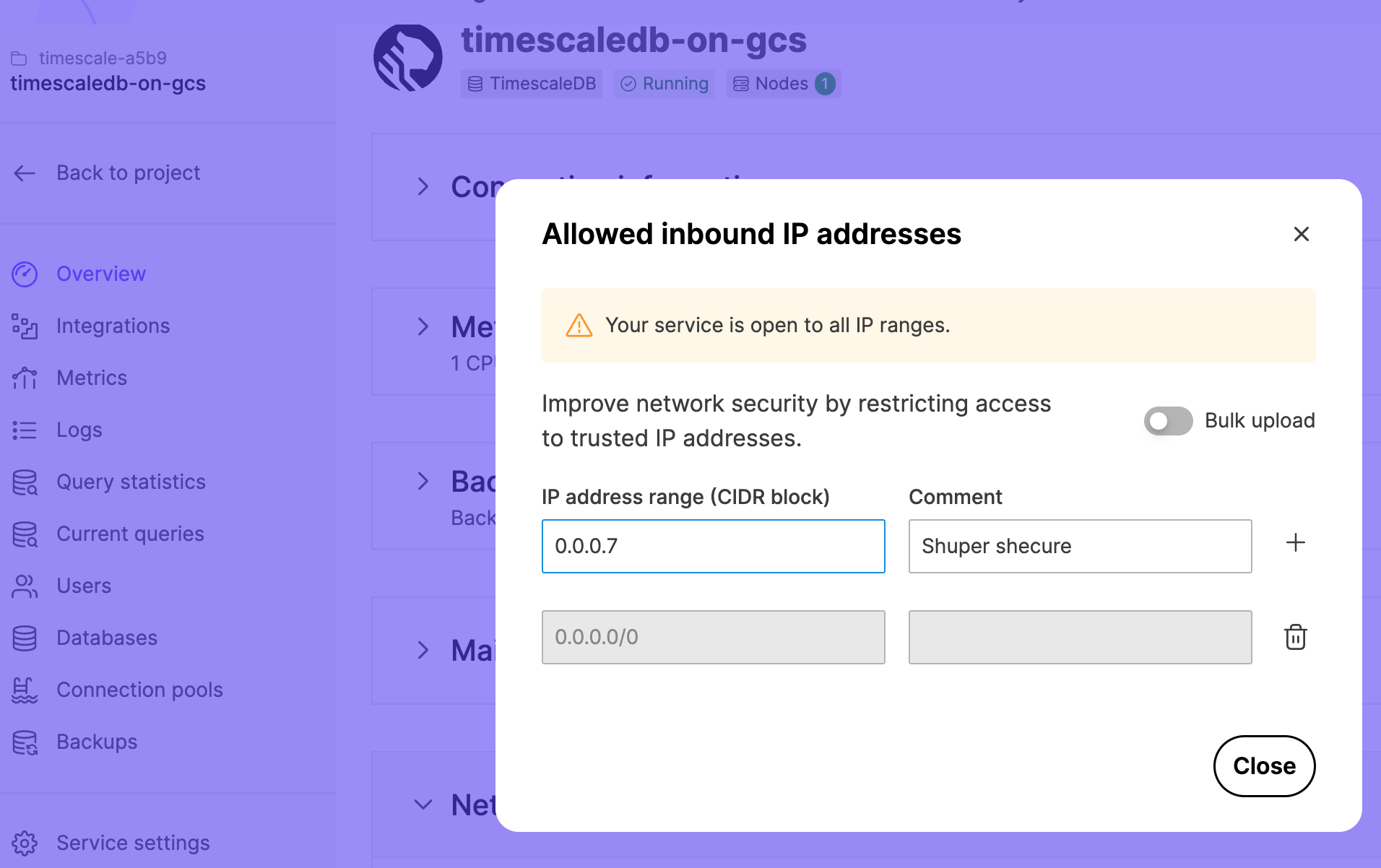
Networking with VPC peering
When you set up VPC peering, you cannot access your services using public internet-based access. Service addresses are published in the public DNS record, but they can only be connected to from your peered VPC network using private network addresses.
The virtual machines providing your service are hosted by cloud provider accounts controlled by Tiger Data.
Customer data privacy
Customer data privacy is of utmost importance at Tiger Data. Tiger Data works with Aiven to provide Managed Service for TimescaleDB.
In most cases, all the resources required for providing your services are automatically created, maintained, and terminated by the Managed Service for TimescaleDB infrastructure, with no manual operator intervention required.
The Tiger Data Operations Team are able to securely log in to your service Virtual Machines, for the purposes of troubleshooting, as required. Tiger Data operators never access customer data unless you explicitly request them to do so, to troubleshoot a technical issue. This access is logged and audited.
There is no ability for any customer or member of the public to access any virtual machines used in Managed Service for TimescaleDB.
Managed Service for TimescaleDB services are periodically assessed and penetration tested for any security issues by an independent professional cyber-security vendor.
Aiven is fully GDPR-compliant, and has executed data processing agreements (DPAs) with relevant cloud infrastructure providers. If you require a DPA, or if you want more information about information security policies, [contact Tiger Data][timescale-support].
===== PAGE: https://docs.tigerdata.com/mst/postgresql-read-replica/ =====
Create a read-only replica of Postgres
Postgres read-only replicas allow you to perform read-only queries against the replica and reduce the load on the primary server. You can optimize query response times across different geographical locations because the replica can be created in different regions or on different cloud providers. For information about creating a read-only replica using the Aiven client, see the documentation on [creating a read replica using the CLI][read-replica-cli].
If you are running a Managed Service for TimescaleDB Pro plan, you have standby nodes available in a high availability setup. The standby nodes support read-only queries to reduce the effect of slow queries on the primary node.
Creating a replica of Postgres
In [MST Console][mst-login], click the service you want to create a remote replica for.
In
Overview, clickCreate a read replica.In
Create a PostgreSQL read replica, type a name for the remote replica, select the cloud provider, location, plan that you want to use, and clickCreate.
When the read-only replica is created it is listed as a service in your project. The Overview tab of the replica also lists the name of the primary service for the replica. To promote a read-only replica as a master database, click the Promote to master button.
Using read-only replica for the service on MST
In the
Overviewpage of the read-only replica for the service on MST, copy theService URI.At the psql prompt, connect to the read-only service:
sqlpsql <SERVICE_URI>To check whether you are connected to a primary or replica node:
sqlSELECT * FROM pg_is_in_recovery();If the output is
TRUEyou are connected to the replica, and if the output isFALSEyou are connected to the primary server.
Managed Service for TimescaleDB uses asynchronous replication, so some lag is expected. When you run an INSERT operation on the primary node, a small delay of less than a second is expected for the change to propagate to the replica.
===== PAGE: https://docs.tigerdata.com/mst/maintenance/ =====
Maintenance
On Managed Service for TimescaleDB, software updates are handled automatically, and you do not need to perform any actions to keep up to date.
Non-critical software updates are applied during a maintenance window that you can define to suit your workload. If a security vulnerability is found that affects you, maintenance might be performed outside of your scheduled maintenance window.
After maintenance updates have been applied, if a new version of the TimescaleDB binary has been installed, you need to update the extension to use the new version. To do this, use this command:
ALTER EXTENSION timescaledb UPDATE;After a maintenance update, the DNS name remains the same, but the IP address it points to changes.
Non-critical maintenance updates
Non-critical upgrades are made available before the upgrade is performed automatically. During this time you can click Apply upgrades to start the upgrade at any time. However, after the time expires, usually around a week, the upgrade is triggered automatically in the next available maintenance window for your service. You can configure the maintenance window so that these upgrades are started only at a particular time, on a set day of the week. If there are no pending upgrades available during a regular maintenance window, no changes are performed.
When you are considering your maintenance window schedule, you might prefer to choose a day and time that usually has very low activity, such as during the early hours of the morning, or over the weekend. This can help minimize the impact of a short service interruption. Alternatively, you might prefer to have your maintenance window occur during office hours, so that you can monitor your system during the upgrade.
Adjusting your maintenance window
- In [MST Console][mst-login], click the service that you want to manage the maintenance window for.
- Click the ellipses (...) to the right of
Maintenance, then clickChange maintenence window. - In the
Service Maintenance Windowdialog, select the day of the week and the time (in Universal Coordinated Time) you want the maintenance window to start. Maintenance windows can run for up to four hours.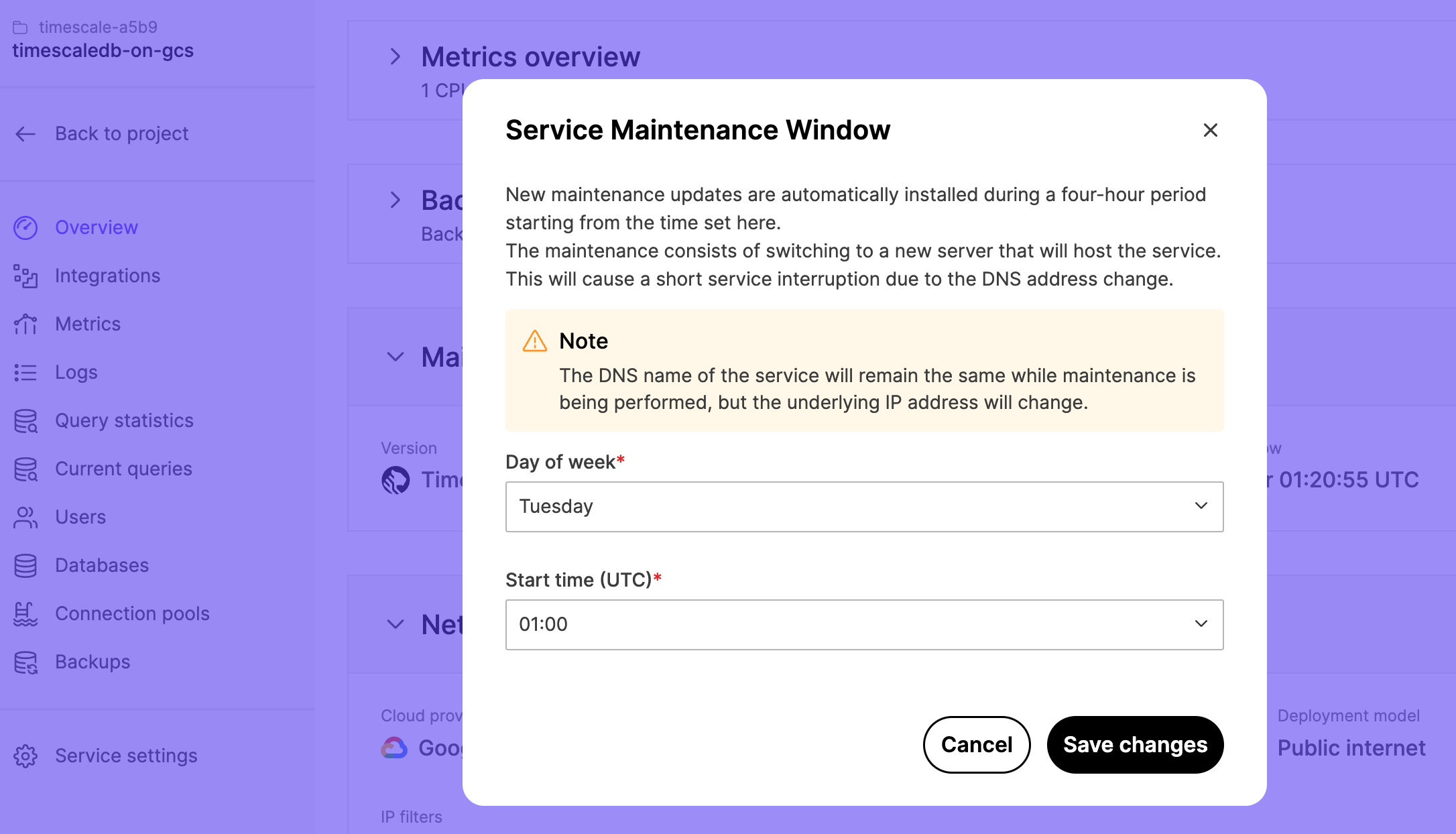
- Click
Save Changes.
Critical updates
Critical upgrades and security fixes are installed outside normal maintenance windows when necessary, and sometimes require a short outage.
Upgrades are performed as rolling upgrades where completely new server instances are built alongside the old ones. When the new instances are up and running they are synchronized with the old servers, and a controlled automatic failover is performed to switch the service to the new upgraded servers. The old servers are retired automatically after the new servers have taken over. The controlled failover is a very quick and safe operation and it takes less than a minute to get clients connected again. In most cases, there is five to ten second outage during this process.
===== PAGE: https://docs.tigerdata.com/mst/failover/ =====
Failover
One standby read-only replica server is configured, for each service on a Pro plan. You can query a read-only replica server, but cannot write to a read-only replica server. When a master server fails, the standby replica server is automatically promoted as master. If you manually created a read-only replica service, then if a master server fails, the read-only replica services are not promoted as master servers.
The two distinct cases during which failovers occur are:
- When the master or replica fails unexpectedly, for example because the hardware hosting the virtual machine fails.
- When controlled failover happens because of upgrades.
Uncontrolled master or replica fail
When a replica server fails unexpectedly, there is no way to know whether the server really failed, or whether there is a temporary network glitch with the cloud provider's network.
There is a 300 second timeout before Managed Service for TimescaleDB automatically decides the server is gone and spins up a new replica server. During these 300 seconds, replica.servicename.timescaledb.io points to a server that may not serve queries anymore. The DNS record pointing to the master server servicename.timescaledb.io continues to serve the queries. If the replica server does not come back up within 300 seconds, replica.servicename.timescaledb.io points to the master server, until a new replica server is built.
When the master server fails, a replica server waits for 60 seconds before promoting itself as master. During this 60-second timeout, the master server servicename.timescaledb.io remains unavailable and does not respond. However, replica.servicename.timescaledb.io works in read-only mode. After the replica server promotes itself as master, servicename.timescaledb.io points to the new master server, and replica.servicename.timescaledb.io continues to point to the new master server. A new replica server is built automatically, and after it is in sync, replica.servicename.timescaledb.io points to the new replica server.
Controlled failover during upgrades
When applying upgrades or plan changes on business or premium plans, the standby server is replaced:
A new server is started, the backup is restored, and the new server starts following the old master server. After the new server is up and running, replica.servicename.timescaledb.io is updated, and the old replica server is deleted.
For premium plans, this step is executed for both replica servers before the master server is replaced. Two new servers are started, a backup is restored, and one new server is synced up to the old master server. When it is time to switch the master to a new server, the old master is terminated and one of the new replica servers is immediately promoted as a master. At this point, servicename.timescaledb.io is updated to point at the new master server. Similarly, the new master is removed from the replica.servicename.timescaledb.io record.
===== PAGE: https://docs.tigerdata.com/mst/manage-backups/ =====
Back up and restore your Managed Service for TimescaleDB
services are automatically backed up, with full backups daily, and write-ahead log (WAL) continuously recorded. All backups are [encrypted][aiven-encrypt].
Managed Service for TimescaleDB uses [pghoard][pghoard], a Postgres backup daemon and restore tool, to store backup data in cloud object stores. The number of backups stored and the retention time of the backup depend on the service plan.
The size of logical backups can be different from the size of the Managed Service for TimescaleDB backup that appears on the web console. In some cases, the difference is significant. Backup sizes that appear in the MST Console are for daily backups, before encryption and compression. To view the size of each database, including space consumed by indexes, you can use the \l+ command at the psql prompt.
Logical and binary backups
The two types of backups are binary backups and logical backups. Full backups are version-specific binary backups which, when combined with WAL, allow consistent recovery to a point in time (PITR). You can create a logical backup with the pg_dump command.
This table lists the differences between binary and logical backups when backing up indexes, transactions, and data:
| Type | Binary | Logical |
|---|---|---|
| index | contains all data from indexes | does not contain index data, it contains only queries used to recreate indexes from other data |
| transactions | contains uncommitted transactions | does not contain uncommitted transactions |
| data | contains deleted and updated rows which have not been cleaned up by Postgres VACUUM process, and all databases, including templates | does not contain any data already deleted, and depending on the options given, the output might be compressed |
Restore a service
Managed Service for TimescaleDB provides a point-in-time recovery (PITR). To restore your service from a backup, click the Restore button in the Backups tab for your service. The backups are taken automatically by Managed Service for TimescaleDB and retained for a few days depending on your plan type.
| Plan type | Backup retention period |
|---|---|
| Dev | 1 day |
| Basic | 2 days |
| Pro | 3 days |
Manually creating a backup
You can use pg_dump to create a backup manually. The pg_dump command allows you to create backups that can be directly restored elsewhere if required.
Typical parameters for the command pg_dump include:
pg_dump '<SERVICE_URL_FROM_PORTAL>' -f '<TARGET_FILE/DIR>' -j '<NUMBER_OF_JOBS>' -F '<BACKUP_FORMAT>'The pg_dump command can also be run against one of the standby nodes. For example, use this command to create a backup in directory format using two concurrent jobs. The results are stored to a directory named backup:
pg_dump 'postgres://tsdbadmin:password@mypg-myproject.a.timescaledb.io:26882/defaultdb?sslmode=require' -f backup -j 2 -F directoryYou can put all backup files to single tar file and upload to Amazon S3. For example:
export BACKUP_NAME=backup-date -I.tartar -cf $BACKUP_NAME backup/s3cmd put $BACKUP_NAME s3://pg-backups/$BACKUP_NAME===== PAGE: https://docs.tigerdata.com/mst/aiven-client/ =====
Aiven Client for Managed Service for TimescaleDB
You can use Aiven Client to manage your services in Managed Service for TimescaleDB.
You can use the Aiven Client tool to:
- Connect to Managed Service for TimescaleDB
- Create a service
- Create a fork
- Add authentication plugins to your attached Grafana service
Instructions:
- [Install and configure the Aiven client]
- [Fork services with Aiven client]
- [Configure Grafana authentication plugins]
- [Send Grafana emails]
- [Create a read-only replica with the Aiven client]
Install and configure the Aiven client
Aiven Client is a command line tool for fully managed services. To use Aiven Client, you first need to create an authentication token. Then, you configure the client to connect to your Managed Service for TimescaleDB using the command line.
Create an authentication token in Managed Service for TimescaleDB
To connect to Managed Service for TimescaleDB using Aiven Client, create an authentication token.
- In [Managed Service for TimescaleDB][mst-login], click
User Informationin the top right corner. - In the
User Profilepage, navigate to theAuthenticationtab. - Click
Generate Token. - In the
Generate access tokendialog, type a descriptive name for the token. Leave the rest of the fields blank. - Copy the generated authentication token and save it.
Install the Aiven Client
The [Aiven Client][aiven-github] is provided as a Python package. If you've already installed Python, you can install the client on Linux, MacOS, or Windows systems using pip:
pip install aiven-clientFor more information about installing the Aiven Client, see the [Aiven][aiven-github] documentation.
Configure Aiven Client to connect to Managed Service for TimescaleDB
To access Managed Service for TimescaleDB with the Aiven Client, you need an authentication token. Aiven Client uses this to access your services on Managed Service for TimescaleDB.