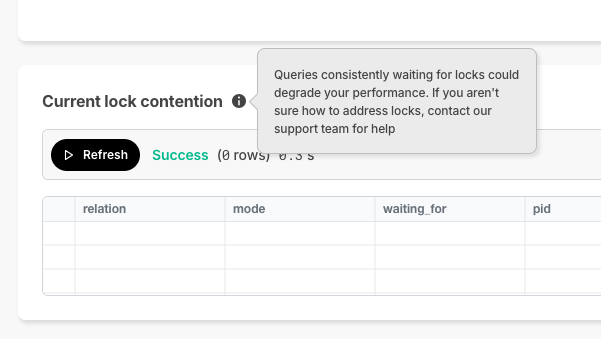
🔐 Current Lock Contention
In Timescale Console, we offer the SQL editor so you can directly querying your service. As a new improvement, if a query is waiting on locks and can't complete execution, Timescale Console now displays the current lock contention in the results section .
CIDR & VPC Updates
Timescale now supports multiple CIDRs on the customer VPC. Customers who want to take advantage of multiple CIDRs will need to recreate their peering.
🤝 New modes in Timescale Console: Ops and Data mode, and Console based Parquet File Import
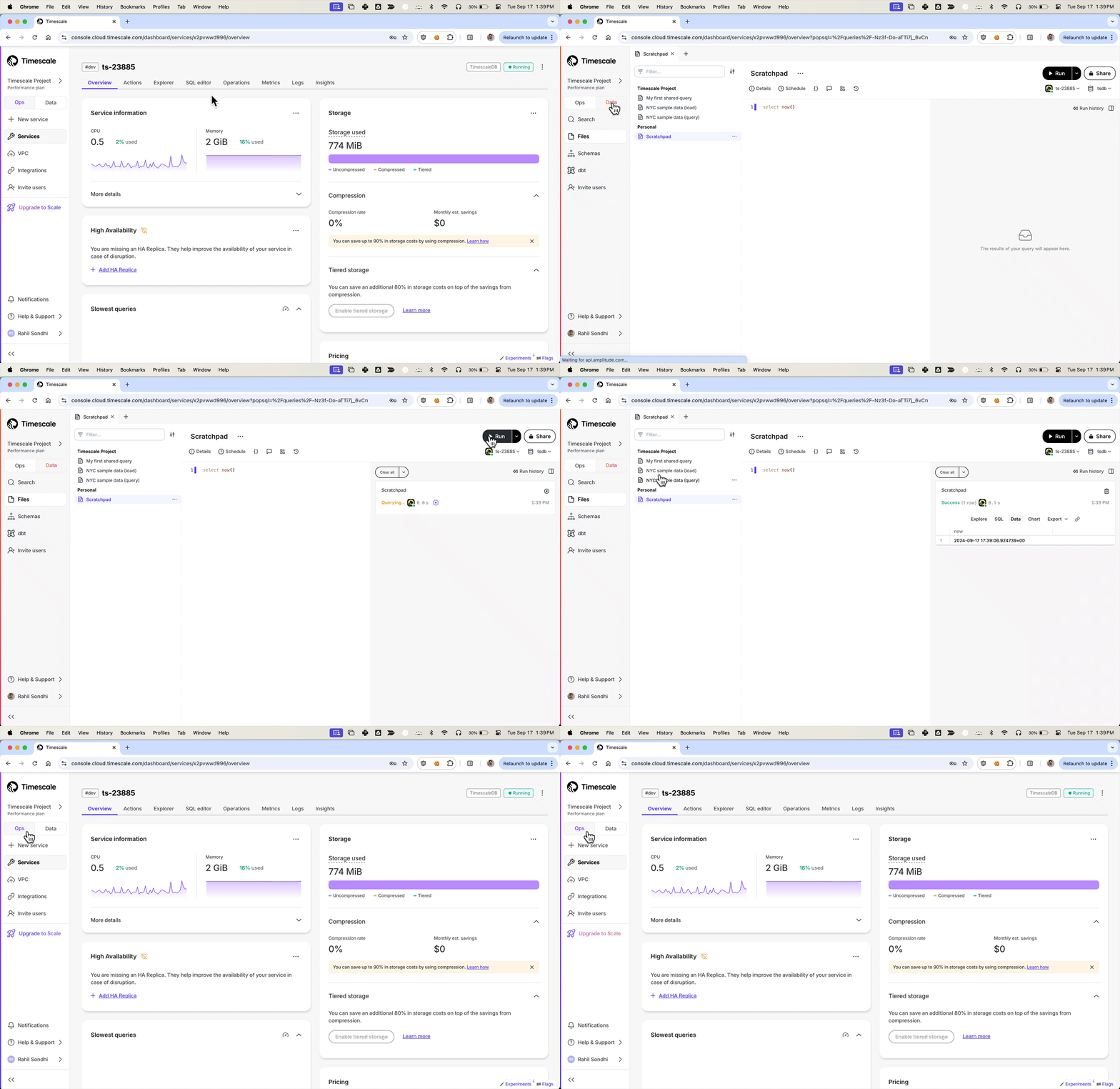
We've been listening to your feedback and noticed that Timescale Console users have diverse needs. Some of you are focused on operational tasks like adding replicas or changing parameters, while others are diving deep into data analysis to gather insights.
To better serve you, we've introduced new modes to the Timescale Console UI—tailoring the experience based on what you're trying to accomplish.
Ops mode is where you can manage your services, add replicas, configure compression, change parameters, and so on.
Data mode is the full PopSQL experience: write queries with autocomplete, visualize data with charts and dashboards, schedule queries and dashboards to create alerts or recurring reports, share queries and dashboards, and more.
Try it today and let us know what you think!
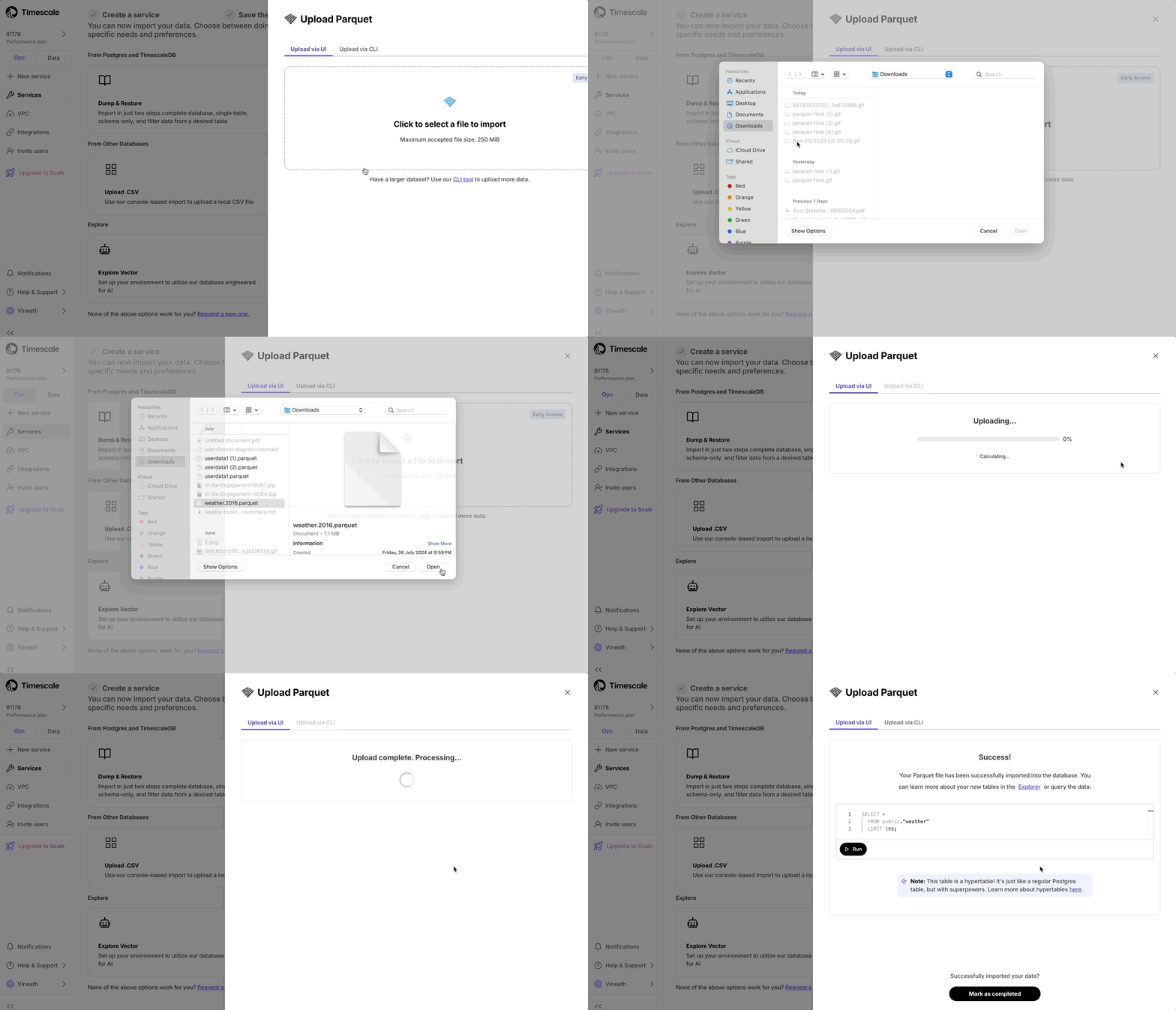
Console based Parquet File Import
Now users can upload from Parquet to Timescale Cloud by uploading the file from their local file system. For files larger than 250 MB, or if you want to do it yourself, follow the three-step process to upload Parquet files to Timescale.