Analytics on transport and geospatial data
URL: llms-txt#analytics-on-transport-and-geospatial-data
Contents:
- Prerequisites
- Optimize time-series data in hypertables
- Optimize your data for real-time analytics
- Connect Grafana to Tiger Cloud
- Monitor performance over time
- Optimize revenue potential
- Set up your data for geospatial queries
- Visualize the area where you can make the most money
Real-time analytics refers to the process of collecting, analyzing, and interpreting data instantly as it is generated. This approach enables you track and monitor activity, and make decisions based on real-time insights on data stored in a Tiger Cloud service.
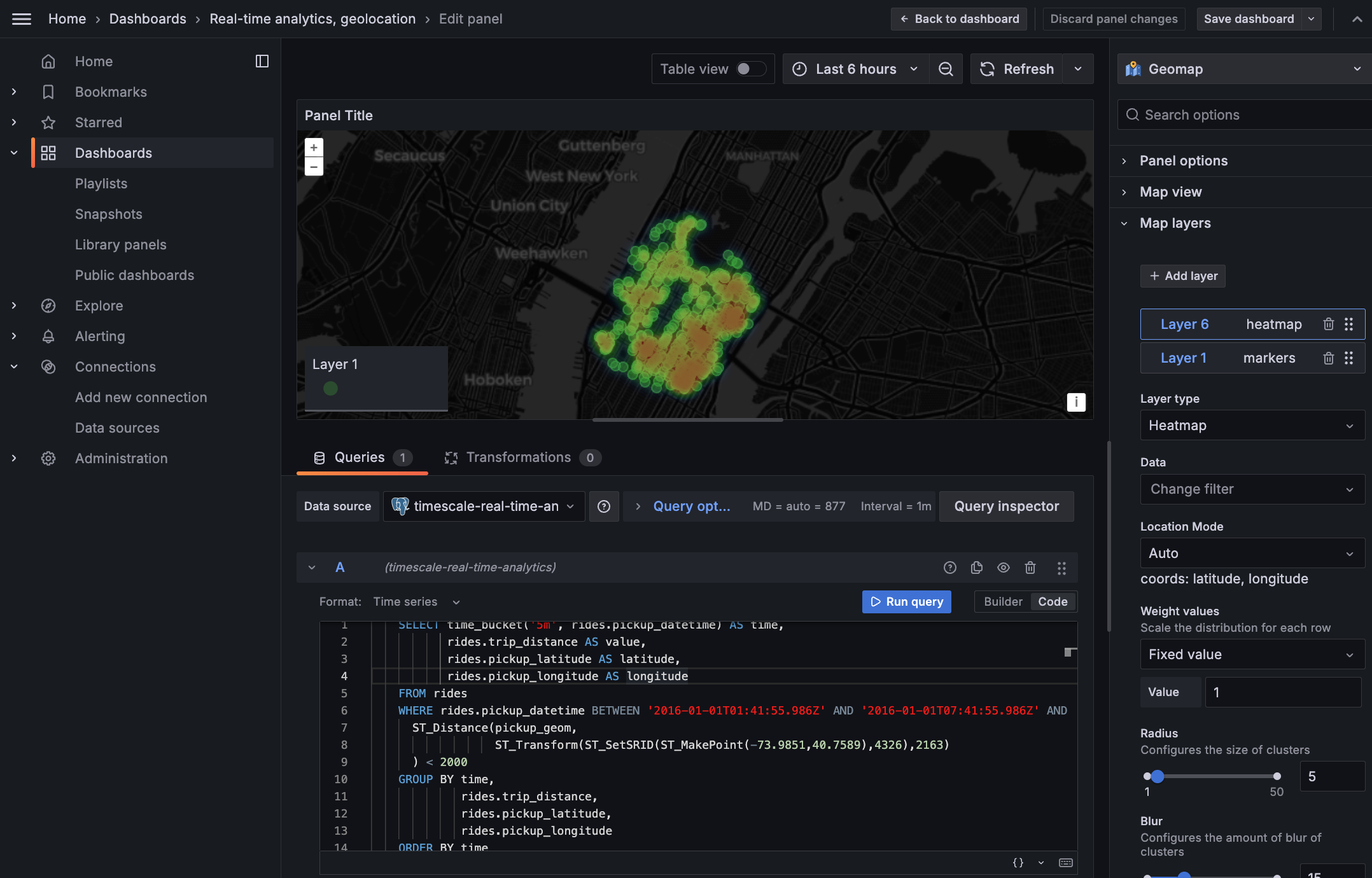
This page shows you how to integrate [Grafana][grafana-docs] with a Tiger Cloud service and make insights based on visualization of data optimized for size and speed in the columnstore.
To follow the steps on this page:
- Create a target [Tiger Cloud service][create-service] with the Real-time analytics capability.
You need [your connection details][connection-info]. This procedure also works for [self-hosted TimescaleDB][enable-timescaledb].
- Install and run [self-managed Grafana][grafana-self-managed], or sign up for [Grafana Cloud][grafana-cloud].