🗺️ New router for Tiger Cloud Console
The UI just got snappier and easier to navigate with improved interlinking. For example, click an object in the Jobs page to see what hypertable the job is associated with.
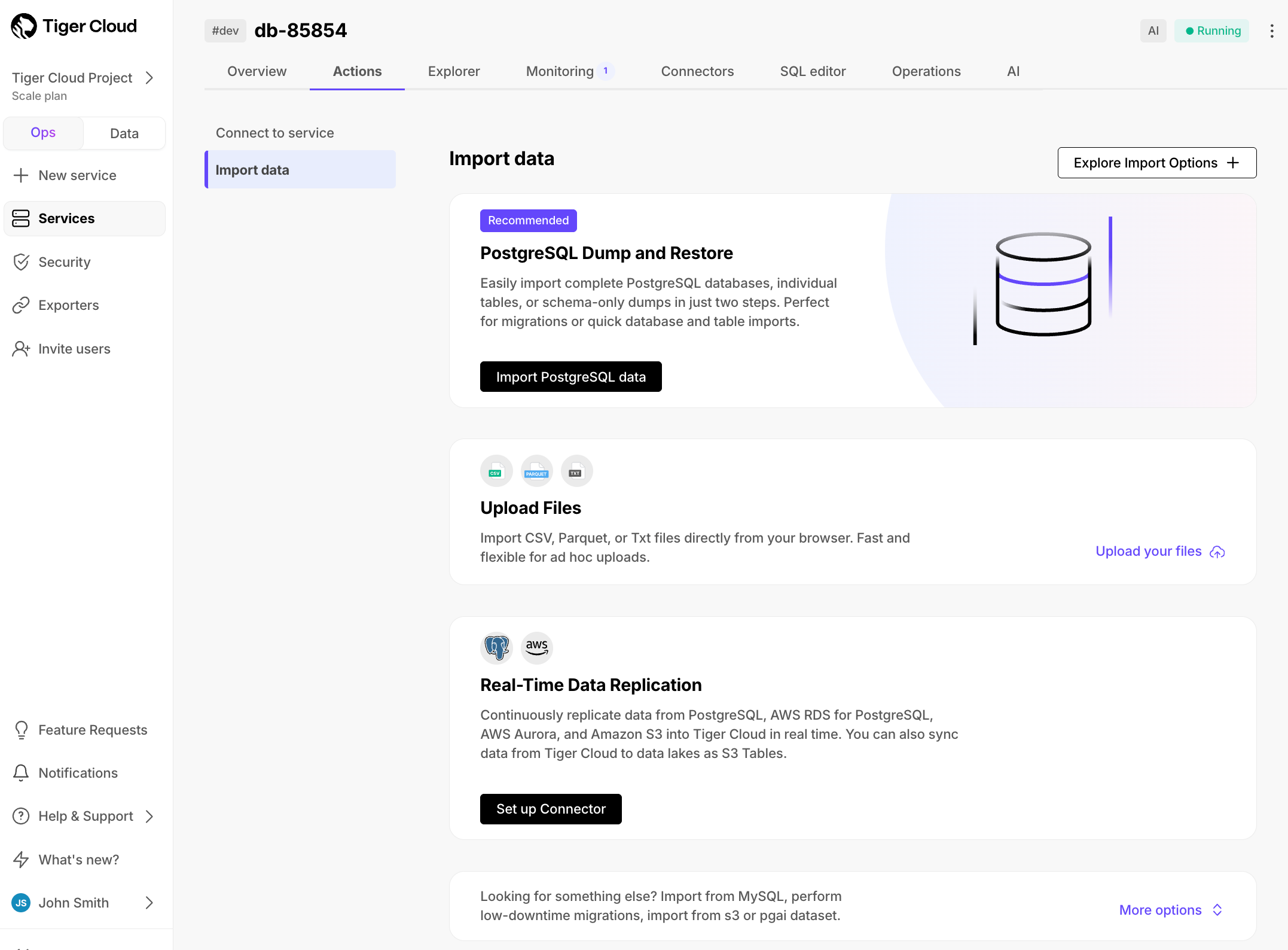
New data import wizard
To make navigation easier, we’ve introduced a cleaner, more intuitive UI for data import. It highlights the most common and recommended option, PostgreSQL Dump & Restore, while organizing all import options into clear categories, to make navigation easier.
The new categories include:
- PostgreSQL Dump & Restore
- Upload Files: CSV, Parquet, TXT
- Real-time Data Replication: source connectors
- Migrations & Other Options
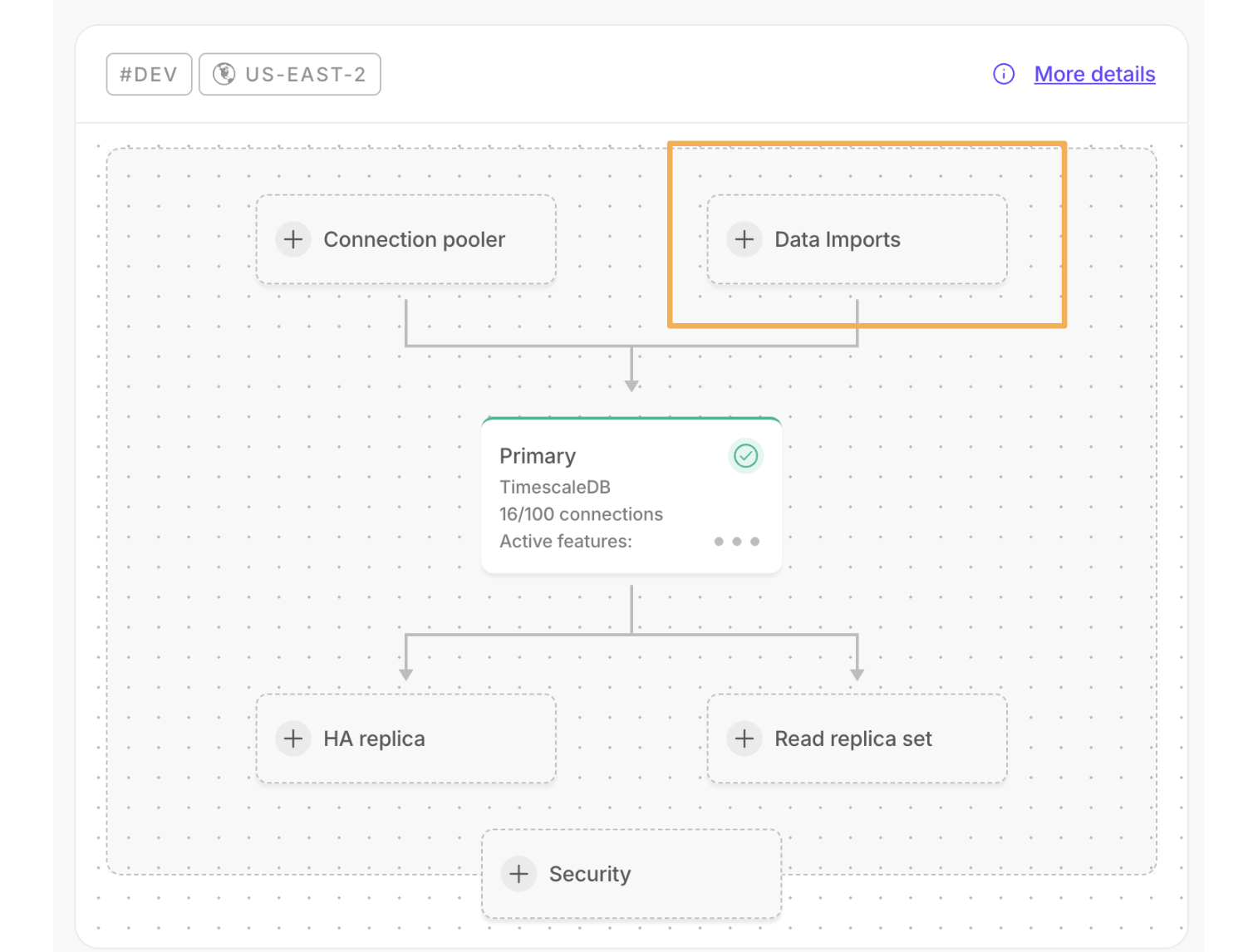
A new data import component has been added to the overview dashboard, providing a clear view of your imports. This includes quick start, in-progress status, and completed imports:
🚁 Enhancements to the Postgres source connector
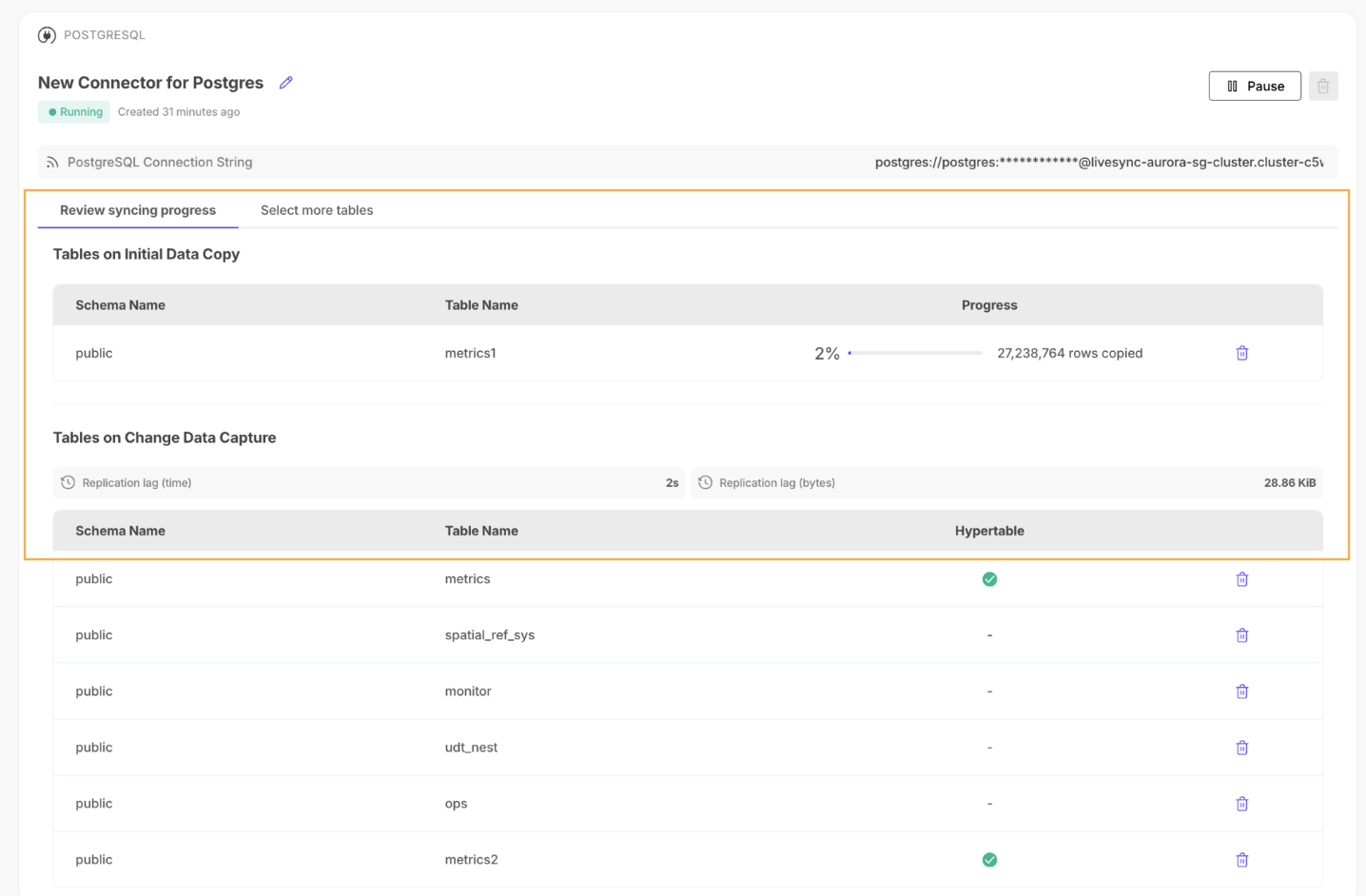
- Easy table selection: You can now sync the complete source schema in one go. Select multiple tables from the drop-down menu and start the connector.
- Sync metadata: Connectors now display the following detailed metadata:
Initial data copy: The number of rows copied at any given point in time.Change data capture: The replication lag represented in time and data size.
- Improved UX design: In-progress syncs with separate sections showing the tables and metadata for
initial data copyandchange data capture, plus a dedicated tab where you can add more tables to the connector.