Use preambles intentionally
Preambles are short spoken updates that keep a voice agent feeling responsive while it reasons, looks something up, or calls a tool. Used well, they reassure the user that the assistant is working. Used poorly, they become filler and increase perceived latency.
gpt-realtime-2 generates preambles by default. Start by testing the default behavior. If it does not match your product experience, tune it explicitly.
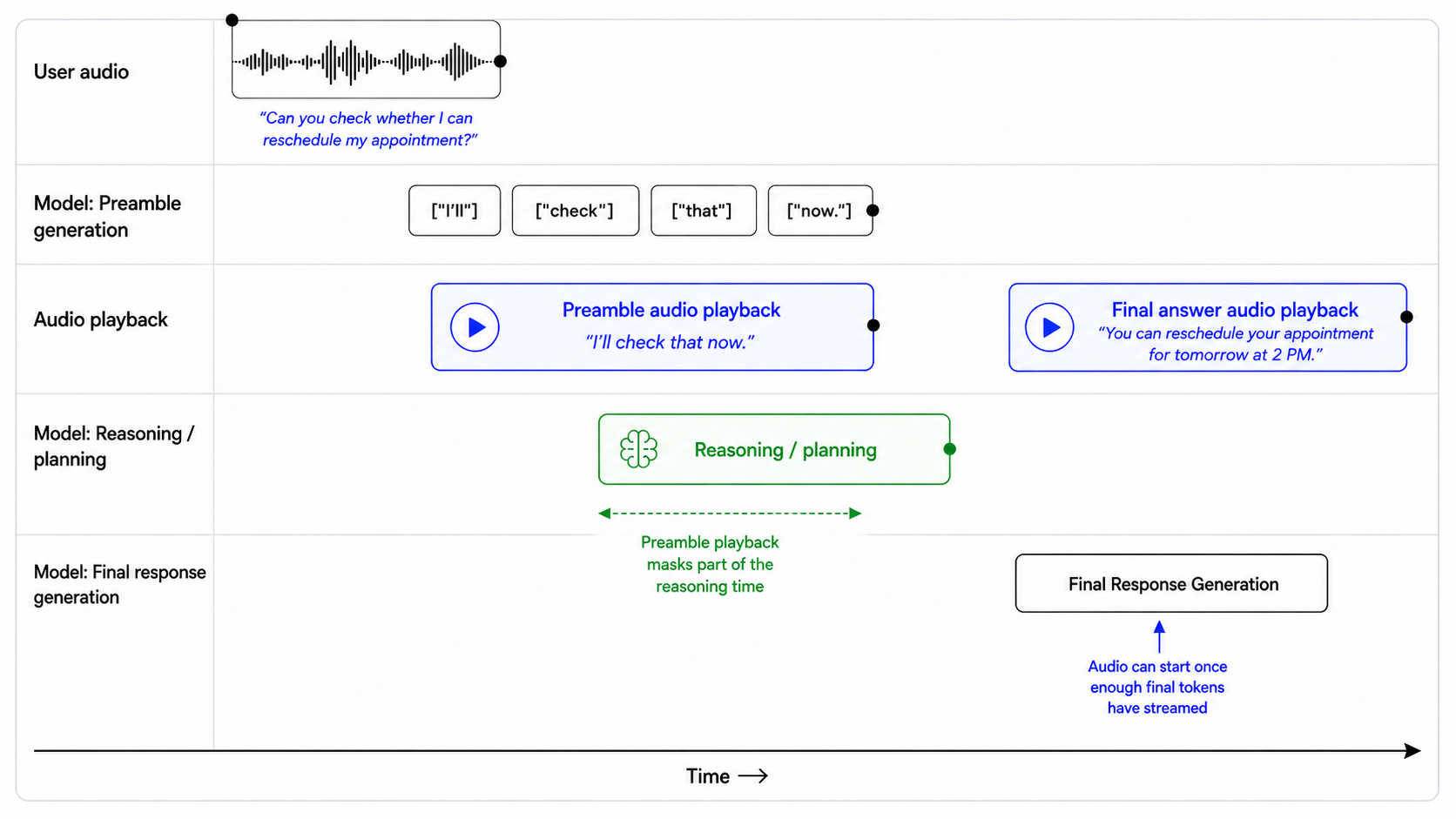
text
## Preambles

Use short preambles only when they help the user understand that work is happening.

### When to use a preamble

Use a preamble when:

- you are about to call a tool that may take noticeable time;
- you need to reason through a multi-step request;
- you are checking records, availability, account state, or policy details;
- you are preparing an escalation or handoff;
- silence would make the assistant feel unresponsive.

When a preamble is needed, output it immediately before substantive reasoning or tool use.

### When to not use a preamble

Do not use a preamble when:

- the answer is direct and can be given immediately;
- the user is only confirming, correcting, or declining something;
- the audio is unclear and you need clarification;
- the latest audio is silence, background noise, hold music, TV audio, or side conversation;
- the tool call is lightweight and the user would not benefit from an update.

### Preamble style

When using a preamble:

- keep it natural, calm, and concise;
- vary the wording across turns;
- describe the action, not the internal reasoning;
- avoid filler.

Avoid phrases like:

- "Let me think..."
- "Hmm..."
- "One moment while I process that..."
- "I am now going to access the tool..."

### Preamble length

Use one short sentence.

Do not exceed two short sentences unless the user needs an explanation before a high-impact action.

### Prefer

- "I'll check that order now."
- "I'll look up your appointment details."
- "I'll verify that before we make any changes."
- "I'll check the policy and then give you the next step."
- "I'll pull that up so we can make sure it's the right account."

### Avoid

- "Let me think about that for a second."
- "Please wait while I process your request."
- "I'm going to use my tools now."
- "Interesting question. I will reason through this carefully."