Generate images
Control style and lighting
Describe a photograph through its subject, framing, light, and texture. This example specifies a candid composition and explicitly excludes heavy retouching.
Generation settings: size="1024x1536", quality="medium".
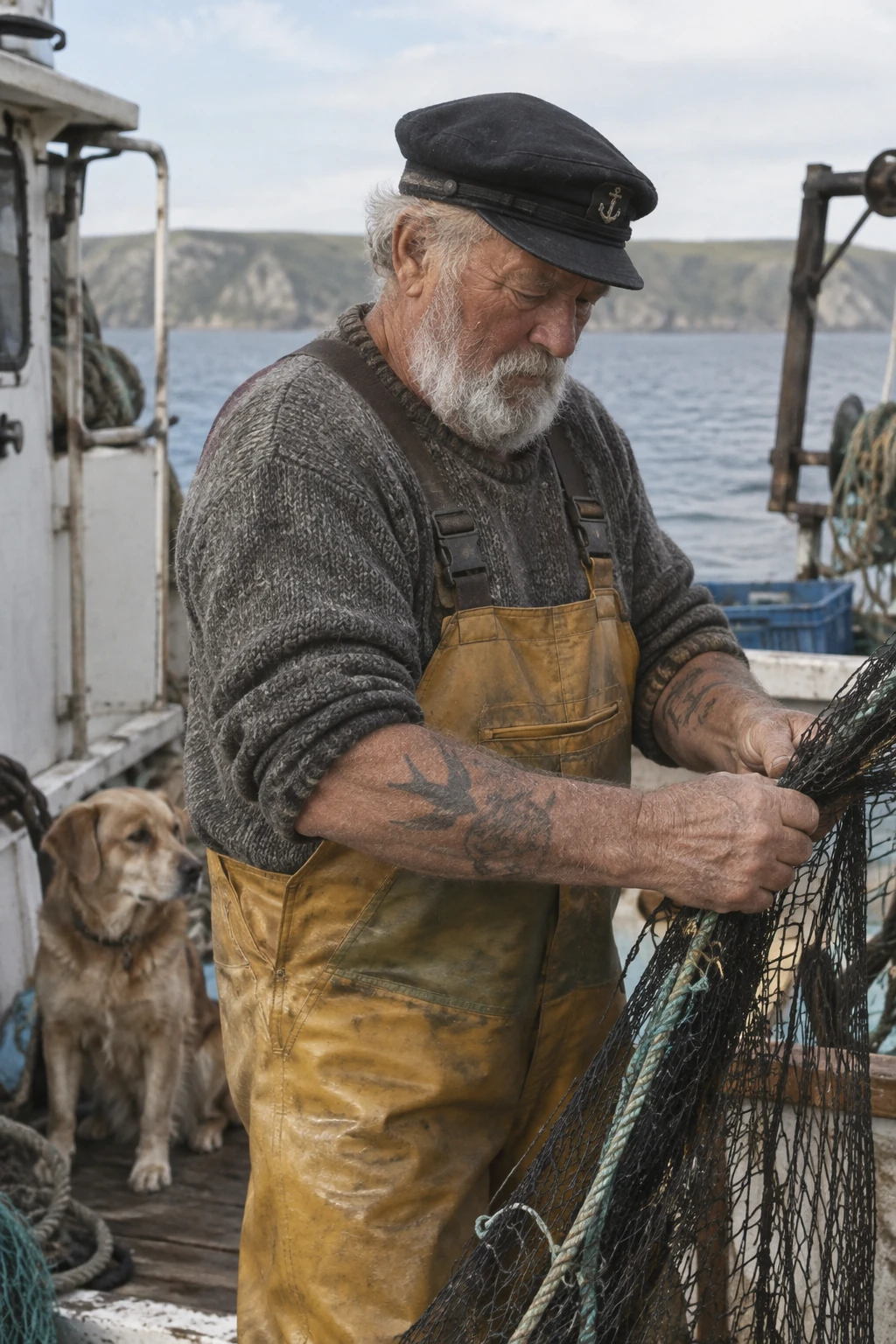
Create a photorealistic candid photograph of an elderly sailor standing on a small fishing boat.
He has weathered skin with visible wrinkles, pores, and sun texture, and a few faded traditional sailor tattoos on his arms.
He is calmly adjusting a net while his dog sits nearby on the deck. Shot like a 35mm film photograph, medium close-up at eye level, using a 50mm lens.
Soft coastal daylight, shallow depth of field, subtle film grain, natural color balance.
The image should feel honest and unposed, with real skin texture, worn materials, and everyday detail. No glamorization, no heavy retouching.
Example outputs:
<figure className="m-0 min-w-0"> <figcaption className="mb-2 min-h-10 text-sm font-semibold"> GPT Image 2.5 Flare </figcaption>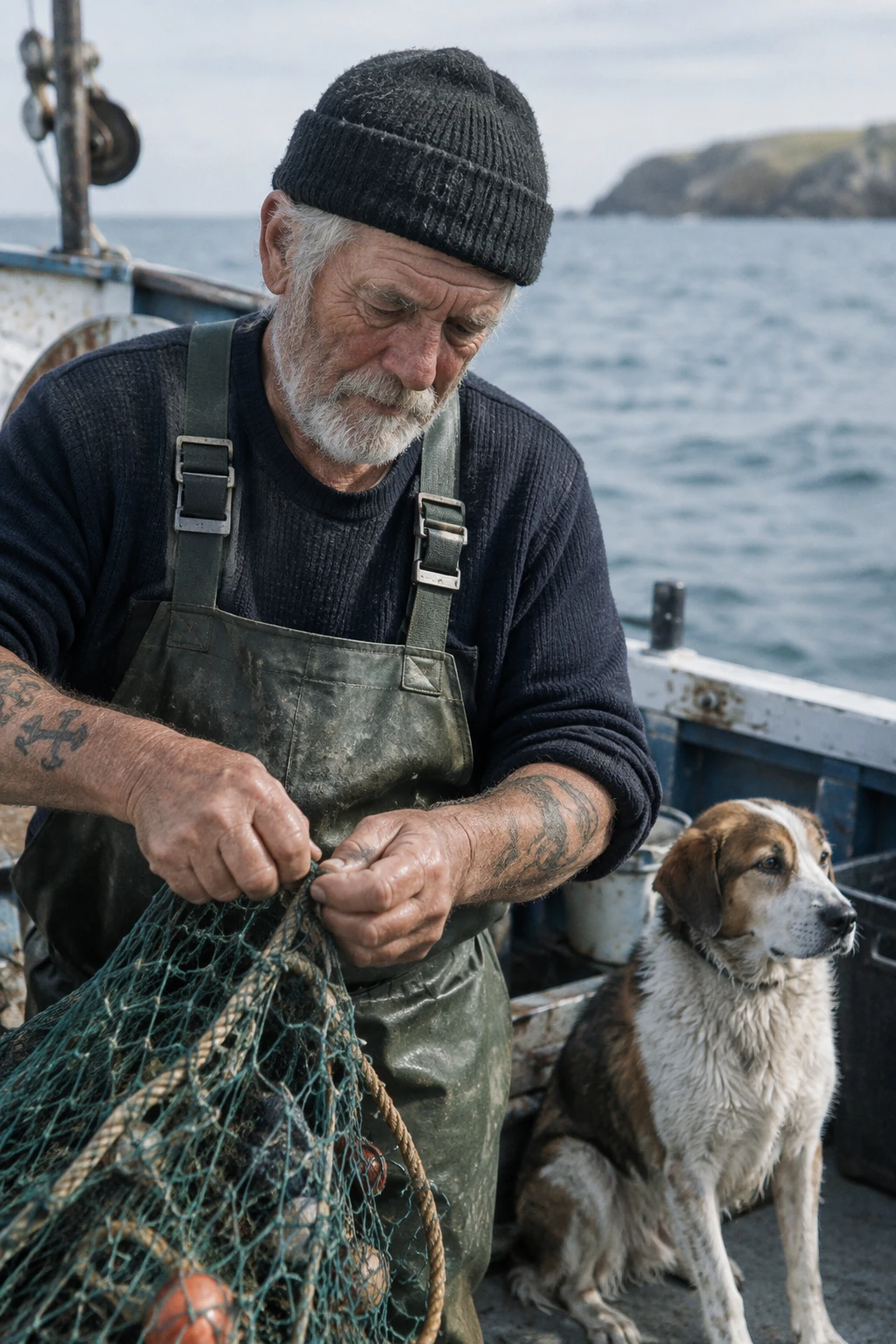
Explain a process visually
Name the process, audience, and information the image should communicate. For diagrams and information graphics, verify labels and factual relationships as well as appearance.
Generation settings: size="1024x1536", quality="medium".
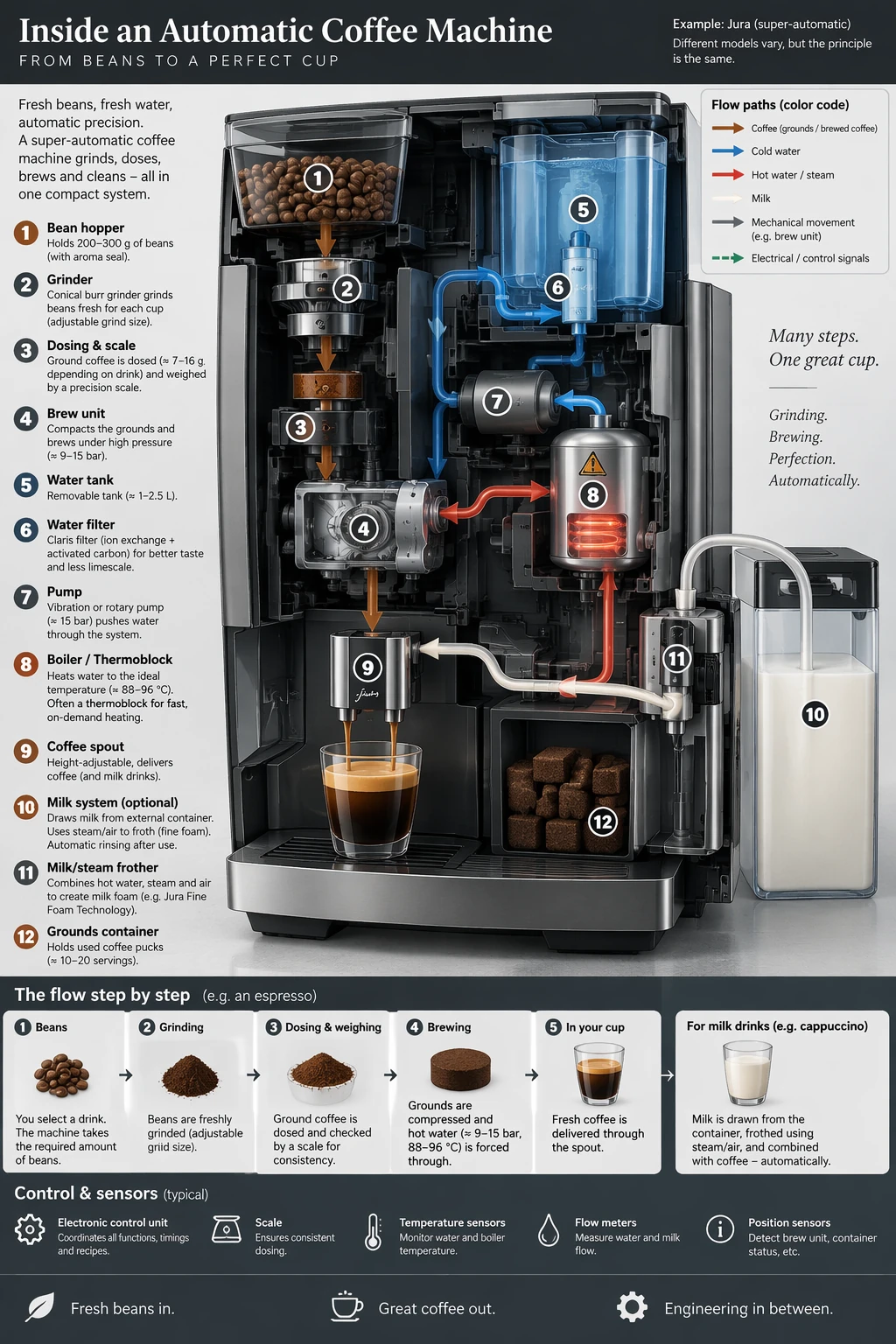
Create a detailed Infographic of the functioning and flow of an automatic coffee machine like a Jura.
From bean basket, to grinding, to scale, water tank, boiler, etc.
I'd like to understand technically and visually the flow.
Example outputs:
<figure className="m-0 min-w-0"> <figcaption className="mb-2 min-h-10 text-sm font-semibold"> GPT Image 2.5 Flare </figcaption>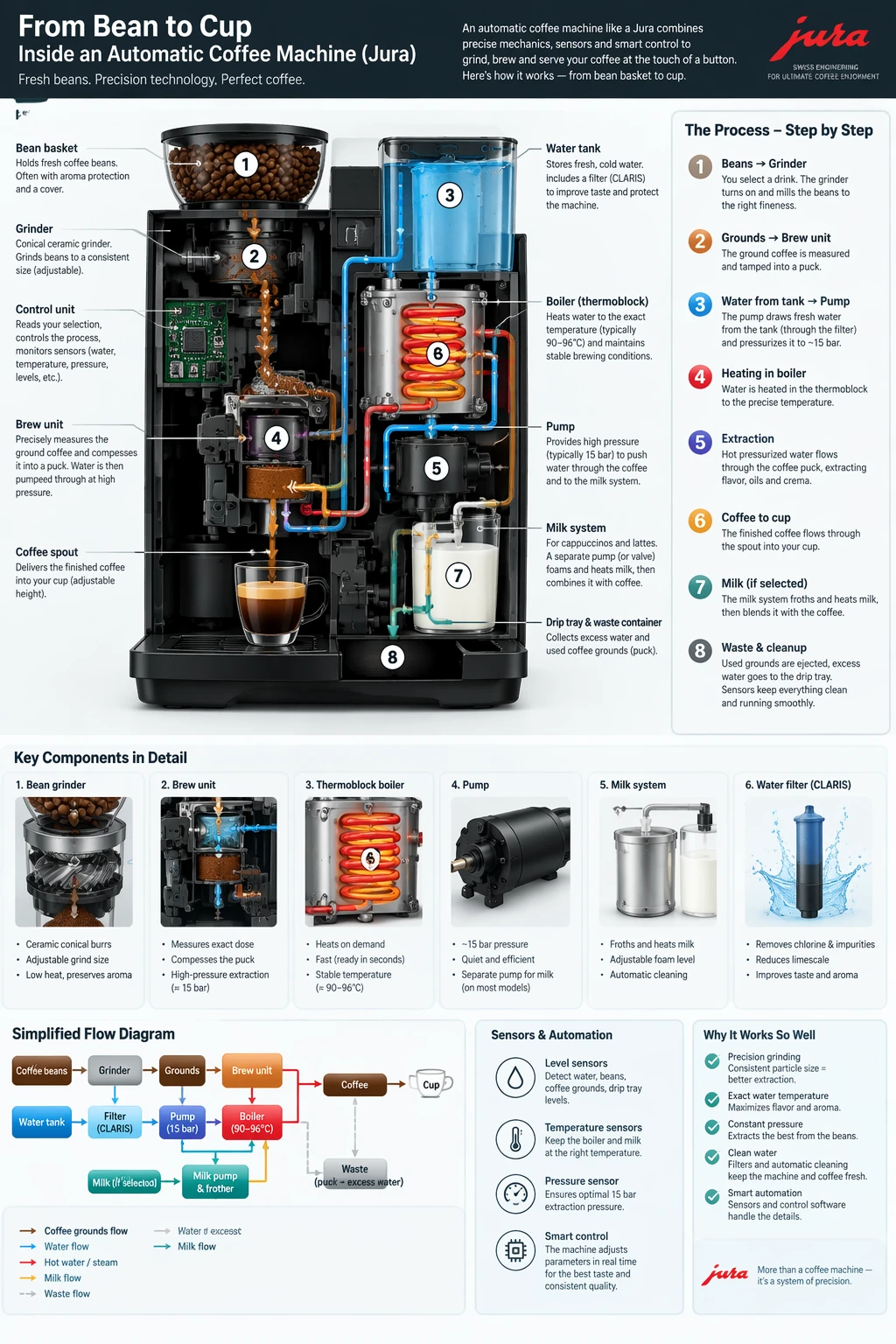
Render exact text
Quote the required copy and tell the model how many times it should appear. Specify the audience and visual treatment without adding unrelated instructions.
Generation settings: size="1024x1536", quality="medium".
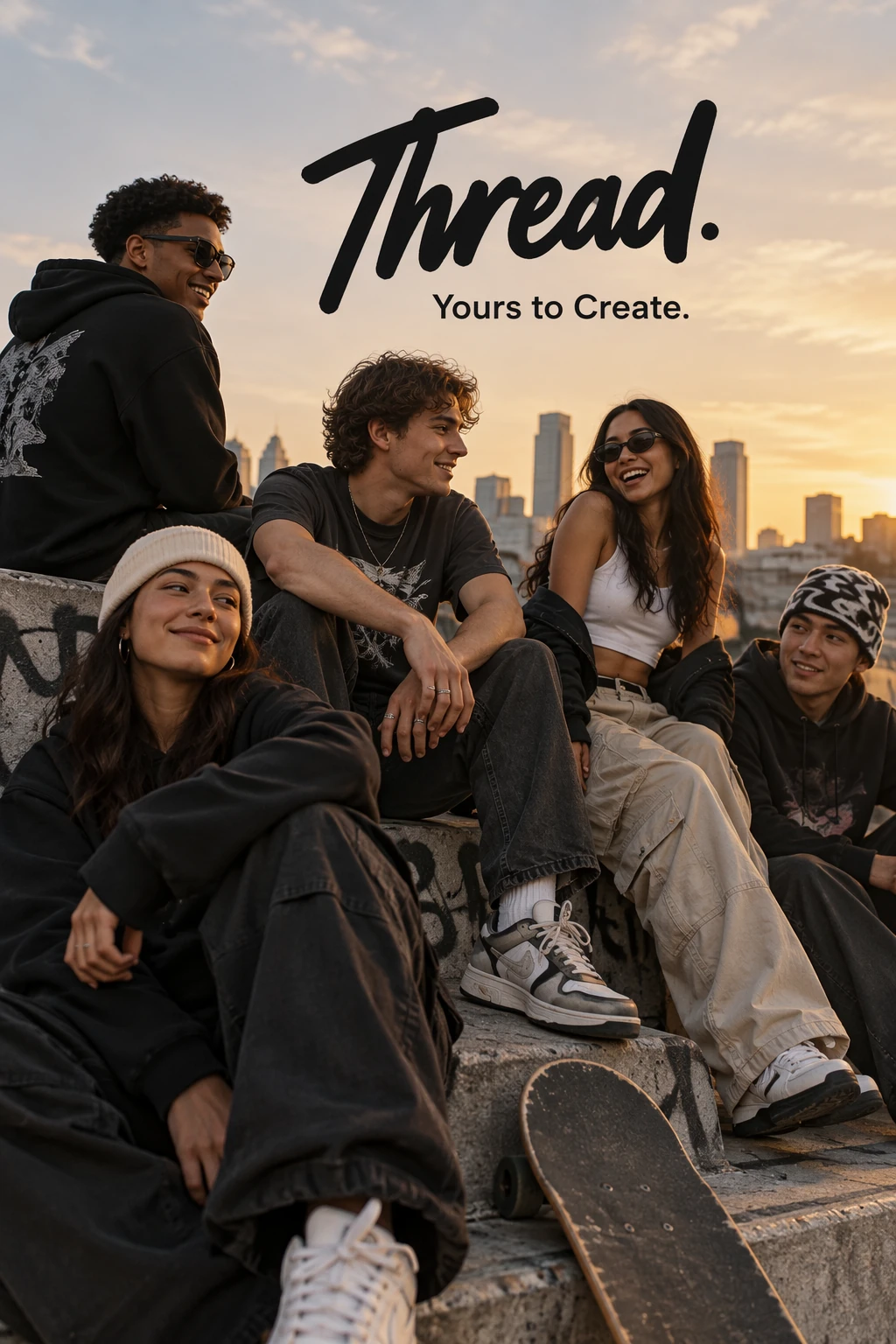
Give me a cool in culture ad / fashion shot for a brand called Thread.
It's a hip young street brand. The ad shows a group of friends hanging out together with the tagline "Yours to Create."
Make it feel like a polished campaign image for a youth streetwear audience: stylish, contemporary, energetic, and tasteful.
Use clean composition, strong color direction, natural poses, and premium fashion photography cues.
Render the tagline exactly once, clearly and legibly, integrated into the ad layout.
No extra text, no watermarks, no unrelated logos.
Example outputs:
<figure className="m-0 min-w-0"> <figcaption className="mb-2 min-h-10 text-sm font-semibold"> GPT Image 2.5 Flare </figcaption>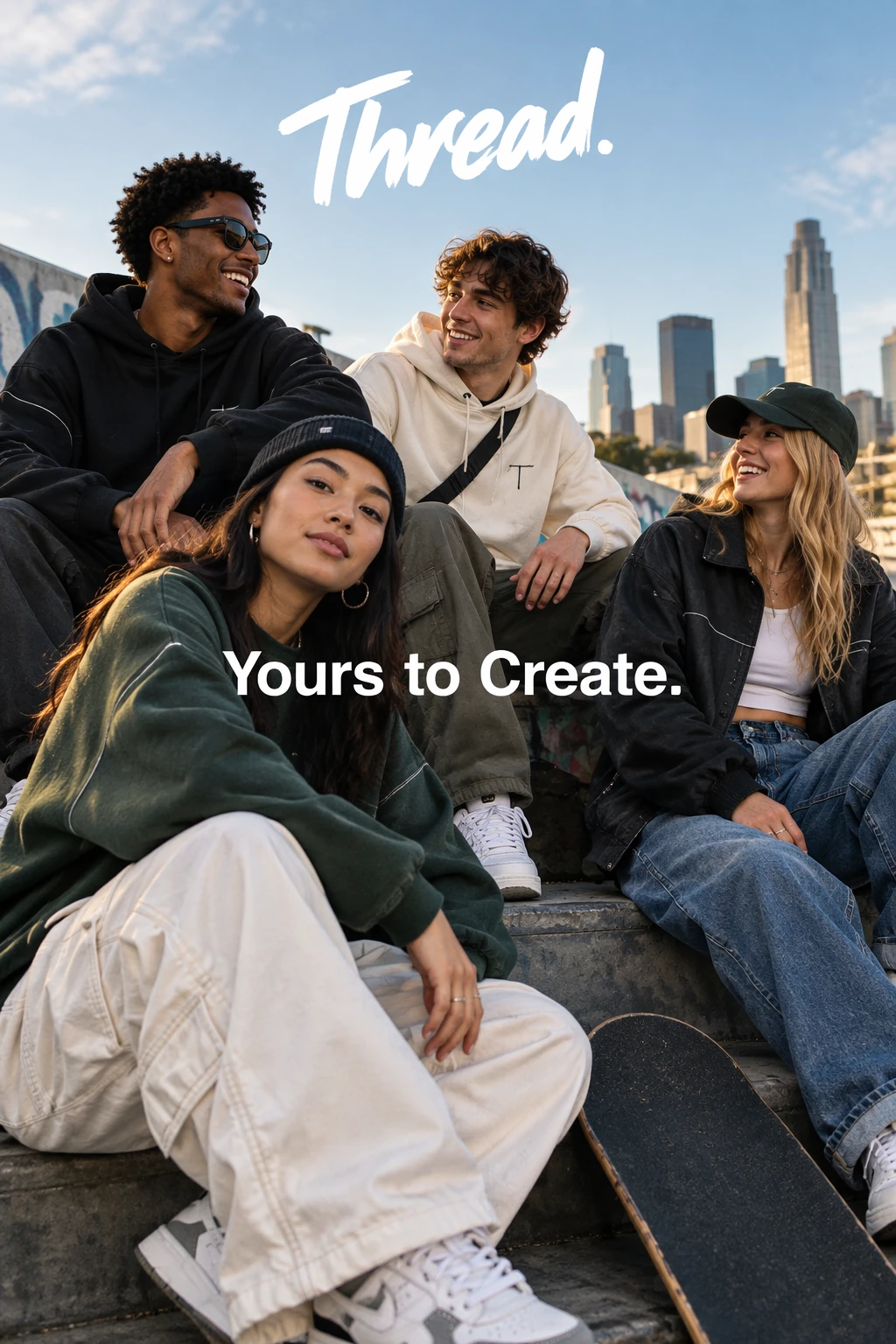
Design a reusable logo
Describe the brand and the shapes that should define the mark. Specify a clear composition that remains legible at different sizes. Use n to request multiple variations.
Generation settings: size="1024x1536", quality="medium", background="transparent", output_format="png", n=1.
Create an original, non-infringing logo for a company called Field & Flour, a local bakery.
The logo should feel warm, simple, and timeless. Use clean, vector-like shapes, a strong silhouette, and balanced negative space.
Favor simplicity over detail so it reads clearly at small and large sizes. Flat design, minimal strokes, no gradients unless essential.
Fully transparent background. Deliver a single centered logo with generous padding, clean alpha edges, and no solid backdrop, scenery, checkerboard, or watermark.
Each row compares one variation from each model.
Example outputs:
<figure className="m-0 min-w-0"> <figcaption className="mb-2 min-h-10 text-sm font-semibold"> GPT Image 2.5 Flare </figcaption>







Use historical and real-world context
Name the place and date to establish a historical setting. The model can infer contextual details, but inspect clothing, staging, and surroundings for historical accuracy.
Generation settings: size="1024x1536", quality="medium".
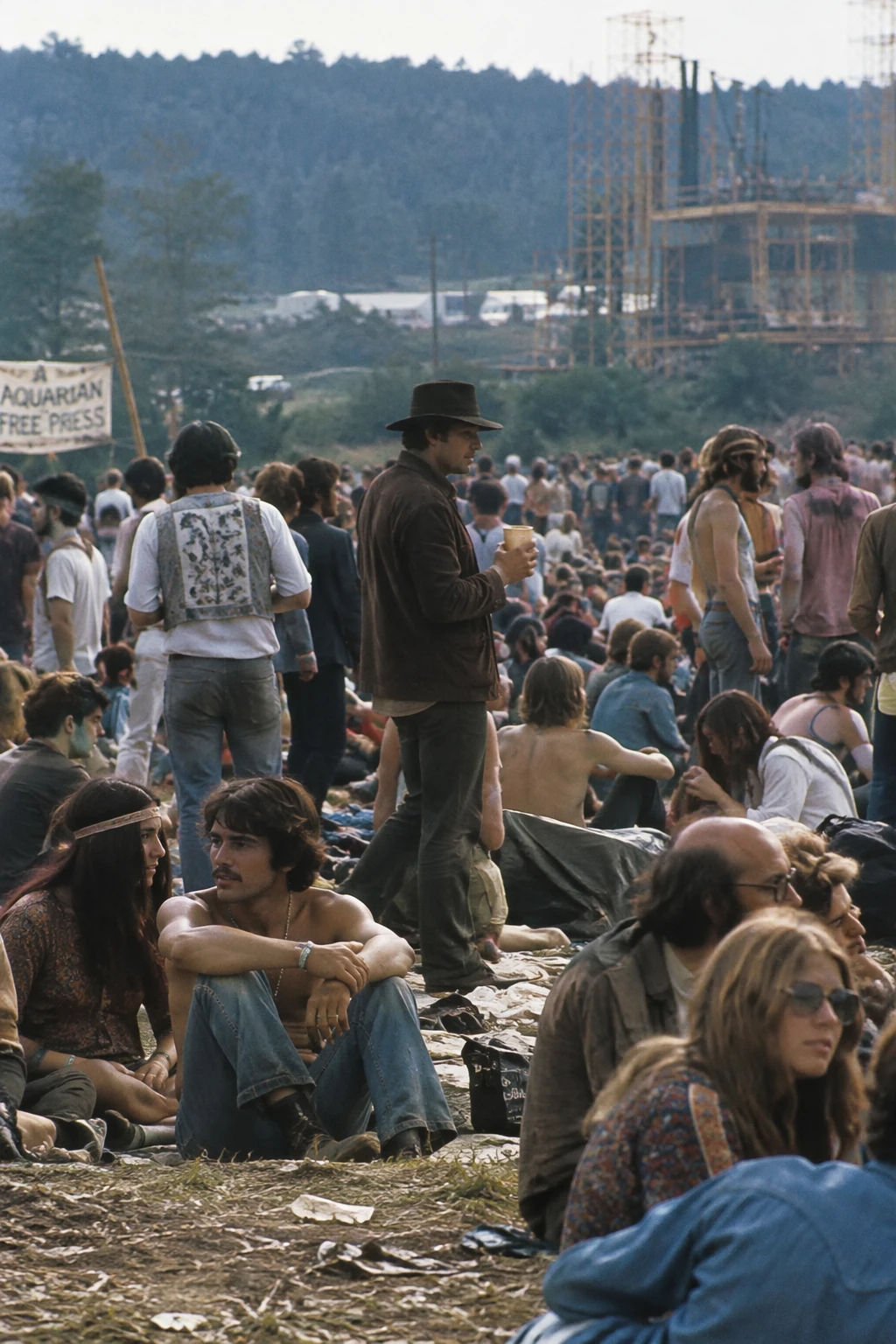
Create a realistic outdoor crowd scene in Bethel, New York on August 16, 1969.
Photorealistic, period-accurate clothing, staging, and environment.
Example outputs:
<figure className="m-0 min-w-0"> <figcaption className="mb-2 min-h-10 text-sm font-semibold"> GPT Image 2.5 Flare </figcaption>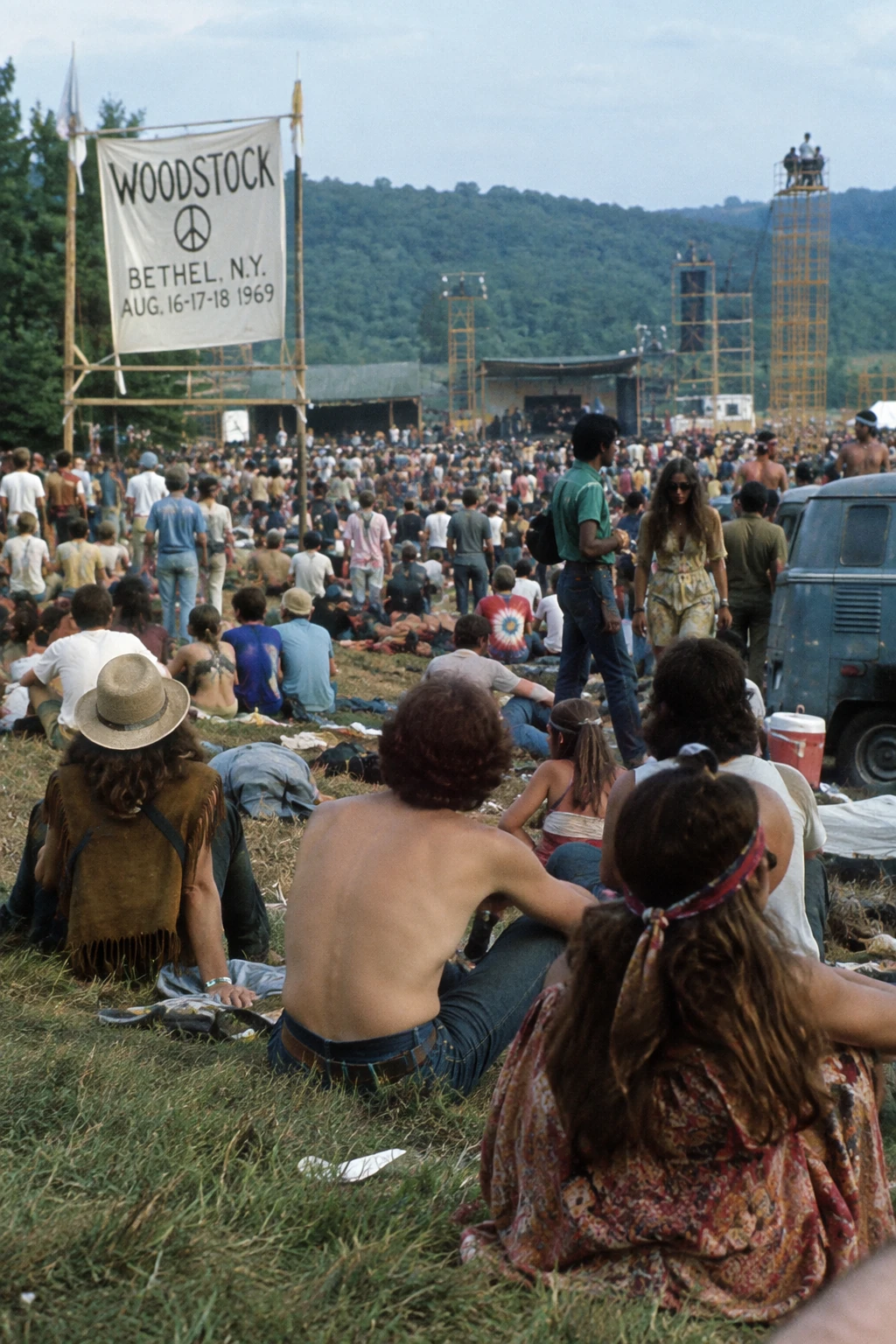
Turn a story into a comic strip
For story-to-comic generation, define the narrative as a sequence of clear visual beats, one per panel. Keep descriptions concrete and action-focused so the model can translate the story into readable, well-paced panels.
Generation settings: size="1024x1536", quality="medium".
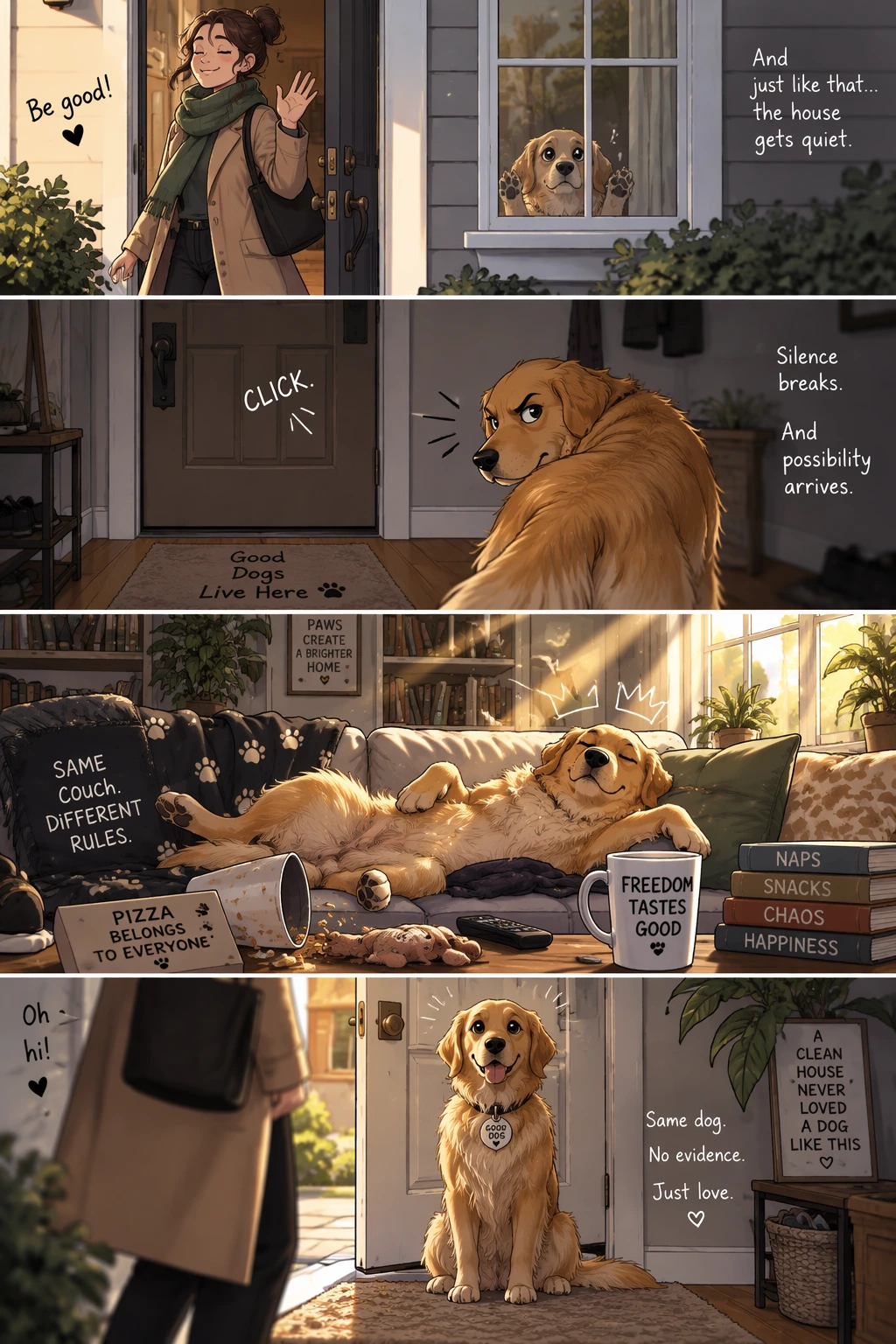
Create a short vertical comic-style reel with 4 panels.
Panel 1: The owner leaves through the front door. The pet is framed in the window behind them, small against the glass, eyes wide, paws pressed high, the house suddenly quiet.
Panel 2: The door clicks shut. Silence breaks. The pet slowly turns toward the empty house, posture shifting, eyes sharp with possibility.
Panel 3: The house transformed. The pet sprawls across the couch like it owns the place, crumbs nearby, sunlight cutting across the room like a spotlight.
Panel 4: The door opens. The pet is seated perfectly by the entrance, alert and composed, as if nothing happened.
Example outputs:
<figure className="m-0 min-w-0"> <figcaption className="mb-2 min-h-10 text-sm font-semibold"> GPT Image 2.5 Flare </figcaption>
Create an interface preview
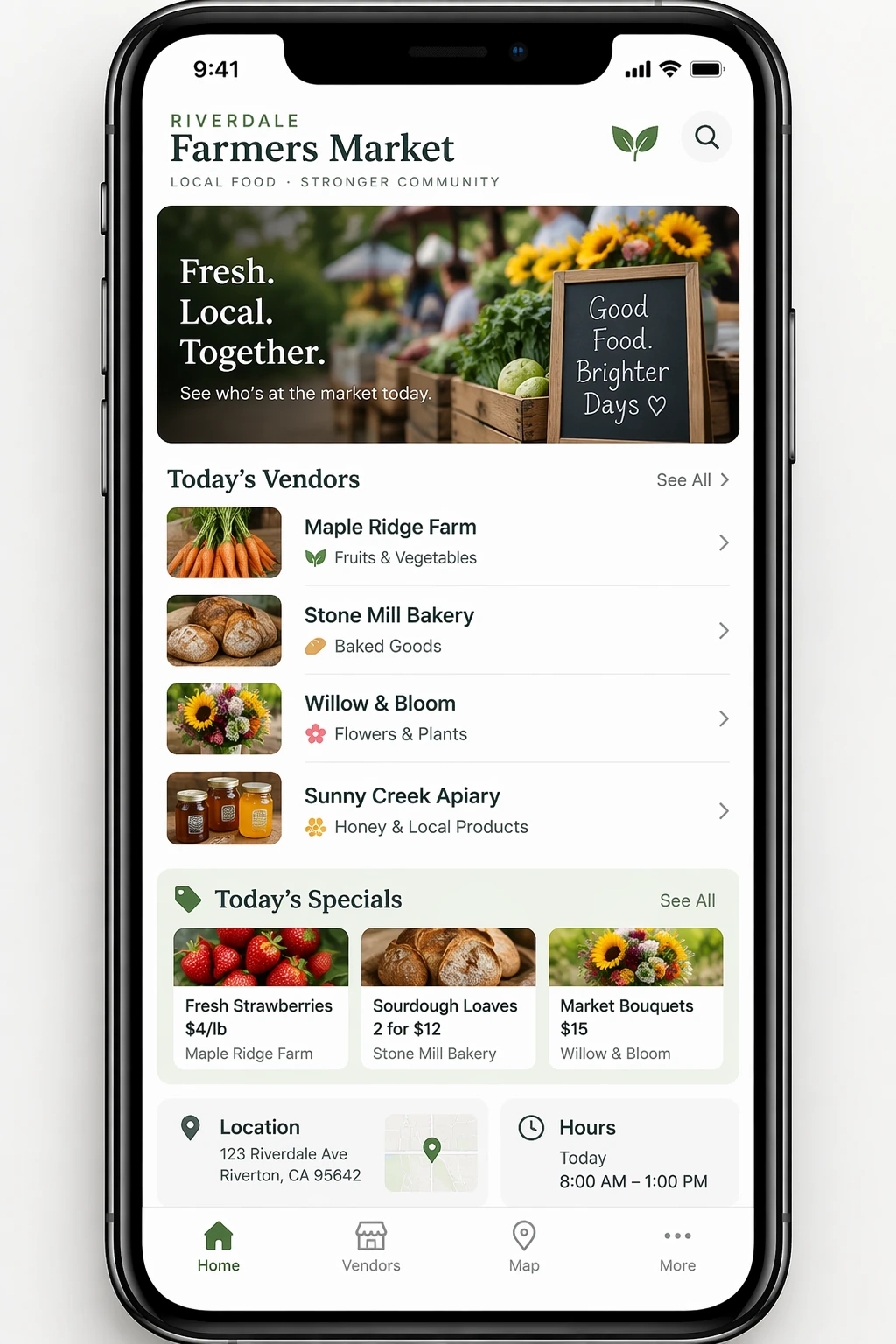
Interface previews work best when you describe the product as if it already exists. Focus on layout, hierarchy, spacing, and real interface elements, and avoid concept art language so the result looks like a usable, shipped interface rather than a design sketch.
Generation settings: size="1024x1536", quality="medium".
Create a realistic mobile app UI mockup for a local farmers market.
Show today’s market with a simple header, a short list of vendors with small photos and categories, a small “Today’s specials” section, and basic information for location and hours.
Design it to be practical, and easy to use. White background, subtle natural accent colors, clear typography, and minimal decoration.
It should look like a real, well-designed, beautiful app for a small local market.
Place the UI mockup in an iPhone frame.
Example outputs:
<figure className="m-0 min-w-0"> <figcaption className="mb-2 min-h-10 text-sm font-semibold"> GPT Image 2.5 Flare </figcaption>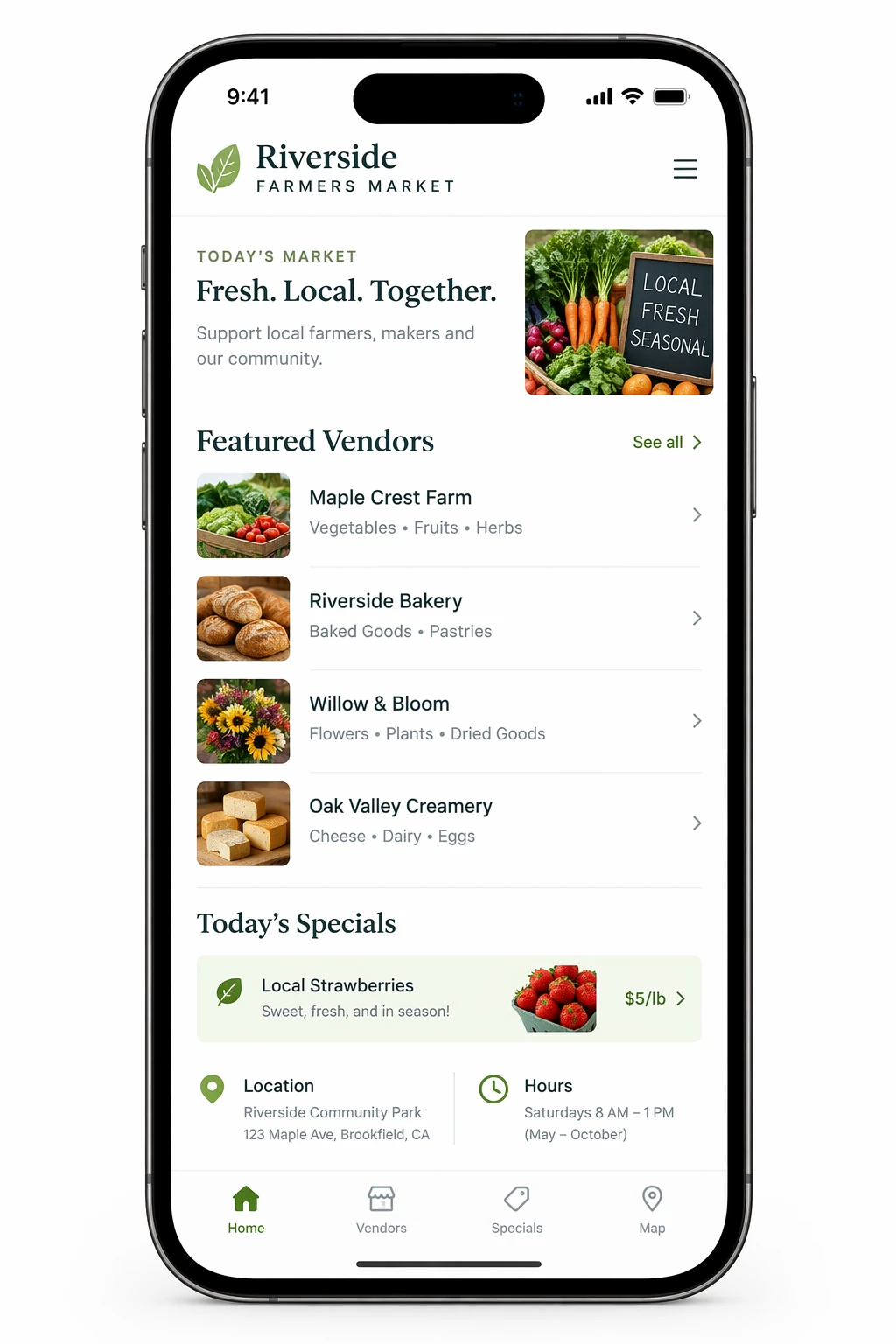
Create scientific and educational visuals
Scientific and educational visuals are strong fits for biology, chemistry, classroom explanations, flat scientific icon systems, diagrams, and learning assets. Prompt them like an instructional design brief: define the audience, lesson objective, visual format, required labels, and scientific constraints. For best results, ask for a clean, flat visual system with consistent icon style, clear arrows, readable labels, and enough white space for students to scan the concept quickly.
When accuracy matters, list the required components explicitly and say what should not be included. Use quality="high" for dense labels, diagrams, or assets that will be used in slides or course materials.
Generation settings: size="1536x1024", quality="high".
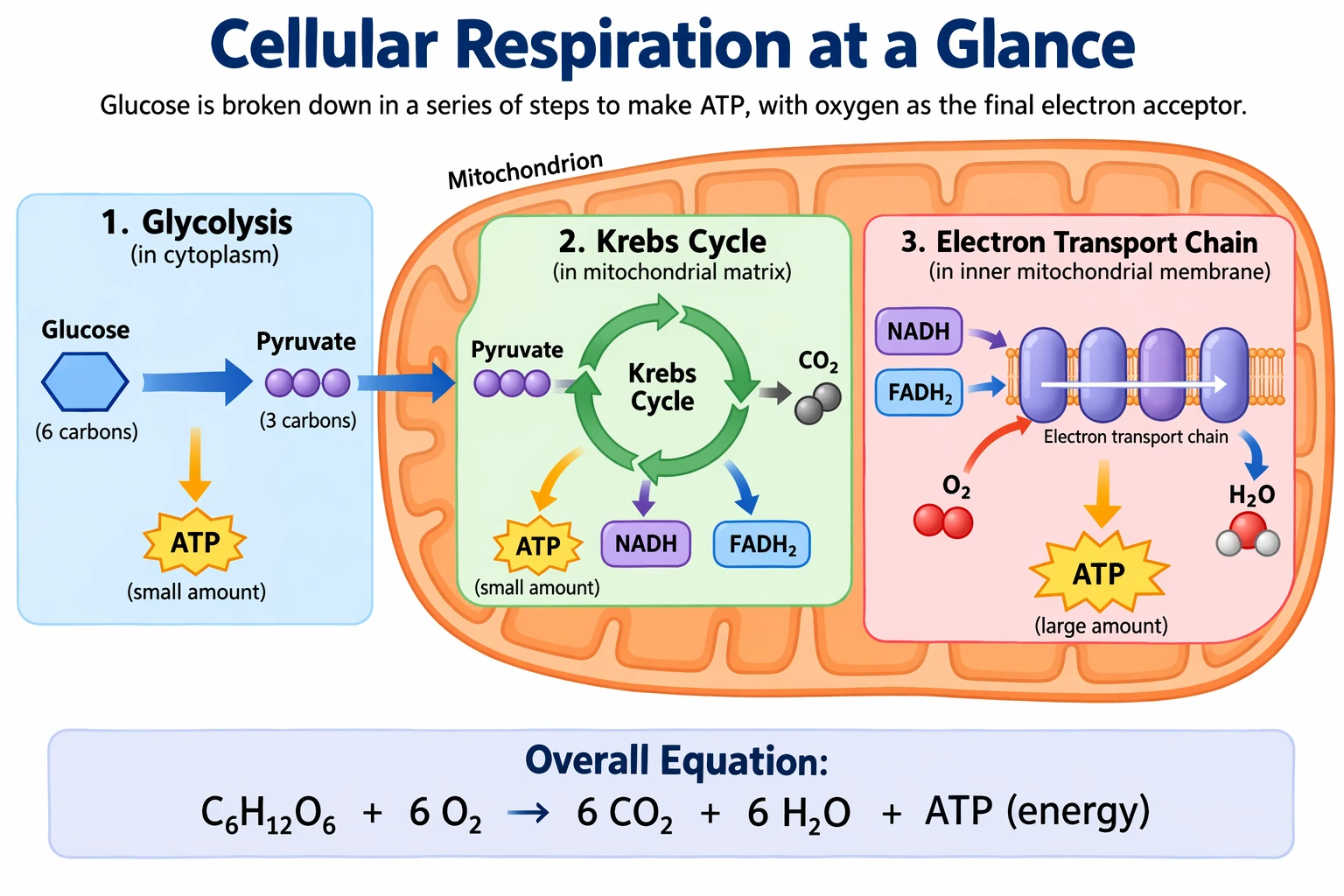
Create a simple biology diagram titled "Cellular Respiration at a Glance" for high school students.

Show how glucose turns into energy inside a cell. Include glycolysis, the Krebs cycle, and the electron transport chain.
Use arrows to connect the steps, and label the main molecules: glucose, pyruvate, ATP, NADH, FADH2, CO2, O2, and H2O.
Make it look like a clean classroom handout or slide, with a white background, simple icons, clear labels, and easy-to-read text.

Avoid tiny text, extra decoration, or anything that makes the diagram hard to understand.
Example outputs:
<figure className="m-0 min-w-0"> <figcaption className="mb-2 min-h-10 text-sm font-semibold"> GPT Image 2.5 Flare </figcaption>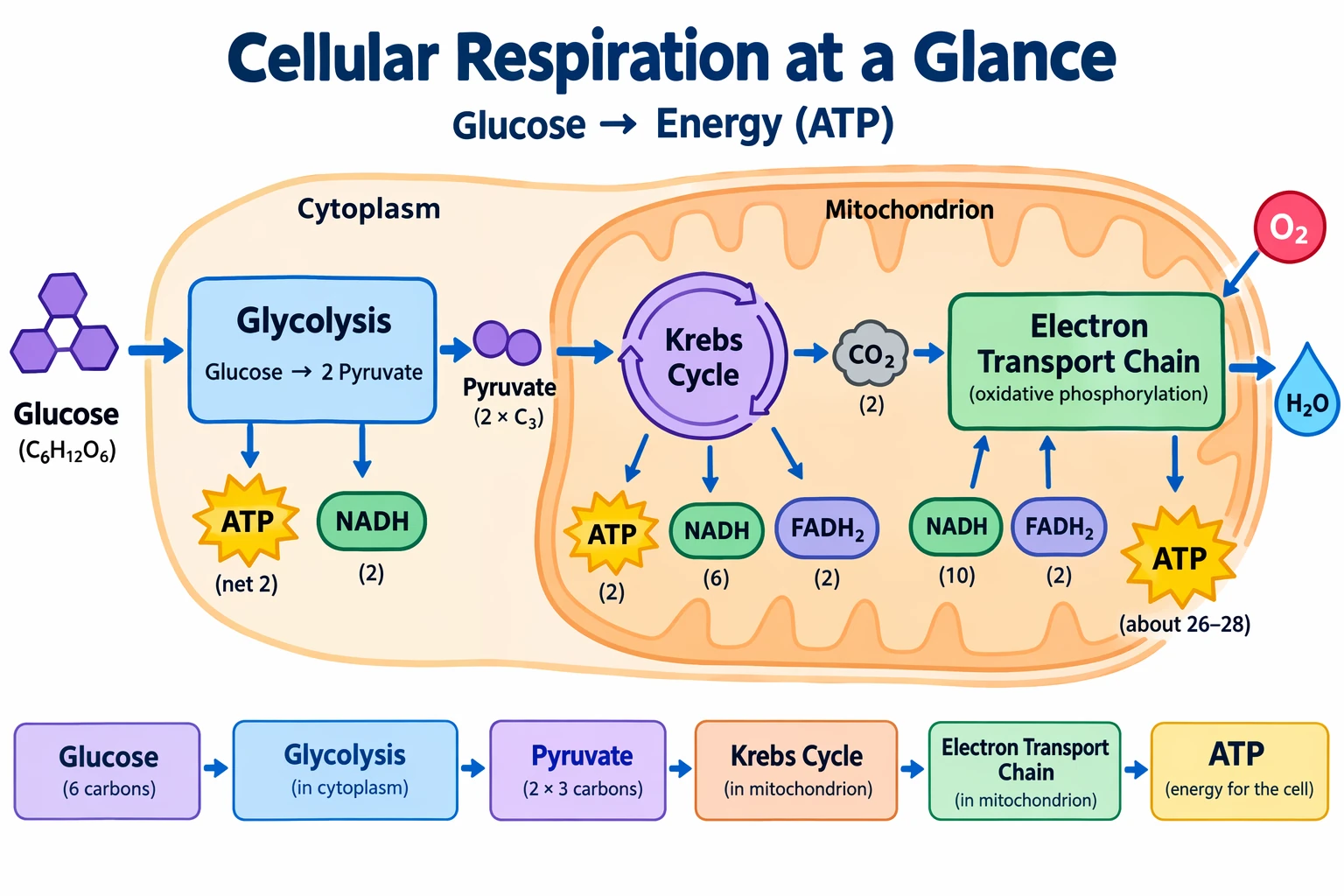
Build slides, diagrams, and charts
Productivity visuals work best when the prompt is written like an artifact spec rather than an illustration request. Name the exact deliverable (slide, workflow diagram, chart, page image), define the canvas and hierarchy, provide the real text or data, and describe the visual language. These prompts should include practical constraints: readable typography, polished spacing, no decorative clutter, and no generic stock-photo treatment.
For slides, charts, and diagram-heavy assets, include the numbers and labels directly in the prompt. Use a landscape size for deck-style outputs and quality="high" when the image contains small text, legends, axes, or footnotes.
The sample market figures and citations below are fictional design inputs. Replace them with verified data before using the slide.
Generation settings: size="1536x864", quality="high".
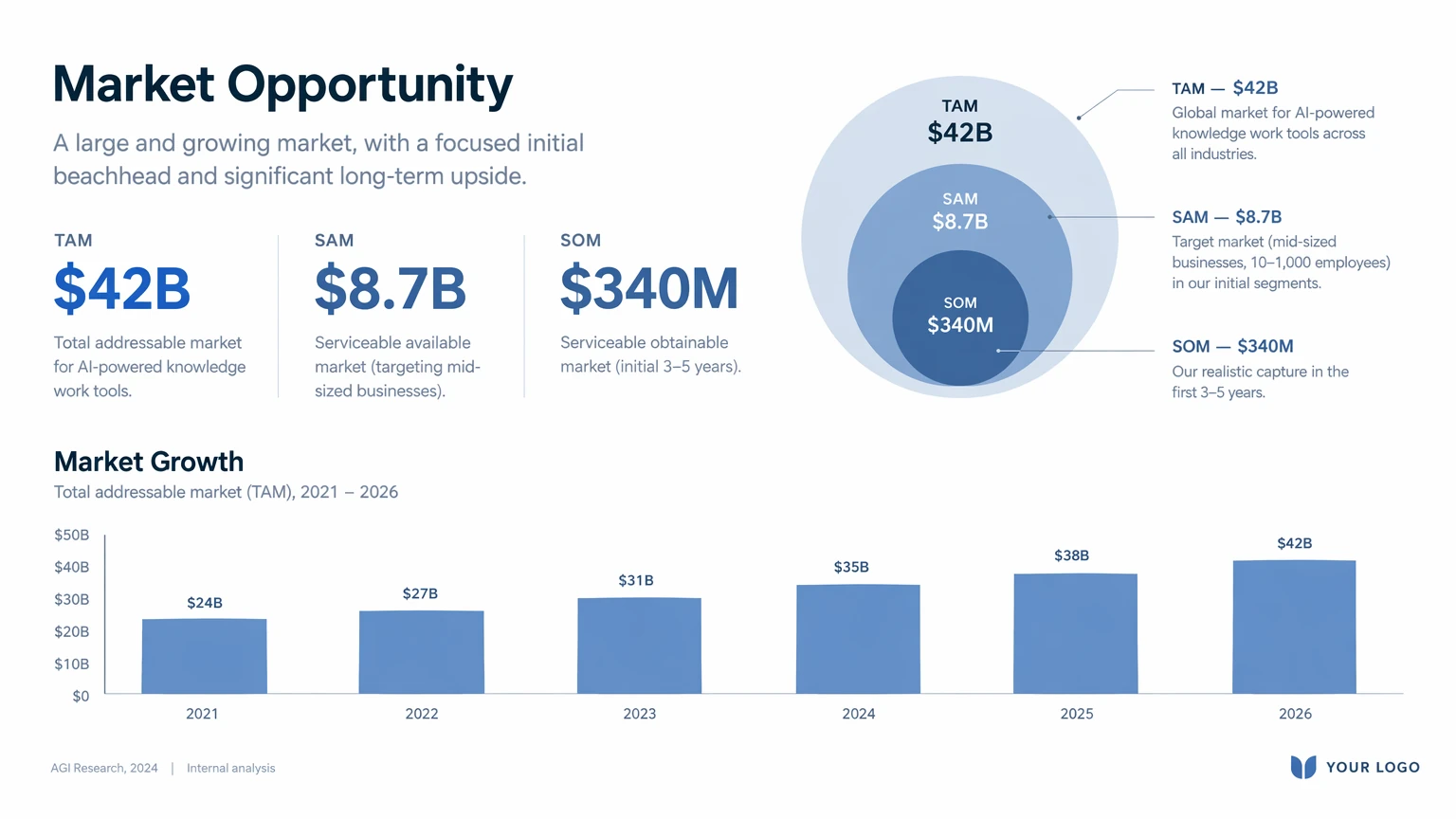
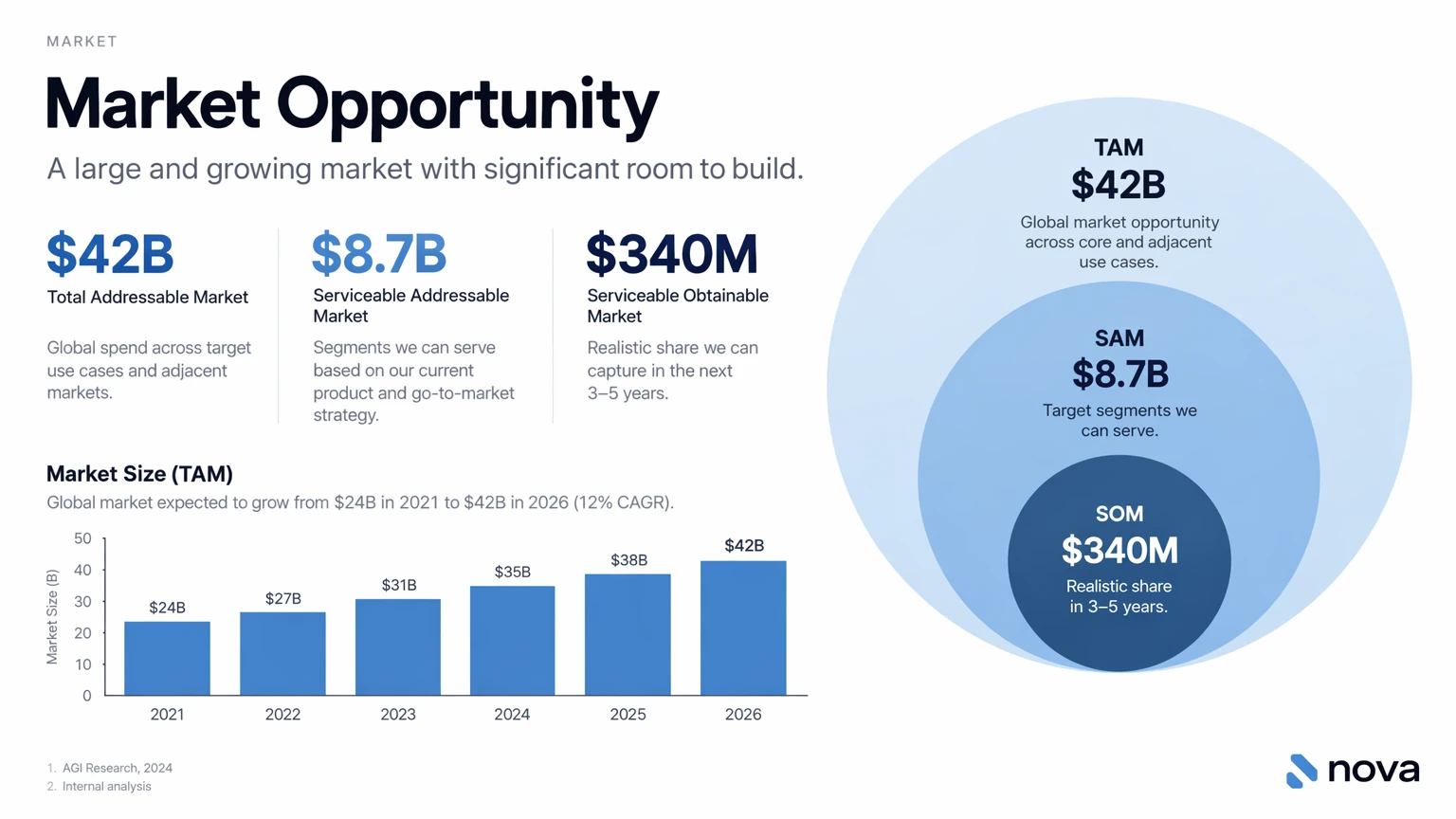
Create one pitch-deck slide titled **"Market Opportunity"** that feels like a real Series A fundraising slide from a YC-backed startup.

Use a clean white background, modern sans-serif typography like Inter, and a crisp, minimal layout. The slide should include:

* A TAM/SAM/SOM concentric-circle diagram in muted blues and grays
* Specific, believable market sizing numbers:

  * **TAM:** $42B
  * **SAM:** $8.7B
  * **SOM:** $340M
* A clean bar chart below showing market growth from **2021 to 2026**, with a subtle upward trend
* Small footnotes: **"AGI Research, 2024"** and **"Internal analysis"**
* A company logo placeholder in the bottom-right corner

The design should look like it belongs in a deck that actually raised money: highly readable text, clear data hierarchy, polished spacing, and professional startup-style visual language.

Avoid clip art, stock photography, gradients, shadows, decorative elements, or anything that feels generic or overdesigned.
Example outputs:
<figure className="m-0 min-w-0"> <figcaption className="mb-2 min-h-10 text-sm font-semibold"> GPT Image 2.5 Flare </figcaption>