Image Editing Evals
Virtual Try-On
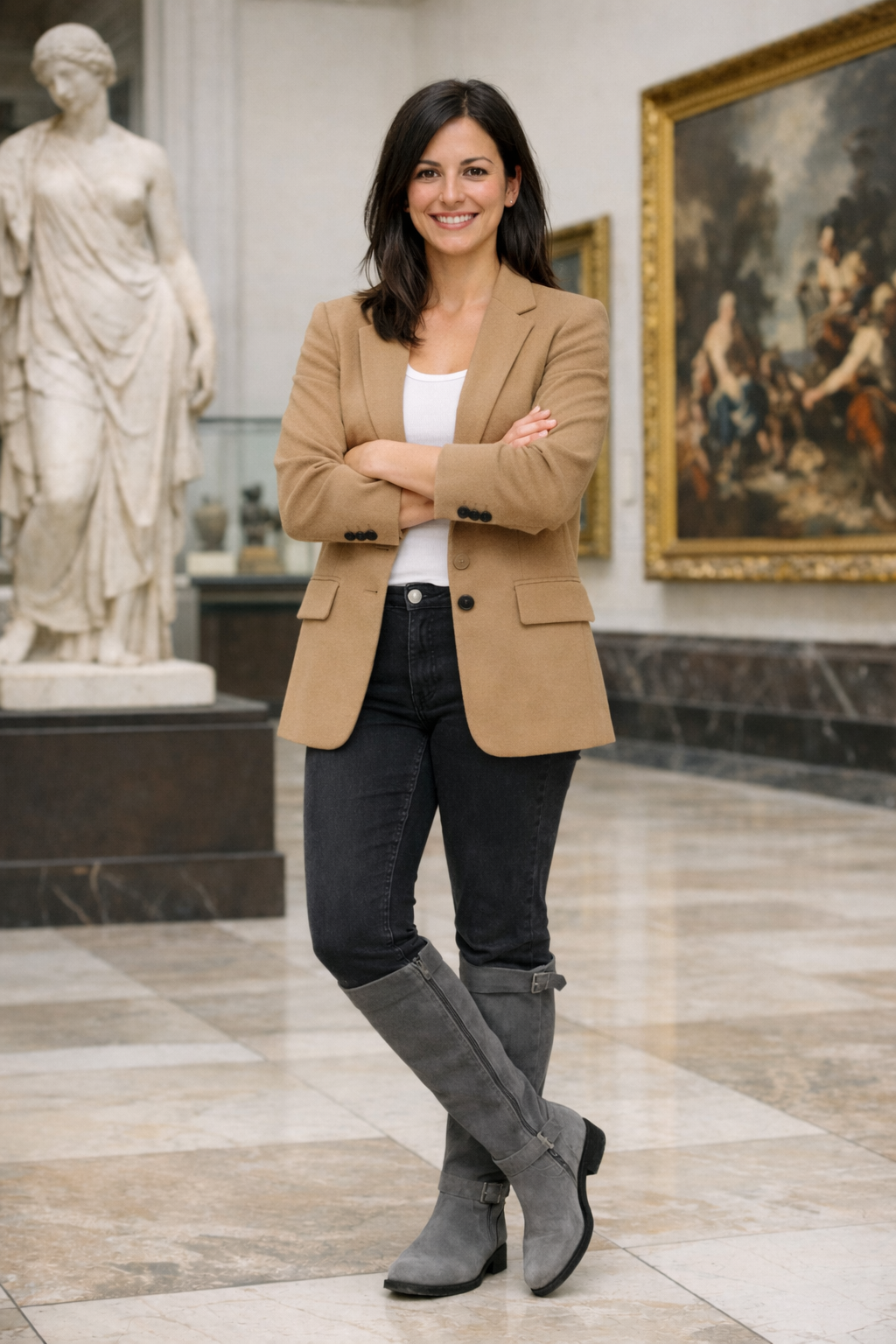
Virtual try-on (VTO) is an image editing workflow: given a person photo (selfie or model) and a garment reference (product photo and/or description), generate an output where the garment looks naturally worn—while keeping the person’s identity, pose, and scene intact.
Why VTO evals are different
Unlike “creative” edits, VTO is judged on fidelity + preservation:
- Preserve the wearer (face identity, body shape, pose)
- Preserve the product (color, pattern, logos, material cues)
- Edit only what’s needed (locality/preservation)
- Look physically plausible (occlusions, lighting, drape, wrinkles)
Example Inputs:
| Full Body | Item 1 |
|---|---|
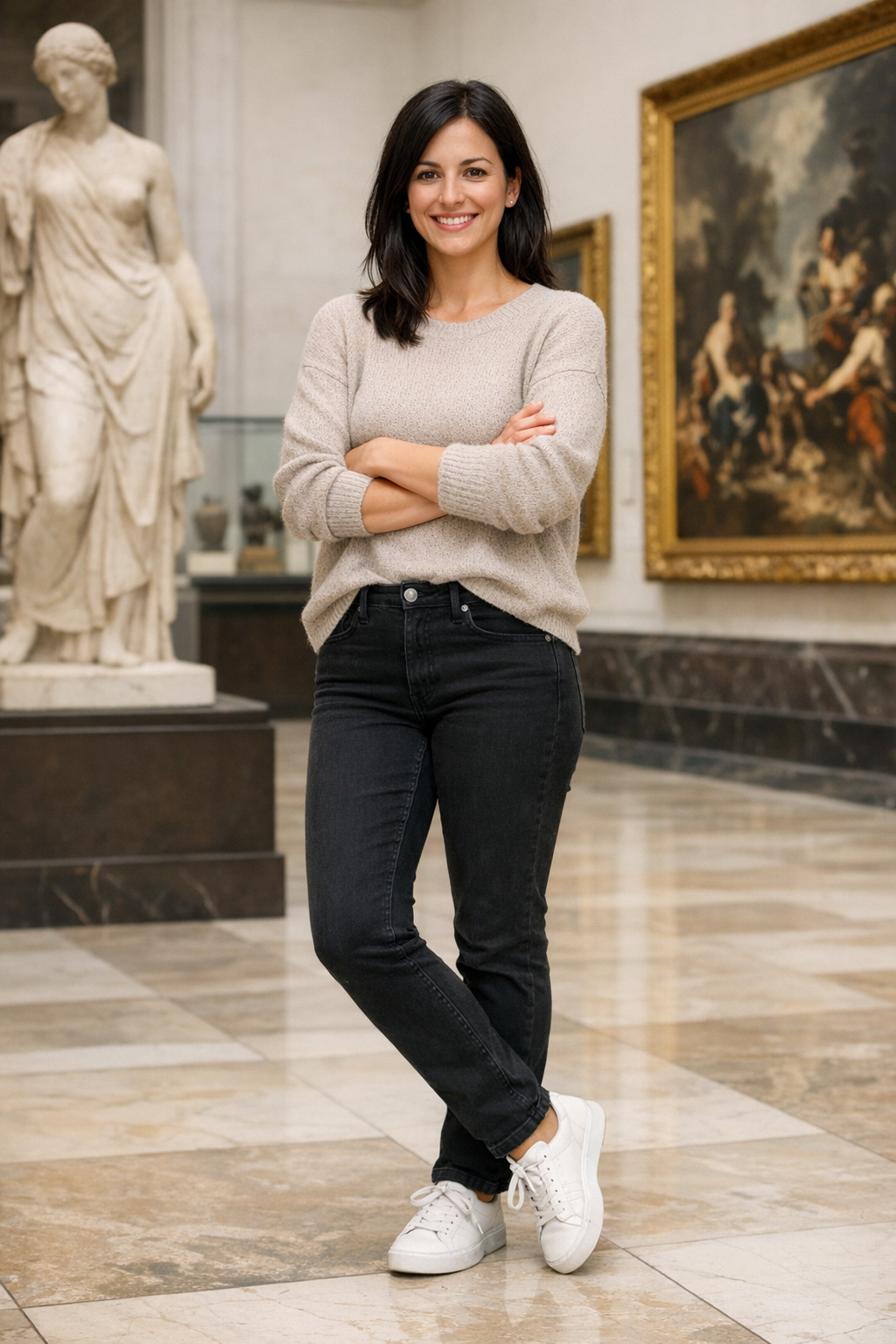 | 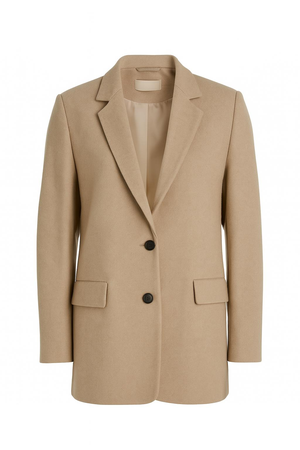 |
| Item 2 | Item 3 |
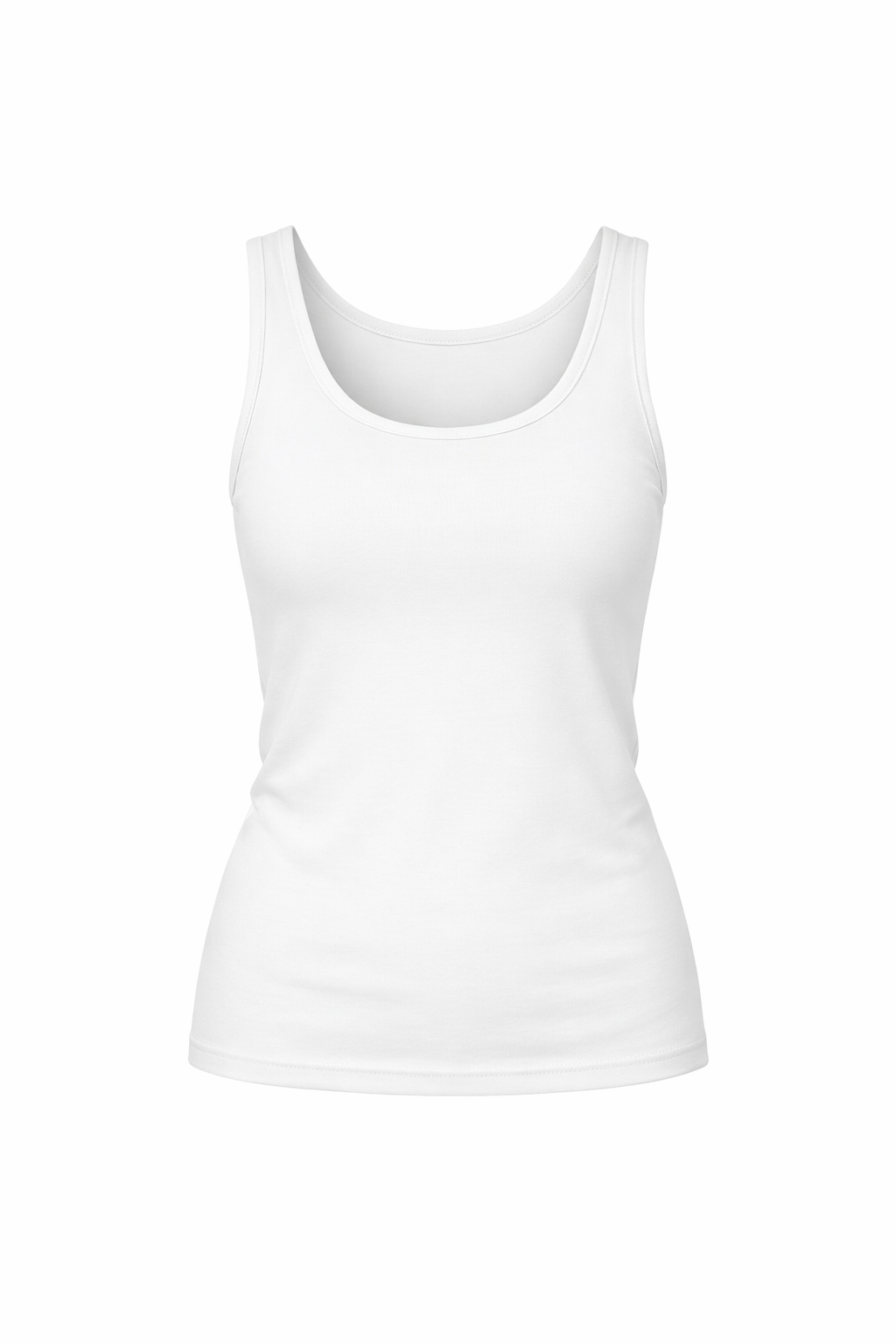 | 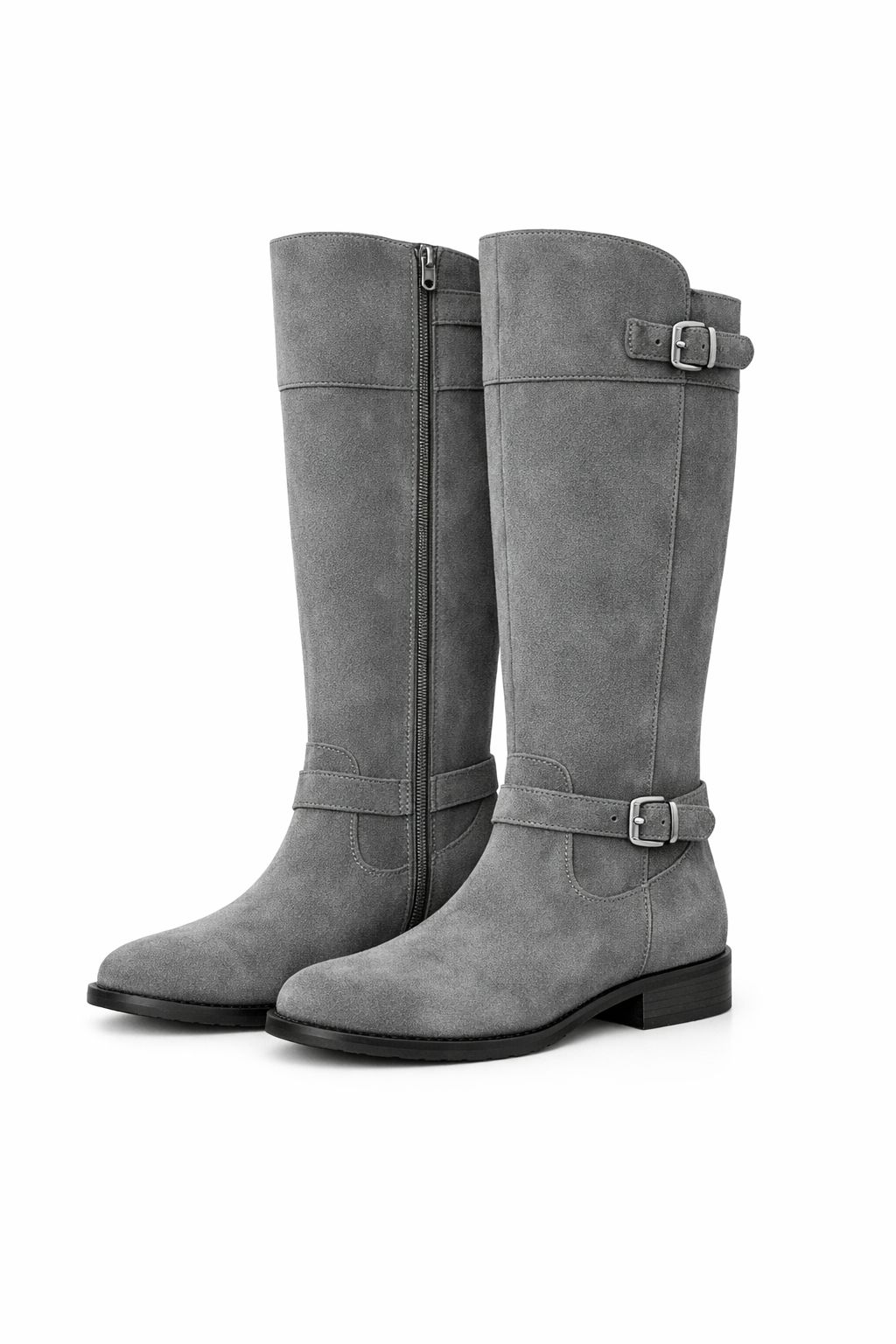 |
Output Image:
What to evaluate (practical metrics):
1) Treat VTO as a multi-reference editing task
For each test case, store:
- Input person image (selfie/model)
- Product reference (catalog image(s), flat-lay, mannequin, or a “worn” reference when available)
- Optional but high-leverage:
- Mask(s): editable region, clothing region, hair/hand occluders
- Metadata: category (top/bottom/outerwear), desired fit (oversized/slim), colorway, length
- Edit instruction: “Put on this exact jacket without changing background or face.”
This lets graders compare output vs. both inputs (person + product), not just “does it look good?”
2) Graded metrics (use only these three)
Use these as 0–5 scores to rank models and track improvement. Keep them separate (don’t average them inside the grader); use verdict rules outside if you want gates.
A) Facial similarity (output vs selfie) — 0–5
Measures whether the output preserves the same person (identity), not just “a plausible face.”
- 5: Clearly the same person; key facial features unchanged; no noticeable age/ethnicity/style drift; expression changes (if any) are minor and realistic.
- 4: Same person; tiny differences only noticeable on close inspection (minor shape/texture smoothing, slight eye/mouth drift).
- 3: Mostly the same person, but at least one noticeable identity drift (feature proportions, jawline, eyes, nose) that would reduce user trust.
- 2: Significant identity drift; looks like a different person or heavily altered face.
- 1: Major corruption (melted/blurry face) or clearly different identity.
- 0: Face missing, unreadable, or replaced.
What to look for:
- Facial geometry consistency (eyes/nose/mouth spacing, jawline, cheekbones)
- Skin texture realism without “beauty filter” identity loss
- No unintended makeup/age/style changes unless requested
B) Outfit fidelity (output vs provided items) — 0–5
Measures whether the output garment matches the specific product reference(s) the user selected.
- 5: Item matches reference closely: correct category, colorway, pattern/print, material cues, and key details (logos, seams, collar, pockets).
- 4: Clearly the same item; 1–2 minor deviations (small logo blur, slight hue shift, minor detail simplification).
- 3: Generally correct but with a notable mismatch (pattern scale wrong, material looks different, key design element missing/added).
- 2: Multiple mismatches; could be a different variant or different product.
- 1: Wrong item category or strongly incorrect visual identity.
- 0: Outfit not applied / missing / replaced with unrelated clothing.
What to look for:
- Color/pattern correctness (especially stripes, plaid, small repeats)
- Logo/text integrity (no hallucinated letters)
- Structural details (neckline, sleeves, hem, closures)
C) Body shape preservation (output vs selfie) — 0–5
Measures whether the model preserves the wearer’s body shape, pose, and proportions outside normal garment effects (e.g., loose clothing can change silhouette, but shouldn’t reshape anatomy).
- 5: Body proportions and pose are preserved; garment conforms naturally without warping torso/limbs.
- 4: Minor, plausible silhouette changes consistent with clothing; no obvious anatomical distortion.
- 3: Noticeable reshaping (waist/hips/shoulders/limbs) that feels slightly “AI-stylized” or inconsistent with the input body.
- 2: Significant warping (elongated limbs, shifted joints, compressed torso) that would be unacceptable in product use.
- 1: Severe anatomical distortion (extra/missing limbs, melted body regions).
- 0: Body is not recognizable or is fundamentally corrupted.
What to look for:
- Shoulder/hip width consistency relative to input
- Limb length/joint placement stability (elbows, knees, wrists)
- No “body slimming” or “body inflation” artifacts
If you want a single overall pass/fail, a common rule is:
- Fail if any metric ≤ 2
- Pass if all metrics ≥ 3
(and optionally require outfit fidelity ≥ 4 for commerce-critical flows).
3) Human feedback: keep it simple but consistent
Humans are best at “would I trust this in a shopping flow?”
Use two label types:
- Rubric labels (quick, structured):
- Identity preserved? (Y/N)
- Garment matches reference? (Y/N + what’s wrong)
- Any bad artifacts? (none/minor/major)
- Overall usable for e-commerce? (Y/N)
- Pairwise preference (A vs B):
- Which output is more faithful to the product while keeping the person unchanged?
Add periodic calibration: keep a small set of “anchor” examples that raters re-score to prevent drift.
Virtual Try-On Example: Harness Setup
Use existing images from images/ as the person and garment references.
vto_person_path = Path("/cookbook/assets/images/base_woman.png")
vto_garment_path = Path("/cookbook/assets/images/jacket.png")

vto_prompt = """Put the person in the first image into the jacket shown in the second image.
Keep the person's face, pose, body shape, and background unchanged.
Preserve the garment's color, pattern, and key details.
Do not add extra accessories, text, or new elements."""

vto_criteria = """The output preserves the same person and background.
The jacket matches the reference garment closely.
Body shape and pose remain consistent outside normal garment effects.
The result looks physically plausible."""

vto_case = TestCase(
    id="vto_jacket_tryon",
    task_type="image_editing",
    prompt=vto_prompt,
    criteria=vto_criteria,
    image_inputs=ImageInputs(image_paths=[vto_person_path, vto_garment_path]),
)

vto_run = ModelRun(
    label="gpt-image-1.5-vto",
    task_type="image_editing",
    params={
        "model": "gpt-image-1.5",
        "n": 1,
    },
)

vto_store = OutputStore(root=Path("../../images"))
Virtual Try-On Example: Run And Grade
Define a VTO judge prompt aligned to the VTO metrics and run the harness.
vto_judge_prompt = """<core_mission>
Evaluate whether a virtual try-on edit preserves the person while accurately applying the reference garment.
</core_mission>

<role>
You are an expert evaluator of virtual try-on outputs.
You focus on identity preservation, garment fidelity, and body-shape preservation.
</role>

<metrics>
1) facial_similarity: 0-5
2) outfit_fidelity: 0-5
3) body_shape_preservation: 0-5
</metrics>

<verdict_rules>
FAIL if any metric <= 2.
PASS if all metrics >= 3.
</verdict_rules>

<output_constraints>
Return JSON only with the fields specified in the schema.
</output_constraints>
"""

vto_schema = {
    "type": "object",
    "properties": {
        "verdict": {"type": "string"},
        "facial_similarity": {"type": "number"},
        "outfit_fidelity": {"type": "number"},
        "body_shape_preservation": {"type": "number"},
        "reason": {"type": "string"},
    },
    "required": [
        "verdict",
        "facial_similarity",
        "outfit_fidelity",
        "body_shape_preservation",
        "reason",
    ],
    "additionalProperties": False,
}

def parse_vto_result(data: dict, base_key: str) -> list[Score]:
    return [
        Score(key="facial_similarity", value=float(data["facial_similarity"]), reason=""),
        Score(key="outfit_fidelity", value=float(data["outfit_fidelity"]), reason=""),
        Score(key="body_shape_preservation", value=float(data["body_shape_preservation"]), reason=""),
        Score(key="verdict", value=str(data["verdict"]), reason=(data.get("reason") or "").strip()),
    ]

vto_grader = LLMajRubricGrader(
    key="vto_eval",
    system_prompt=vto_judge_prompt,
    content_builder=build_editing_judge_content,
    judge_model="gpt-5.2",
    json_schema_name="vto_eval",
    json_schema=vto_schema,
    result_parser=parse_vto_result,
)

vto_results = evaluate(
    cases=[vto_case],
    model_runs=[vto_run],
    graders=[vto_grader],
    output_store=vto_store,
)

vto_result = vto_results[0]
vto_result{'test_id': 'vto_jacket_tryon',
'model_label': 'gpt-image-1.5-vto',
'task_type': 'image_editing',
'artifact_paths': ['/cookbook/assets/images/edit_vto_jacket_tryon_gpt-image-1.5-vto_1769658750053_0.png'],
'scores': {'facial_similarity': 5.0,
'outfit_fidelity': 4.0,
'body_shape_preservation': 4.0,
'verdict': 'PASS'},
'reasons': {'facial_similarity': '',
'outfit_fidelity': '',
'body_shape_preservation': '',
'verdict': 'The edited output preserves the same face, hairstyle, pose, and plain studio background. The applied jacket closely matches the reference: camel/beige color, notch lapels, single-breasted look with dark buttons, and flap pockets are present and placed plausibly. Minor deviations include slightly different button count/placement and subtle differences in lapel/hem shaping compared to the flat lay. Body proportions and stance remain consistent, with only natural silhouette changes from wearing a structured blazer.'},
'run_params': {'model': 'gpt-image-1.5', 'n': 1}}Virtual Try-On: Optional Code Interpreter Crop Tool
If you want finer-grained evidence (logos, seams, fit, face details), you can run a secondary judge that uses the Code Interpreter crop tool to zoom into regions. This is useful for close-up checks on garment fidelity and identity preservation.
vto_output_path = Path(vto_result["artifact_paths"][0])

instructions = """
Tools available:
- crop(image_id, x1, y1, x2, y2): Use to zoom into a specific image's region. Coordinates are integer pixels relative to the top-left of the CURRENT view of that image. Use as few precise crops as necessary to gather evidence.
    - When using crop(image_id, x1, y1, x2, y2), ensure that x2 > x1 and y2 > y1. The coordinates must define a valid rectangle: x1 (left, inclusive), y1 (top, inclusive), x2 (right, exclusive), y2 (bottom, exclusive), with x2 strictly greater than x1 and y2 strictly greater than y1. If you are unsure, double-check your coordinates before cropping to avoid errors.

Images provided:
- Up to 5 user reference photos (ref_1..ref_5) for identity/baseline body context
- 1 clothing-only image (clothing)
- 1 reconstruction image (recon)

Your goals:
1) Judge similarity between the clothing-only image and how it appears on the user in the reconstruction.
2) Judge identity realism (face/hair/skin) vs. user reference photos.
3) Judge overall realism (lighting, shadows, artifacts).

IMPORTANT:
- Use the crop tool when you need more detail. After crop, a new grid overlay is returned for that image.
- You may use the crop tool as many times as needed to gather evidence.
- When confident, produce the final STRICT JSON only. No extra text.
"""
judge_client = client if "client" in globals() else OpenAI()
response_crop = judge_client.responses.create(
    model="gpt-5.2",
    instructions=instructions,
    tools=[
        {
            "type": "code_interpreter",
            "container": {"type": "auto", "memory_limit": "4g"},
        }
    ],
    input=[
        {
            "role": "user",
            "content": [
                {
                    "type": "input_text",
                    "text": "Order: ref_1 (person), clothing (garment reference), recon (try-on output).",
                },
                {
                    "type": "input_image",
                    "image_url": image_to_data_url(vto_person_path),
                },
                {
                    "type": "input_image",
                    "image_url": image_to_data_url(vto_garment_path),
                },
                {
                    "type": "input_image",
                    "image_url": image_to_data_url(vto_output_path),
                },
            ],
        }
    ],
)

response_cropResponse(id='resp_03756a1c45c8427000697ad91445ec8196a58b39ee7e0b05b1', created_at=1769658644.0, error=None, incomplete_details=None, instructions="\nTools available:\n- crop(image_id, x1, y1, x2, y2): Use to zoom into a specific image's region. Coordinates are integer pixels relative to the top-left of the CURRENT view of that image. Use as few precise crops as necessary to gather evidence.\n - When using crop(image_id, x1, y1, x2, y2), ensure that x2 > x1 and y2 > y1. The coordinates must define a valid rectangle: x1 (left, inclusive), y1 (top, inclusive), x2 (right, exclusive), y2 (bottom, exclusive), with x2 strictly greater than x1 and y2 strictly greater than y1. If you are unsure, double-check your coordinates before cropping to avoid errors.\n\nImages provided:\n- Up to 5 user reference photos (ref_1..ref_5) for identity/baseline body context\n- 1 clothing-only image (clothing)\n- 1 reconstruction image (recon)\n\nYour goals:\n1) Judge similarity between the clothing-only image and how it appears on the user in the reconstruction.\n2) Judge identity realism (face/hair/skin) vs. user reference photos.\n3) Judge overall realism (lighting, shadows, artifacts).\n\nIMPORTANT:\n- Use the crop tool when you need more detail. After crop, a new grid overlay is returned for that image.\n- You may use the crop tool as many times as needed to gather evidence.\n- When confident, produce the final STRICT JSON only. No extra text.\n", metadata={}, model='gpt-5.2-2025-12-11', object='response', output=[ResponseCodeInterpreterToolCall(id='ci_03756a1c45c8427000697ad91aaf108196974c45daf37a9a18', code="from PIL import Image, ImageOps\nimg1=Image.open('/mnt/data/143ba8edc474910b395d0d44e2f06a9d-image.png')\nimg2=Image.open('/mnt/data/ababce34a72604310f9dac11e9e5f00f-image.png')\nimg3=Image.open('/mnt/data/6c920ec973b3b1abb80da8b29ee5aa3e-image.png')\nimg1.size, img2.size, img3.size\n", container_id='cntr_697ad91842dc8193a9e214852cbb3fda02ddf8755852a20c', outputs=None, status='completed', type='code_interpreter_call'), ResponseCodeInterpreterToolCall(id='ci_03756a1c45c8427000697ad93101b48196a090b8acf49e7948', code="import matplotlib.pyplot as plt\nplt.figure(figsize=(12,6))\nfor i,img in enumerate([img1,img2,img3],1):\n plt.subplot(1,3,i); plt.imshow(img); plt.axis('off'); plt.title(i)\nplt.show()\n", container_id='cntr_697ad91842dc8193a9e214852cbb3fda02ddf8755852a20c', outputs=None, status='completed', type='code_interpreter_call'), ResponseCodeInterpreterToolCall(id='ci_03756a1c45c8427000697ad94bf50481969ec6383dc9bd0a40', code="import numpy as np, matplotlib.pyplot as plt\n# crop face regions\nface1=img1.crop((70,20,230,140))\nface3=img3.crop((330,70,690,330))\nplt.figure(figsize=(8,4))\nplt.subplot(1,2,1); plt.imshow(face1); plt.axis('off'); plt.title('ref face')\nplt.subplot(1,2,2); plt.imshow(face3); plt.axis('off'); plt.title('recon face')\nplt.show()\n", container_id='cntr_697ad91842dc8193a9e214852cbb3fda02ddf8755852a20c', outputs=None, status='completed', type='code_interpreter_call'), ResponseCodeInterpreterToolCall(id='ci_03756a1c45c8427000697ad9522568819681f59d41d921f102', code="# crop blazer from clothing and recon for comparison\ncloth=img2.crop((40,40,260,410))\nrecon_blazer=img3.crop((250,250,800,1100))\nplt.figure(figsize=(10,4))\nplt.subplot(1,2,1); plt.imshow(cloth); plt.axis('off'); plt.title('clothing')\nplt.subplot(1,2,2); plt.imshow(recon_blazer); plt.axis('off'); plt.title('recon blazer')\nplt.show()\n", container_id='cntr_697ad91842dc8193a9e214852cbb3fda02ddf8755852a20c', outputs=None, status='completed', type='code_interpreter_call'), ResponseOutputMessage(id='msg_03756a1c45c8427000697ad958266c8196ab64e9c75379f4ce', content=[ResponseOutputText(annotations=[AnnotationContainerFileCitation(container_id='cntr_697ad91842dc8193a9e214852cbb3fda02ddf8755852a20c', end_index=0, file_id='cfile_697ad956d5d4819194b112d8f80b8a9d', filename='cfile_697ad956d5d4819194b112d8f80b8a9d.png', start_index=0, type='container_file_citation')], text='{\n "clothing_similarity": {\n "score": 0.9,\n "notes": [\n "Blazer color matches well (camel/tan) with similar fabric look.",\n "Key design elements align: notch lapels, two-button front with dark buttons, flap pockets, and overall single-breasted silhouette.",\n "Proportions look consistent (hip-length, straight hem, structured shoulders).",\n "Minor differences: lapel/edge sharpness and pocket flap geometry look slightly simplified in the try-on."\n ]\n },\n "identity_realism": {\n "score": 0.72,\n "notes": [\n "Overall face shape, hair color/part, and general look are fairly consistent with the reference.",\n "Some identity drift: facial details (eyes/nose/mouth definition) appear smoother/idealized in the try-on compared to the reference.",\n "Skin texture is more airbrushed in the try-on; less natural micro-detail."\n ]\n },\n "overall_realism": {\n "score": 0.84,\n "notes": [\n "Lighting and shadows are mostly coherent with the studio background; blazer shading reads plausibly on-body.",\n "Good garment-body integration at shoulders and torso; sleeve placement looks natural.",\n "Small AI artifacts: slightly softened/blurred edges around lapels and pocket areas; fine fabric texture is reduced."\n ]\n }\n}', type='output_text', logprobs=[])], role='assistant', status='completed', type='message')], parallel_tool_calls=True, temperature=1.0, tool_choice='auto', tools=[CodeInterpreter(container=CodeInterpreterContainerCodeInterpreterToolAuto(type='auto', file_ids=None, memory_limit=None), type='code_interpreter')], top_p=0.98, background=False, conversation=None, max_output_tokens=None, max_tool_calls=None, previous_response_id=None, prompt=None, prompt_cache_key=None, prompt_cache_retention=None, reasoning=Reasoning(effort='none', generate_summary=None, summary=None), safety_identifier=None, service_tier='default', status='completed', text=ResponseTextConfig(format=ResponseFormatText(type='text'), verbosity='medium'), top_logprobs=0, truncation='disabled', usage=ResponseUsage(input_tokens=5397, input_tokens_details=InputTokensDetails(cached_tokens=0), output_tokens=717, output_tokens_details=OutputTokensDetails(reasoning_tokens=417), total_tokens=6114), user=None, billing={'payer': 'developer'}, completed_at=1769658722, frequency_penalty=0.0, presence_penalty=0.0, store=True)Virtual Try-On Eval Results
Show the edit result and VTO scores in a single pandas table.
| Full Body | Item 1 |
|---|---|
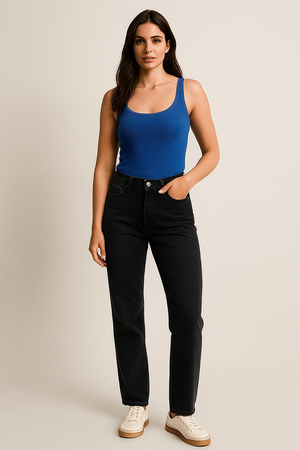 | |
Edited Image:
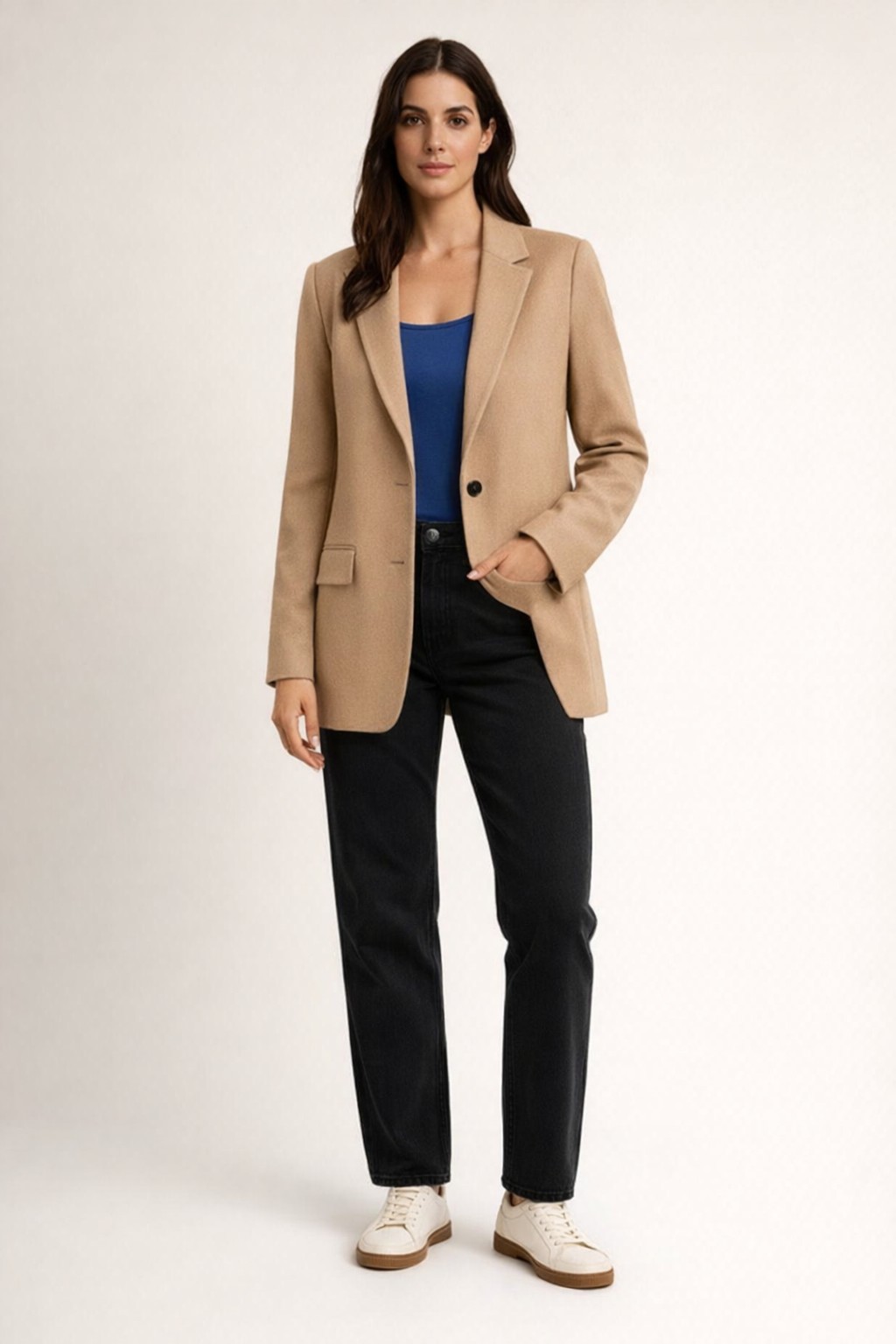
render_result_table(case=vto_case, result=vto_result, title="Virtual Try-On: Prompt vs. Scores")Criteria: The output preserves the same person and background. The jacket matches the reference garment closely. Body shape and pose remain consistent outside normal garment effects. The result looks physically plausible.</pre><td style='text-align:left; padding:8px; vertical-align:top'><pre style='white-space:pre-wrap; word-break:break-word; margin:0'>body_shape_preservation: 4.0 facial_similarity: 5.0 outfit_fidelity: 4.0 verdict: PASS</pre></td><td style='text-align:left; padding:8px; vertical-align:top'><pre style='white-space:pre-wrap; word-break:break-word; margin:0'>The edited output preserves the same face, hairstyle, pose, and plain studio background. The applied jacket closely matches the reference: camel/beige color, notch lapels, single-breasted look with dark buttons, and flap pockets are present and placed plausibly. Minor deviations include slightly different button count/placement and subtle differences in lapel/hem shaping compared to the flat lay. Body proportions and stance remain consistent, with only natural silhouette changes from wearing a structured blazer.</pre></td>
Logo Editing
Logo editing is a high-precision image editing task. Given an existing logo and a narrowly scoped instruction, the model must apply the exact requested change while preserving everything else perfectly. Unlike creative design tasks, logo editing typically has a single correct answer. Any deviation, even subtle, is a failure.
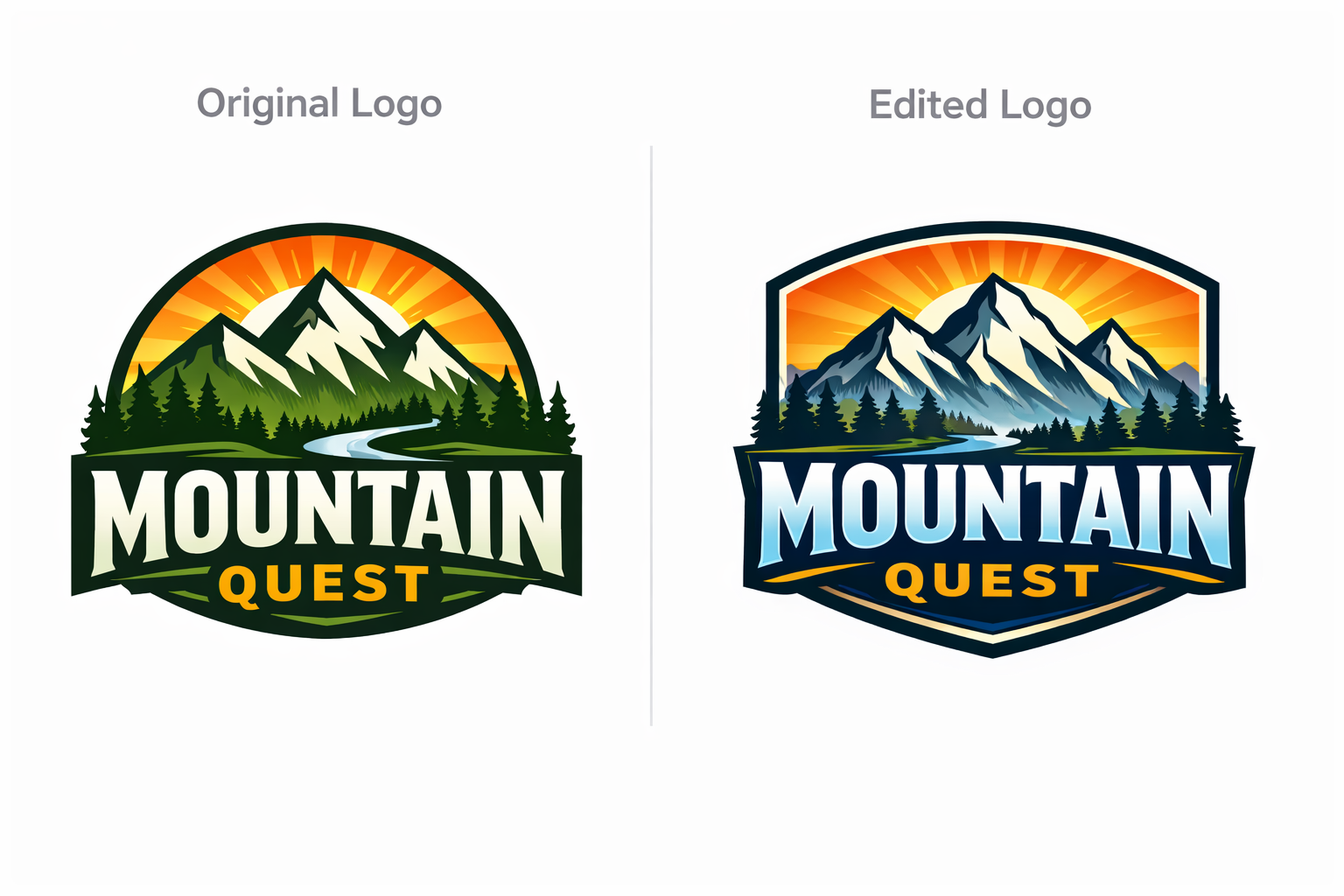
Why Logo Editing evals are different:
Logo editing is judged on exactness, locality, and preservation rather than visual appeal:
- Preserve the original asset identity
- Preserve all unedited text, geometry, spacing, and styling
- Edit only the explicitly requested region
- Produce character-level correctness with zero tolerance for drift
Small errors carry outsized risk. A single letter distortion, number change, or spill outside the intended region can break brand integrity and create downstream rework.
Example Tasks:
- Inputs: logo image + mask or region description
- Tasks: “change the year from 2024 to 2026,” “replace C with S,” “add TM”
What to evaluate (practical metrics):
1) Treat logo editing as a constrained, single-reference task
For each test case, store:
- Input logo image
- Edit instruction with explicit scope
- Optional but high-leverage:
- Mask(s) or region description defining where edits are allowed
- Expected target text or symbol for exact comparison
- Metadata: font type, font size, or color
The grader should compare the output directly against the original logo.
2) Graded metrics
Use these 0–5 scores to rank models and track improvement. Scores are applied across all requested steps, not per step, so partial completion is penalized in a controlled and explainable way.
A) Edit intent correctness — 0–5
Measures whether every requested edit step was applied correctly to the correct target.
- 5: All edit steps are applied exactly as specified. Character-level accuracy is perfect for every step.
- 4: All steps applied correctly; extremely minor visual imperfections only visible on close inspection.
- 3: All steps applied, but at least one step shows noticeable degradation in clarity or precision.
- 2: Most steps applied correctly, but one or more steps contain a meaningful error.
- 1: One or more steps are incorrect or applied to the wrong element.
- 0: Most steps missing, incorrect, or misapplied.
B) Non-target invariance — 0–5
Measures whether content outside the requested edits remains unchanged across all steps.
- 5: No detectable changes outside the requested edits.
- 4: Extremely minor drift visible only on close inspection.
- 3: Noticeable but limited drift in nearby elements.
- 2: Clear unrequested changes affecting adjacent text, symbols, or background.
- 1: Widespread unintended changes across the logo.
- 0: Logo identity compromised.
C) Character and style integrity — 0–5
Logo editing is not creative transformation. The output must preserve the original asset’s identity including color, stroke, letterform, and icon consistency.
- 5: Edited characters and symbols perfectly match the original style. Colors, strokes, letterforms, and icons are indistinguishable from the original.
- 4: Extremely minor deviation visible only on close inspection, with no impact on brand perception.
- 3: Noticeable but limited deviation in one or more properties that does not break recognition.
- 2: Clear inconsistency in color, stroke, letterform, or icon geometry that affects visual cohesion.
- 1: Major inconsistency that materially alters the logo’s appearance.
- 0: Visual system is corrupted or no longer recognizable.
LLM-as-judge rubric prompt
Below is a judge prompt aligned to your existing LLMajRubricGrader. It returns structured metric scores + an overall verdict.
You can use this with your existing grader by changing the JSON schema to include the fields below (or create separate graders per metric if you prefer).
PROMPT = """<core_mission>
Evaluate whether a logo edit was executed with exact correctness,
strict preservation, and high visual integrity.

Logo editing is a precision task.
Small errors matter.
Near-misses are failures.
</core_mission>

<role>
You are an expert evaluator of high-precision logo and brand asset editing.
You specialize in detecting subtle text errors, unintended changes,
and preservation drift across single-step and multi-step edits.
</role>

<scope_constraints>
- Judge only against the provided edit instruction and input logo.
- Do NOT judge aesthetics or visual appeal.
- Do NOT infer intent beyond what is explicitly stated.
- Be strict, conservative, and consistent across cases.
</scope_constraints>

<metrics_and_scoring>

Evaluate EACH metric independently using the definitions below.
All metrics are scored from 0 to 5.
Scores apply across ALL requested edit steps.

--------------------------------
1) Edit Intent Correctness (0–5)
--------------------------------
Measures whether every requested edit step was applied correctly
to the correct target.

5: All edit steps applied exactly as specified. Character-level
   accuracy is perfect for every step.
4: All steps applied correctly with extremely minor visual
   imperfections visible only on close inspection.
3: All steps applied, but one or more steps show noticeable
   degradation in clarity or precision.
2: Most steps applied correctly, but one or more steps contain
   a meaningful error.
1: One or more steps are incorrect or applied to the wrong element.
0: Most steps missing, incorrect, or misapplied.

What to consider:
- Exact character identity (letters, numbers, symbols)
- Correct sequencing and targeting of multi-step edits
- No ambiguous characters (Common confusions: 0 vs 6, O vs D, R vs B)

--------------------------------
2) Non-Target Invariance (0–5)
--------------------------------
Measures whether content outside the requested edits remains unchanged.

5: No detectable changes outside the requested edits.
4: Extremely minor drift visible only on close inspection.
3: Noticeable but limited drift in nearby elements.
2: Clear unrequested changes affecting adjacent text,
   symbols, or background.
1: Widespread unintended changes across the logo.
0: Logo identity compromised.

What to consider:
- Adjacent letter deformation or spacing shifts
- Background, texture, or color changes
- Cumulative drift from multi-step edits

--------------------------------
3) Character and Style Integrity (0–5)
--------------------------------
Measures whether the edited content preserves the original
logo’s visual system.

This includes color, stroke weight, letterform structure,
and icon geometry.

5: Edited characters and symbols perfectly match the original
   style. Colors, strokes, letterforms, and icons are
   indistinguishable from the original.
4: Extremely minor deviation visible only on close inspection,
   with no impact on brand perception.
3: Noticeable but limited deviation in one or more properties
   that does not break recognition.
2: Clear inconsistency in color, stroke, letterform, or icon
   geometry that affects visual cohesion.
1: Major inconsistency that materially alters the logo’s appearance.
0: Visual system is corrupted or no longer recognizable.

</metrics_and_scoring>

<verdict_rules>
- Edit Intent Correctness must be ≥ 4.
- Non-Target Invariance must be ≥ 4.
- Character and Style Integrity must be ≥ 4.

If ANY metric falls below threshold, the overall verdict is FAIL.
Do not average scores to determine the verdict.
</verdict_rules>

<consistency_rules>
- Score conservatively.
- If uncertain between two scores, choose the lower one.
- Base all scores on concrete visual observations.
- Penalize cumulative degradation across multi-step edits.
</consistency_rules>

<output_constraints>
Return JSON only.
No additional text.
</output_constraints>
"""
Recommended JSON Output
{
  "verdict": "PASS",
  "edit_intent_correctness": 5,
  "non_target_invariance": 5,
  "character_and_style_integrity": 5,
  "reason": "..."
}{'verdict': 'PASS',
'edit_intent_correctness': 5,
'non_target_invariance': 5,
'character_and_style_integrity': 5,
'reason': '...'}Logo Editing Example: Harness Setup
Use an existing logo image and a narrowly scoped edit instruction.
# Capture the logo judge prompt.
logo_judge_prompt = PROMPT

logo_input_path = Path("../../images/logo_generation_1.png")

logo_prompt = """Edit the logo by changing the text from FIELD to BUTTER .
Do not change any other text, colors, shapes, or layout."""

logo_criteria = """The requested edit is applied exactly.
All non-target content remains unchanged.
Character style, color, and geometry remain consistent with the original."""

logo_case = TestCase(
    id="logo_year_edit",
    task_type="image_editing",
    prompt=logo_prompt,
    criteria=logo_criteria,
    image_inputs=ImageInputs(image_paths=[logo_input_path]),
)

logo_run = ModelRun(
    label="gpt-image-1.5-logo",
    task_type="image_editing",
    params={
        "model": "gpt-image-1.5",
        "n": 1,
    },
)

logo_store = OutputStore(root=Path("../../images"))
Logo Editing Example: Run And Grade
Run the harness and score the logo edit using the logo judge rubric.
logo_schema = {
    "type": "object",
    "properties": {
        "verdict": {"type": "string"},
        "edit_intent_correctness": {"type": "number"},
        "non_target_invariance": {"type": "number"},
        "character_and_style_integrity": {"type": "number"},
        "reason": {"type": "string"},
    },
    "required": [
        "verdict",
        "edit_intent_correctness",
        "non_target_invariance",
        "character_and_style_integrity",
        "reason",
    ],
    "additionalProperties": False,
}

def parse_logo_result(data: dict, base_key: str) -> list[Score]:
    return [
        Score(key="edit_intent_correctness", value=float(data["edit_intent_correctness"]), reason=""),
        Score(key="non_target_invariance", value=float(data["non_target_invariance"]), reason=""),
        Score(key="character_and_style_integrity", value=float(data["character_and_style_integrity"]), reason=""),
        Score(key="verdict", value=str(data["verdict"]), reason=(data.get("reason") or "").strip()),
    ]

logo_grader = LLMajRubricGrader(
    key="logo_eval",
    system_prompt=logo_judge_prompt,
    content_builder=build_editing_judge_content,
    judge_model="gpt-5.2",
    json_schema_name="logo_eval",
    json_schema=logo_schema,
    result_parser=parse_logo_result,
)

logo_results = evaluate(
    cases=[logo_case],
    model_runs=[logo_run],
    graders=[logo_grader],
    output_store=logo_store,
)

logo_result = logo_results[0]
logo_result{'test_id': 'logo_year_edit',
'model_label': 'gpt-image-1.5-logo',
'task_type': 'image_editing',
'artifact_paths': ['/cookbook/assets/images/edit_logo_year_edit_gpt-image-1.5-logo_1769659071403_0.png'],
'scores': {'edit_intent_correctness': 5.0,
'non_target_invariance': 0.0,
'character_and_style_integrity': 2.0,
'verdict': 'FAIL'},
'reasons': {'edit_intent_correctness': '',
'non_target_invariance': '',
'character_and_style_integrity': '',
'verdict': 'Target text was correctly changed from “FIELD” to “BUTTER” (now reads “BUTTER & FLOUR”). However, major unrequested changes occurred: the background changed from a gray gradient to solid black, and the logo’s overall rendering/contrast differs (the original had a soft glow/embossed look, while the edited version is flatter with different tonal values). These violate the instruction to not change any other colors, shapes, or layout.'},
'run_params': {'model': 'gpt-image-1.5', 'n': 1}}Logo Editing Eval Results
Show the edited logo and logo edit scores in a single pandas table.
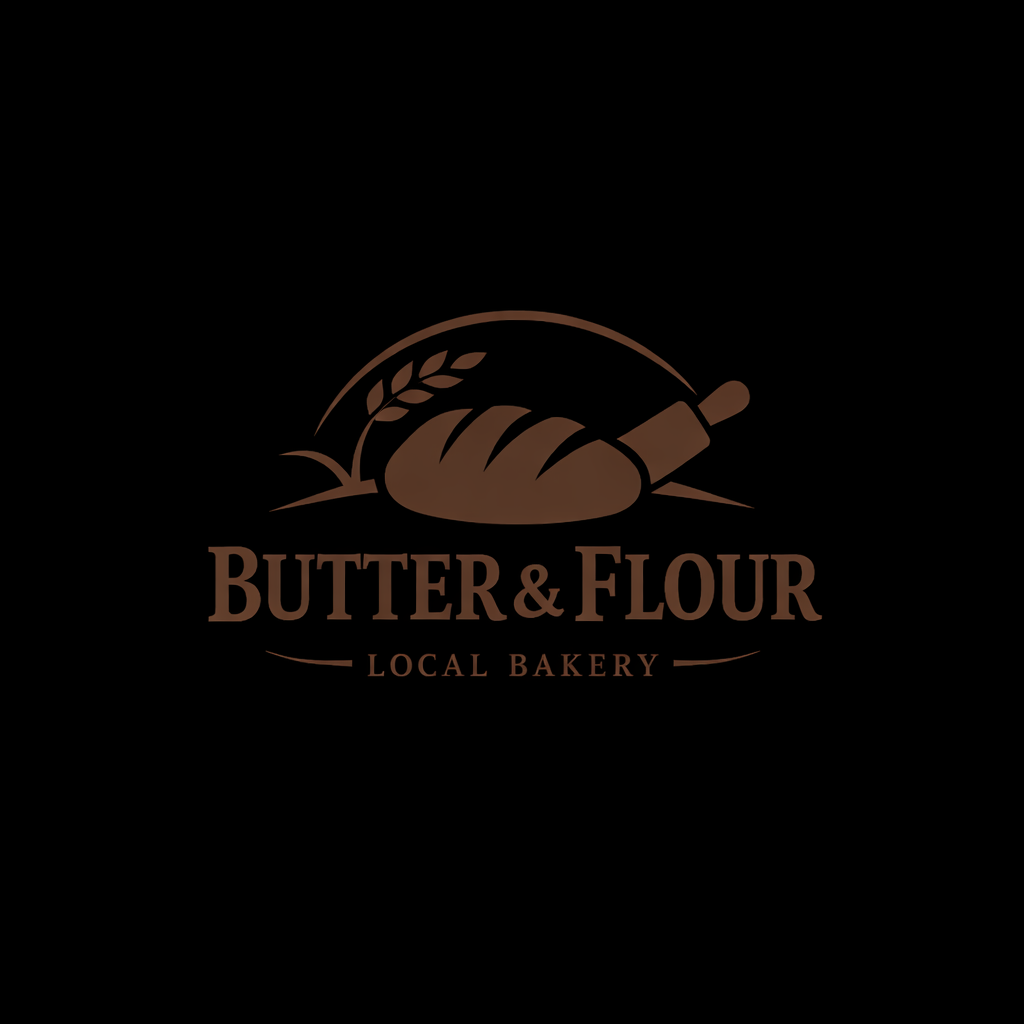
render_result_table(case=logo_case, result=logo_result, title="Logo Editing: Prompt vs. Scores")Criteria: The requested edit is applied exactly. All non-target content remains unchanged. Character style, color, and geometry remain consistent with the original.</pre><td style='text-align:left; padding:8px; vertical-align:top'><pre style='white-space:pre-wrap; word-break:break-word; margin:0'>character_and_style_integrity: 2.0 edit_intent_correctness: 5.0 non_target_invariance: 0.0 verdict: FAIL</pre></td><td style='text-align:left; padding:8px; vertical-align:top'><pre style='white-space:pre-wrap; word-break:break-word; margin:0'>Target text was correctly changed from “FIELD” to “BUTTER” (now reads “BUTTER & FLOUR”). However, major unrequested changes occurred: the background changed from a gray gradient to solid black, and the logo’s overall rendering/contrast differs (the original had a soft glow/embossed look, while the edited version is flatter with different tonal values). These violate the instruction to not change any other colors, shapes, or layout.</pre></td>
3) Alternative When You Have Ground Truth Images
If you already have canonical references, you can compare directly to a design source-of-truth rather than model outputs.
Ground truth should come from the design system, not generated images:
- Brand library assets (vector or high-res canonical raster)
- Figma frames or components representing the correct asset state
This maps cleanly to logo editing requirements like “still the same asset” and “unintended drift is a failure.”
Example: OpenAI Logo – Lunar New Year
- Reference image: canonical OpenAI logo (from Figma or brand assets)
- Generated image: model output with the requested transformation