Use Claude Code in VS Code
Install and configure the Claude Code extension for VS Code. Get AI coding assistance with inline diffs, @-mentions, plan review, and keyboard shortcuts.
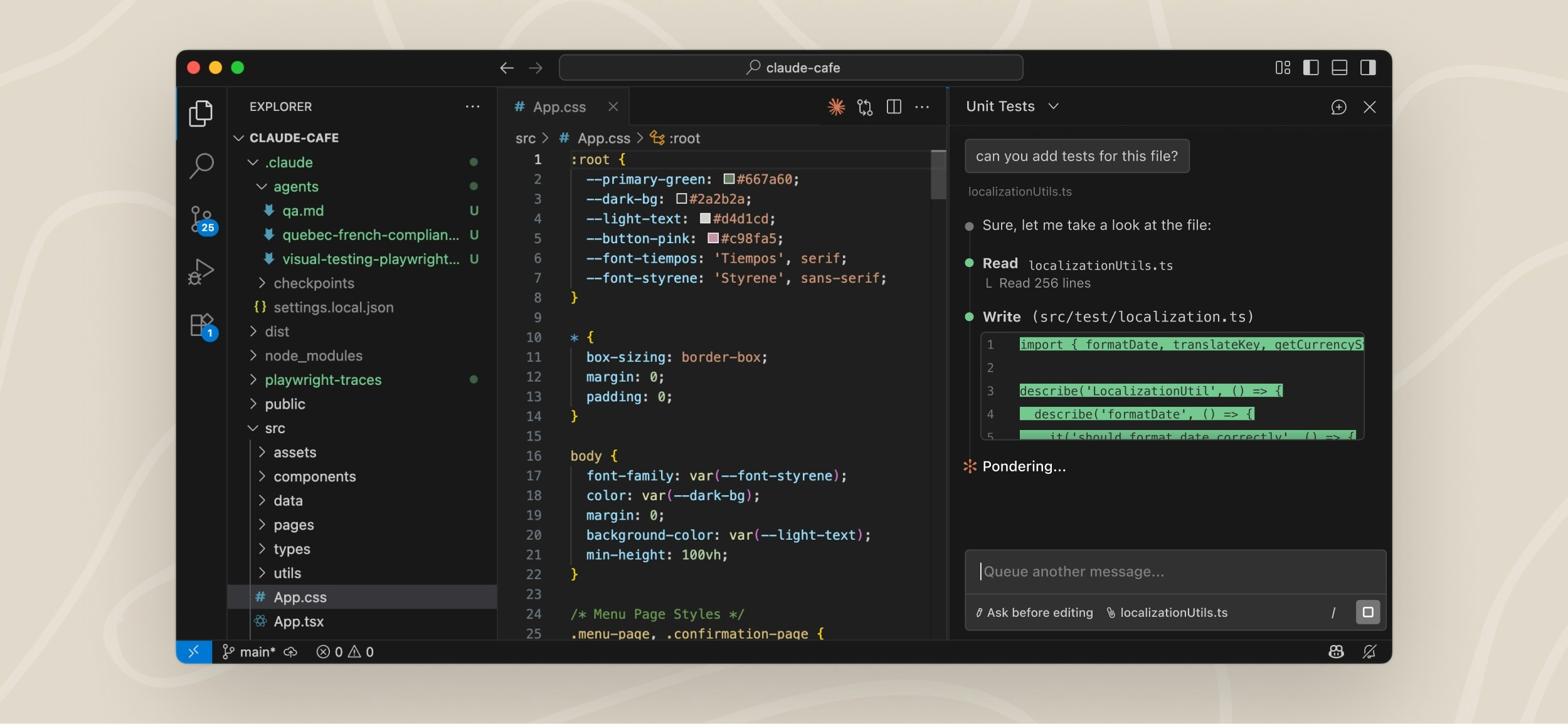
The VS Code extension provides a native graphical interface for Claude Code, integrated directly into your IDE. This is the recommended way to use Claude Code in VS Code.
With the extension, you can review and edit Claude's plans before accepting them, auto-accept edits as they're made, @-mention files with specific line ranges from your selection, access conversation history, and open multiple conversations in separate tabs or windows.
本篇目录
- Prerequisites
- Install the extension
- Get started
- Use the prompt box
- Customize your workflow
- Manage plugins
- Automate browser tasks with Chrome
- VS Code commands and shortcuts
- Configure settings
- Use a screen reader
- VS Code extension vs. Claude Code CLI
- Work with git
- Use third-party providers
- Security and privacy
- Fix common issues
- Uninstall the extension
- Next steps