Build a Pull Request Agent on the Hugging Face Hub
Welcome to Unit 3 of the MCP Course!
欢迎来到 MCP 课程的第三单元!
In this unit, we'll build a pull request agent that automatically tags Hugging Face model repositories based on discussions and comments. This real-world application demonstrates how to integrate MCP with webhook listeners and automated workflows.
本单元我们会构建一个 pull request 智能体,它根据讨论和评论自动为 Hugging Face 模型仓库打标签。这个真实应用演示了如何把 MCP 与 webhook 监听器和自动化工作流集成起来。
TIP
This unit showcases a real world use case where MCP servers can respond to real-time events from the Hugging Face Hub, automatically creating pull requests to improve repository metadata.
本单元展示一个真实用例:MCP 服务端可以响应来自 Hugging Face Hub 的实时事件,自动创建 PR 来完善仓库元数据。
What You'll Learn
In this unit, you will:
在本单元中,你将:
- Create an MCP Server that interacts with the Hugging Face Hub API
- Implement webhook listeners to respond to discussion events
- Set up automated tagging workflows for model repositories
- Deploy a complete webhook-driven application to Hugging Face Spaces
创建一个与 Hugging Face Hub API 交互的 MCP 服务端;实现 webhook 监听器来响应讨论事件;为模型仓库搭建自动打标签流程;把一套完整的、由 webhook 驱动的应用部署到 Hugging Face Spaces。
By the end of this unit, you'll have a working PR agent that can monitor discussions and automatically improve repository metadata through pull requests.
学完本单元,你会得到一个可用的 PR 智能体,它能监控讨论,并通过 pull request 自动改进仓库元数据。
Prerequisites
Before proceeding with this unit, make sure you:
在进入本单元之前,请确认你已:
- Have completed Units 1 and 2, or have experience with MCP concepts
- Are comfortable with Python, FastAPI, and webhook concepts
- Have a basic understanding of Hugging Face Hub workflows and pull requests
- Have a development environment with:
- Python 3.11+
- A Hugging Face account with API access
已完成第一、二单元,或具备 MCP 相关经验;能熟练使用 Python、FastAPI 与 webhook 相关概念;对 Hugging Face Hub 的工作流与 PR 有基本了解;具备开发环境:Python 3.11+,以及一个可访问 API 的 Hugging Face 账号。
Our Pull Request Agent Project
We'll build a tagging agent that consists of four main components: the MCP server, webhook listener, agent logic, and deployment infrastructure. The agent will be able to tag model repositories based on discussions and comments. This should save model authors time by receiving ready to use PRs, instead of having to manually tag their repositories.
我们要构建一个打标签智能体,它由四个主要部分组成:MCP 服务端、webhook 监听器、智能体逻辑和部署基础设施。这个智能体能根据讨论和评论为模型仓库打标签。模型作者因此可以直接收到开箱即用的 PR,而不必手动给自己的仓库打标签,从而省下大量时间。

In the diagram above, we have a MCP server that can read and update model tags. We have a webhook listener that can receive webhooks from the Hugging Face Hub. We have an agent that can analyze discussions and comments and create PRs to update model tags. We have a deployment infrastructure that can deploy the MCP server to Hugging Face Spaces.
在上图中,有一个能读取和更新模型标签的 MCP 服务端;有一个能接收 Hugging Face Hub webhook 的监听器;有一个能分析讨论和评论并创建 PR 来更新模型标签的智能体;还有一套能把 MCP 服务端部署到 Hugging Face Spaces 的部署基础设施。
Project Overview
To build this application we will need the following files:
构建这个应用需要以下文件:
| File | Purpose | Description |
|---|---|---|
mcp_server.py | Core MCP Server | FastMCP-based server with tools for reading and updating model tags |
app.py | Webhook Listener & Agent | FastAPI app that receives webhooks, processes discussions, and creates PRs |
requirements.txt | Dependencies | Python packages including FastMCP, FastAPI, and huggingface-hub |
pyproject.toml | Project Configuration | Modern Python packaging with uv dependency management |
Dockerfile | Deployment | Container configuration for Hugging Face Spaces |
env.example | Configuration Template | Required environment variables and secrets |
cleanup.py | Utility | Helper script for development and testing cleanup |
Let's go through each of these files and understand their purpose.
我们逐个看这些文件,理解它们的作用。
MCP Server (mcp_server.py)
The heart of our application - a FastMCP server that provides tools for:
- Reading current tags from model repositories
- Adding new tags via pull requests to the Hub
- Error handling and validation
应用的核心——一个 FastMCP 服务端,它提供这些工具:从模型仓库读取当前标签;通过向 Hub 提交 pull request 添加新标签;错误处理与校验。
This is where you will implement the MCP server and do most of the work for this project. The Gradio app and FastAPI app will be used to test the MCP server and the webhook listener, and they are ready to use.
这里是你要实现 MCP 服务端、完成本项目大部分工作的地方。Gradio 应用和 FastAPI 应用用于测试 MCP 服务端和 webhook 监听器,它们已经可以直接使用。
Webhook Integration
Following the Hugging Face Webhooks Guide, our agent:
- Listens for discussion comment events
- Validates webhook signatures for security
- Processes mentions and tag suggestions
- Creates pull requests automatically
按照 Hugging Face Webhooks 指南(https://huggingface.co/docs/hub/webhooks-guide-discussion-bot),我们的智能体会:监听讨论评论事件;校验 webhook 签名以保障安全;处理提及与标签建议;自动创建 pull request。
Agent Functionality
The agent analyzes discussion content to:
- Extract explicit tag mentions (
tag: pytorch,#transformers) - Recognize implicit tags from natural language
- Validate tags against known ML/AI categories
- Generate appropriate pull request descriptions
智能体会分析讨论内容,以便:提取显式的标签提及(tag: pytorch、#transformers);从自然语言中识别隐式标签;根据已知的 ML/AI 分类校验标签;生成合适的 pull request 描述。
Deployment & Production
- Containerized deployment to Hugging Face Spaces
- Environment variable management for secrets
- Background task processing for webhook responses
- Gradio interface for testing and monitoring
容器化部署到 Hugging Face Spaces;用环境变量管理密钥;用后台任务处理 webhook 响应;用 Gradio 界面进行测试与监控。
Webhook Integration Overview
Our PR agent leverages the same webhook infrastructure used by Hugging Face's discussion bots. Here's how webhooks enable real-time responses:
我们的 PR 智能体复用了 Hugging Face 讨论机器人所用的同一套 webhook 基础设施。下面说明 webhook 如何实现实时响应:
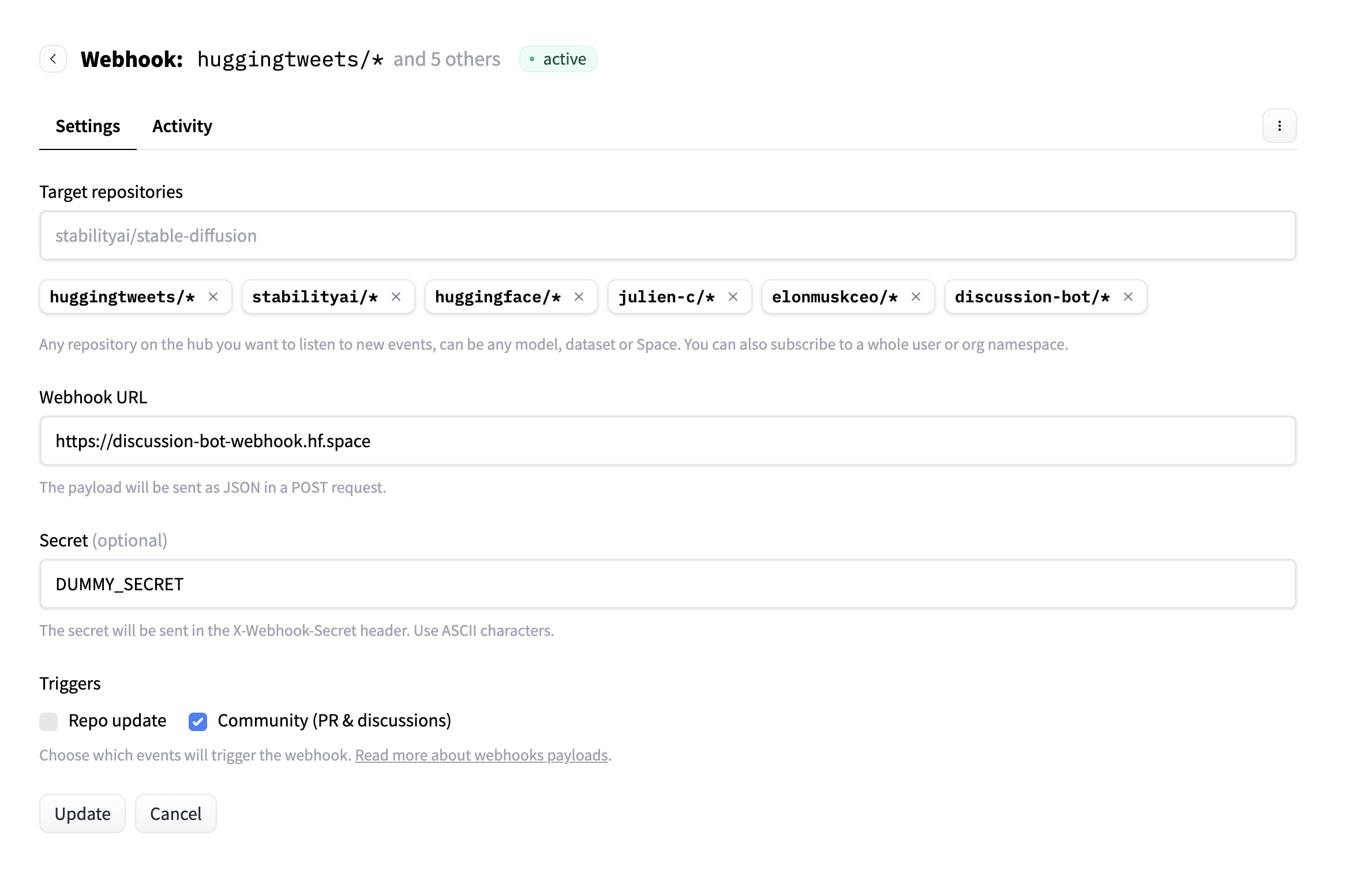
The webhook flow works as follows:
- Event Trigger: A user creates a comment in a model repository discussion
- Webhook Delivery: Hugging Face sends a POST request to our endpoint
- Authentication: We validate the webhook secret for security
- Processing: Our agent analyzes the comment for tag suggestions
- Action: If relevant tags are found, we create a pull request
- Response: The webhook returns immediately while PR creation happens in the background
webhook 的流程如下:1. 事件触发——用户在模型仓库的讨论中发表评论;2. webhook 投递——Hugging Face 向我们的端点发送 POST 请求;3. 鉴权——校验 webhook 密钥以保障安全;4. 处理——智能体分析评论并给出标签建议;5. 动作——如果找到相关标签,就创建一个 pull request;6. 响应——webhook 立即返回,而 PR 创建在后台进行。
Let's Get Started!
Ready to build a production-ready PR agent that can automatically improve Hugging Face repositories? Let's begin by setting up the project structure and understanding the MCP server implementation.
准备好构建一个能自动改进 Hugging Face 仓库、可用于生产的 PR 智能体了吗?我们先从搭建项目结构、理解 MCP 服务端实现开始。