Output
The Output page shows your Code Output -- how much code your AI assistants have generated.
Note: A Token Usage tab exists but is temporarily hidden while we verify that reported numbers align with GitHub's billing data.
Code Output
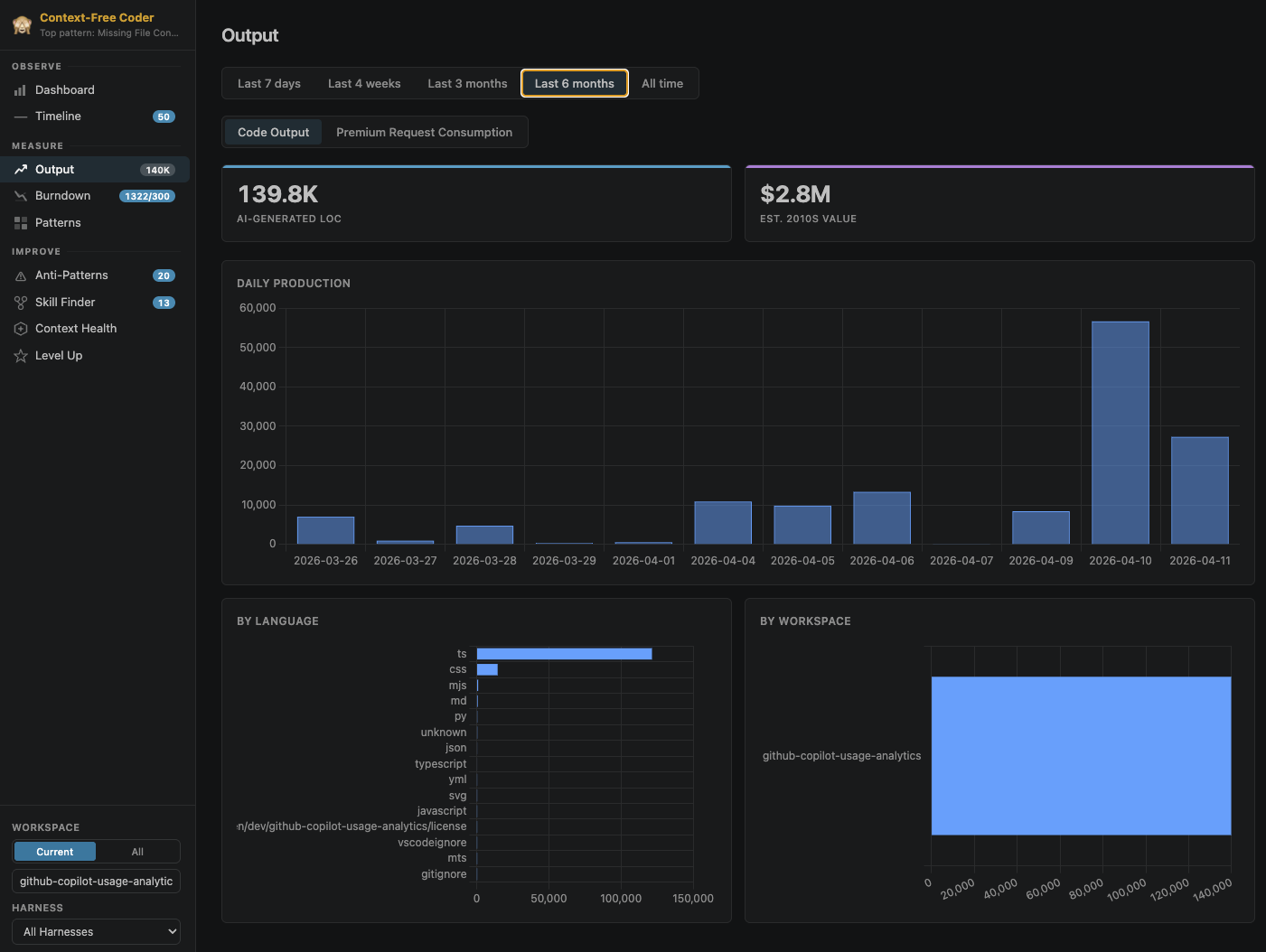
The Code Output tab measures how much code your AI assistants have generated:
- AI-Generated LoC -- Total estimated lines of code across all sessions
- Net AI LoC -- Lines the AI added minus lines the AI removed, across all sessions (can be negative)
The Daily AI Code Output chart shows the net new lines of code the AI assistant wrote per day as a bar chart (it aggregates by week or month over longer ranges). Each edit is compared against the previous version of the file, so only added lines are counted -- re-saving an unchanged file or rewriting the same lines is not double-counted. Below it, breakdowns show output split by language (TypeScript, CSS, Python, etc.), by workspace, by model, and by harness.
The Net Code Output charts complement gross output by accounting for deletions. The default chart diverges added lines (above zero) against removed lines (below zero) with a net line overlaid, so a day where the assistant deleted or rewrote more than it added dips below zero. Net by Model, Net by Workspace, and Net by Harness tabs break the same net figure (added minus removed) down by dimension. This reflects the lasting footprint of AI edits on your files rather than just gross volume.
Time range selectors let you view the last 7 days, 4 weeks, 3 months, 6 months, or all time.