Step 03: Persistence
Save your conversations. Save and restore conversation history so the agent remembers past interactions.
Prerequisites
Same as Step 00 - copy the config file and add your API key:
bash
cp default_workspace/config.example.yaml default_workspace/config.user.yaml
# Edit config.user.yaml to add your API key
What We will Build?
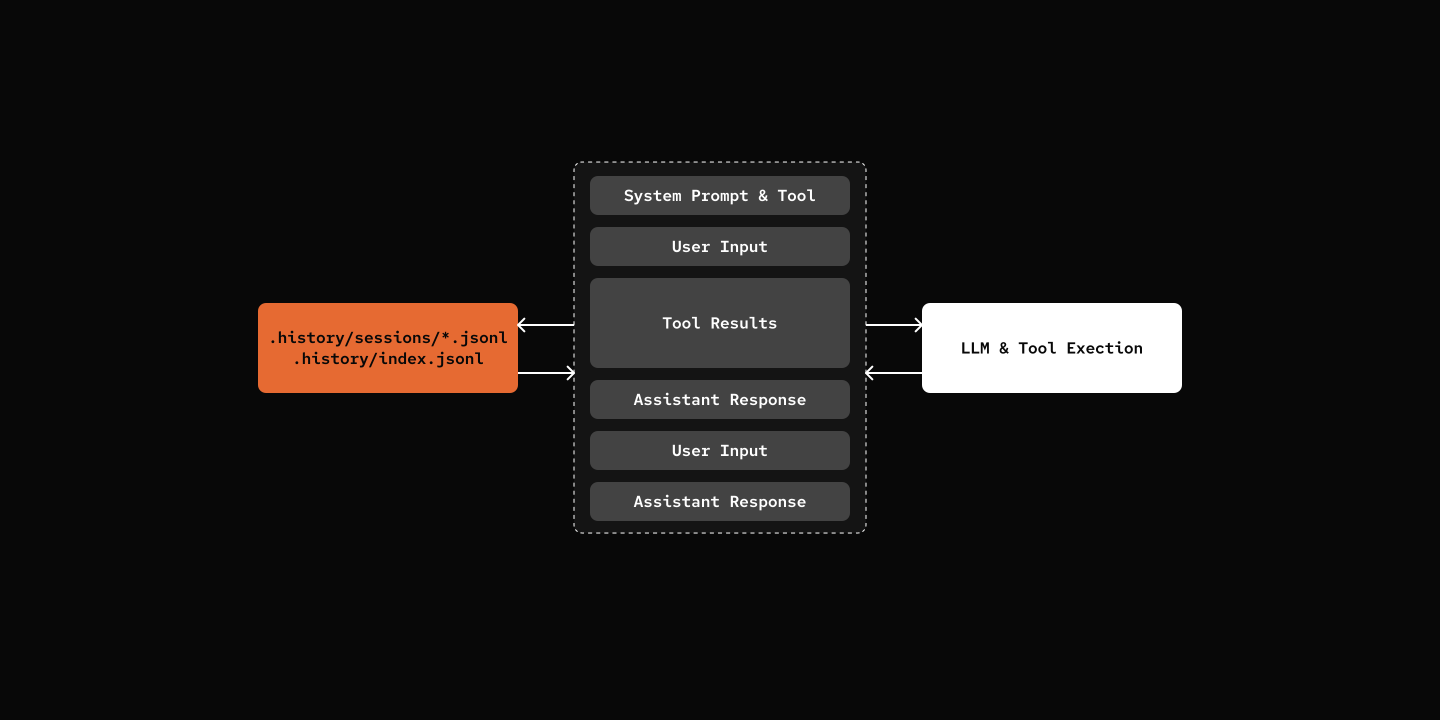
File System Structure:
.history/
├── index.jsonl              # Session metadata
└── sessions/
    └── {session_id}.jsonl   # Messages (one file per session)
Key Components
- .history/index.jsonl: JSONL file-based index for sessions, including metadata
- .history/sessions/{id}.jsonl: JSONL file-based storage for messages
src/mybot/core/history.py - New file
python
class HistoryStore:
    def create_session(self, agent_id: str, session_id: str) -> dict:
        """Create a new conversation session."""

    def save_message(self, session_id: str, message: HistoryMessage) -> None:
        """Save a message to history."""

    def get_messages(self, session_id: str) -> list[HistoryMessage]:
        """Get all messages for a session."""
Note
The file-based store is deliberately simple, and it's still many agents handle persistence today. The persistence would naturally grow into a database solution as the project scale up. Sqlite, Postgres, you name them. This project already have the HistoryStore abstraction, building a more sophisticated persistence class should not be affect other pieces in this project.
Try it out
bash
cd 03-persistence
uv run my-bot chat

# Each run starts a new session
# Messages are saved to .history/ directory
What's Next
Step 04: Slash Commands - Direct Commands Invokation