Qclaw
[![Electron][electron-badge]][electron-url]
[![React][react-badge]][react-url]
[![Vite][vite-badge]][vite-url]
[![Mantine][mantine-badge]][mantine-url]
[![Tailwind CSS][tailwind-badge]][tailwind-url]
不用命令行,小白也能轻松玩转 OpenClaw
访问官网 »
English
·
简体中文
·
报告 Bug
·
功能建议
**👋 雷猴哇,朋友们,我们决定暂停 Qclaw 的更新了~**
OpenClaw官方已经出了Mac版安装包(也还没出win),虽然目前非常不好用
但相信不久后就能成为主流了(期望吧。。。。。如果他们未来做得还是不好,那我就再回来搞!!!)
而且最近OpenClaw已经变成2天一更了,这更新频率是真跟不上了😂
**综上所述,我觉得Qclaw的使命已经完成啦,如果它有帮到过你,我们真的会很开心🤗**
点进来的朋友希望大家都能动手拉代码改改呀,练习下Vibe Coding,嘿嘿~
我们也在筹备新的项目啦,希望未来尽快能跟大家见面~❤️
## Star History

目录
- 功能特性
- 为什么会有这个项目
- 快速上手
- 快速开发
- 已知问题
- 支持环境
- 贡献指南
- 加入社区
- 加入我们
- 开源许可
- 贡献者
- 致谢
## 功能特性
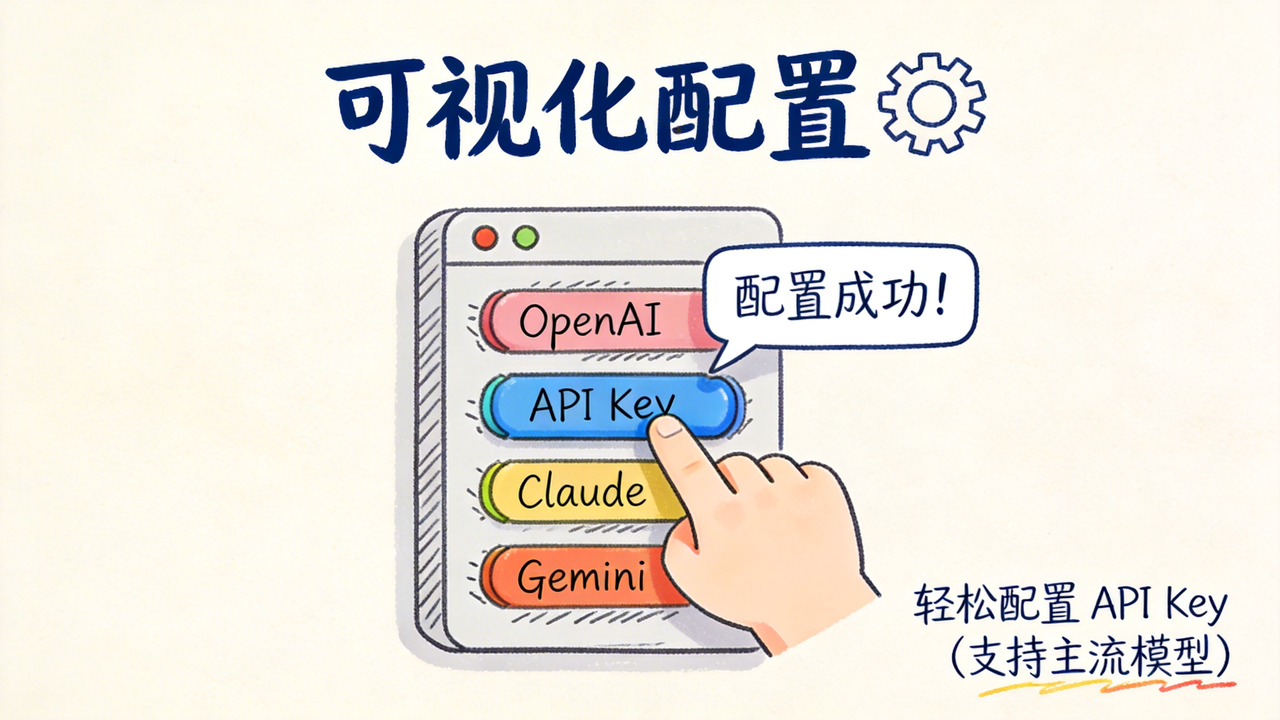

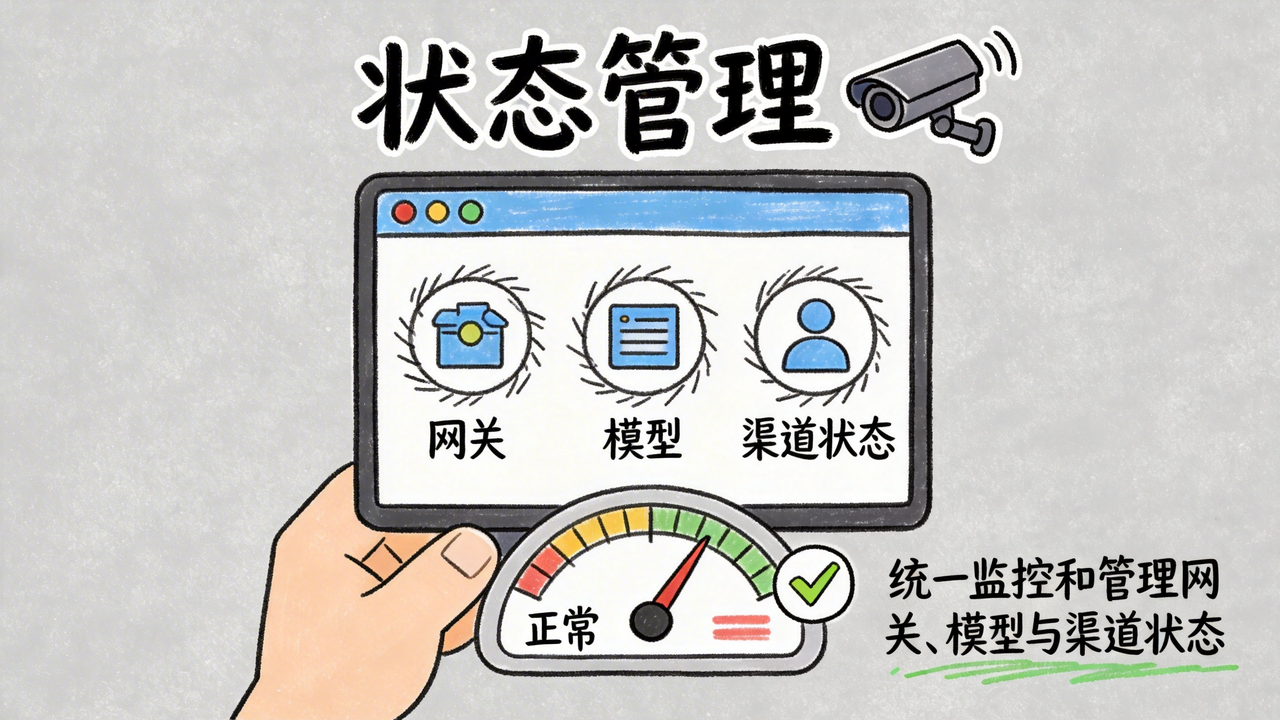

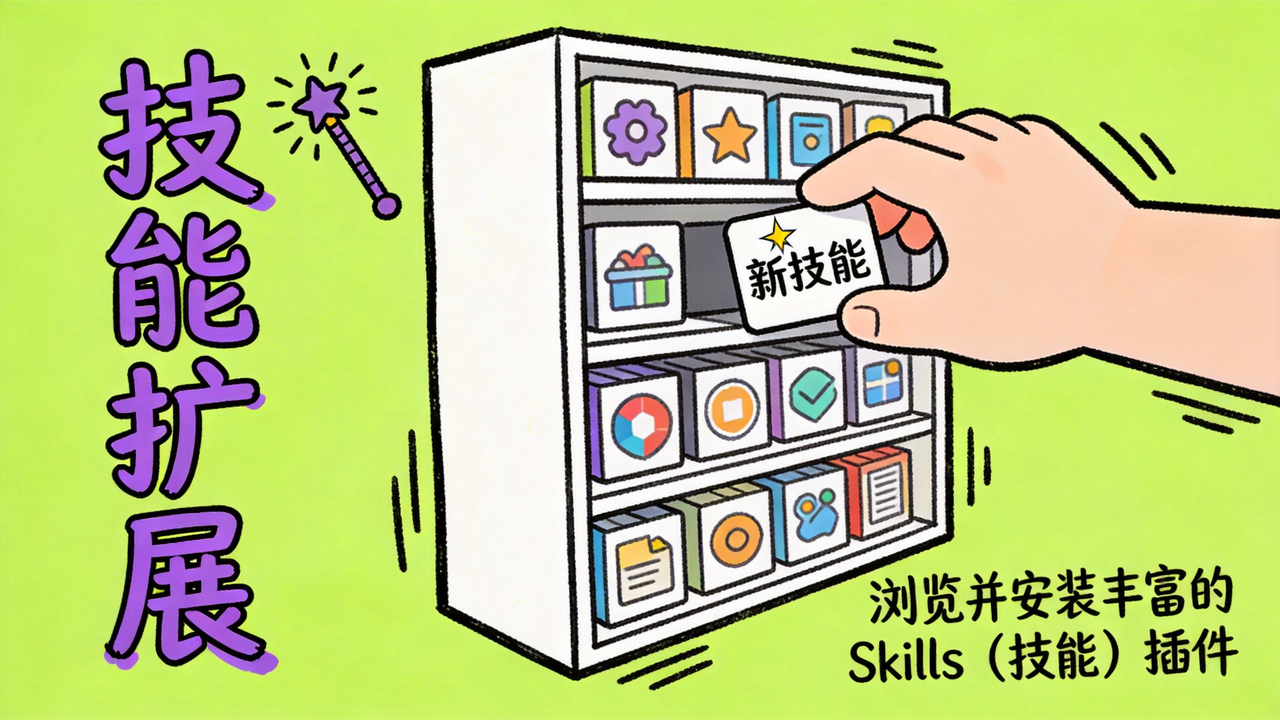
- **环境自检** — 自动检测 Node.js 和 OpenClaw CLI,缺失时自动安装
- **支持 OpenClaw 全量模型** — 支持接入 OpenClaw 的所有模型,也支持自定义添加
- **IM最新插件接入** — 扫码一键接入飞书、微信、企业微信、钉钉、QQ,自动安装官方插件并写入配置
- **应用即教程** — 小白友好的操作引导和提示
- **功能面板** — 实时监控网关状态、一键重启、修复网关
- **Skills管理** — 管理各个来源的skill
- **数据备份** — 提供自动备份和手动备份
- **多平台支持** — 支持 macOS、Windows(开发中),开箱即用
- **自动更新** — 支持OpenClaw最新版本
## 为什么会有这个项目
开发 Qclaw 的初心很简单:做一个简单好用的 OpenClaw 桌面管家,让每个人都能轻松装上、用上OpenClaw。
- 降低门槛:将复杂的配置转化为简单的桌面交互
- 打破壁垒:让人人都能用上好用、强大的AI工具
- 零基础上手——教程即操作,边看边用,快速入门
## 快速上手
### Step 1:下载安装
- 下载并打开 Qclaw Lite 客户端
- 官网:https://qclawai.com/
- GitHub Release:[下载最新版本](https://github.com/qiuzhi2046/Qclaw/releases)
- 阅读安全提醒内容并确认继续
### Step 2:环境准备
- 运行环境检测
- 如果系统检测到已有的 OpenClaw 配置,可直接导入
- 按界面提示,准备开始配置
### Step 3:配置模型
- 进入 AI 提供商界面,等待模型列表加载
- 选择你要用的模型(支持 OpenClaw 全量模型,部分模型支持 OAuth 授权)
### Step 4:接入 IM(可选)
- 进入 IM 渠道界面
- 选择你常用的平台(飞书 / 钉钉 / QQ / 企微)
- 按照界面指引完成接入,各平台详细指南:
- [飞书接入指南](https://my.feishu.cn/wiki/WAfWw1bqriZP02kqdNycHlvnnHb)
- [钉钉接入指南](https://my.feishu.cn/wiki/NUJew2DzaipVsukUvPmcZ2yvnYb)
- [QQ 接入指南](https://my.feishu.cn/wiki/AvuSwchqviAO6dkwiZycmZeInPf)
- [企业微信接入指南](https://my.feishu.cn/wiki/TsLTwplveiqbW8kH5XOclgvYn1d)
### Step 5:开始使用
- 在客户端直接发起对话
- 或者前往你刚刚配置的 IM 工具中,测试你的专属 AI 助手
> 💡 关闭 Qclaw Lite 窗口不会影响后台的 OpenClaw 运行,IM 渠道照常可用。
## 快速开发
### 推荐开发环境
- macOS
- Qclaw(OpenClaw)
- [Codex](https://github.com/openai/codex) 或 [Claude Code](https://claude.ai/code)
- Node.js 24(至少22)
### 源码安装
```bash
# 克隆仓库
git clone https://github.com/qiuzhi2046/Qclaw.git
cd Qclaw
# 安装依赖
npm install
# 启动开发环境
npm run dev
# 构建生产版本
npm run build
```
### 常用命令
| 命令 | 说明 |
|------|------|
| `npm run dev` | 启动开发服务器 |
| `npm run build` | 构建并打包应用 |
| `npm test` | 运行测试 |
| `npm run typecheck` | TypeScript 类型检查 |
### 项目结构
```
electron/
main/ 主进程(窗口管理、CLI 调用、IPC 处理)
preload/ 预加载脚本(安全桥接)
src/
pages/ 页面组件(向导步骤、Dashboard、聊天等)
components/ UI 组件
lib/ 业务逻辑(渠道注册、提供商注册等)
shared/ 共享模块(配置流程、网关诊断等)
assets/ 图标与静态资源
docs/ 项目相关文档(架构说明、变更日志等)
scripts/ 构建与发布脚本(签名公证、版本管理、COS 发布等)
build/ 应用图标与打包资源
```
### 技术栈和架构
| 层 | 技术 |
|----|------|
| 桌面框架 | [Electron](https://www.electronjs.org/) |
| 前端 | [React](https://reactjs.org/) + [TypeScript](https://www.typescriptlang.org/) |
| 构建 | [Vite](https://vitejs.dev/) + vite-plugin-electron |
| UI | [Mantine](https://mantine.dev/) + [Tailwind CSS](https://tailwindcss.com/) |
| 打包 | electron-builder |
```
┌─────────────────────────────────────────────────────────┐
│ Qclaw │
│ │
│ ┌──────────────────┐ ┌──────────────────────┐ │
│ │ Main Process │ │ Renderer Process │ │
│ │ (Node.js) │ IPC │ (Chromium) │ │
│ │ │◄───────►│ │ │
│ │ ┌────────────┐ │ │ ┌────────────────┐ │ │
│ │ │ cli.ts │ │ │ │ React + Vite │ │ │
│ │ │ OpenClaw │ │ │ │ Mantine + TW │ │ │
│ │ │ CLI 调用 │ │ │ │ │ │ │
│ │ └─────┬──────┘ │ │ │ 向导页面 │ │ │
│ │ │ │ │ │ Dashboard │ │ │
│ │ ┌─────▼──────┐ │ │ └────────────────┘ │ │
│ │ │ 系统集成 │ │ │ │ │
│ │ │ 文件读写 │ │ └──────────────────────┘ │
│ │ │ 进程管理 │ │ │
│ │ └────────────┘ │ │
│ └──────────────────┘ │
│ │
│ │ │
│ ▼ │
│ ┌──────────────────┐ │
│ │ OpenClaw CLI │ │
│ │ ~/.openclaw/ │ │
│ └──────────────────┘ │
└─────────────────────────────────────────────────────────┘
```
## 已知问题
- 这个文档记录了当前项目的已知缺陷和bug(AI有待调教,多多包容)
- 请查看 [Issues](https://github.com/qiuzhi2046/Qclaw/issues) 了解具体问题和功能建议。
## 支持环境
- macOS 12+
## 贡献指南
我们欢迎每一个致力于让前沿 AI Agent 变得更好用、更易用的朋友加入贡献者行列!
无论你是否贡献过代码,只要有想法、有热情,都欢迎加入我们一起交流!🤗
[贡献指南](CONTRIBUTING.md)
- **Qclaw贡献者交流群**

如果你希望给 Qclaw 做贡献,欢迎加入贡献者交流群!
## 加入社区
- **Qclaw用户交流群**

如果你对Qclaw有疑问、希望与其他朋友交流等,欢迎加入用户交流群!
### 社区规范
- 尊重每一位参与者
- 保持友好和建设性的讨论
- 欢迎提问,也欢迎帮助他人
### 社交媒体
[![Bilibili][bilibili-shield]][bilibili-url]
[![抖音][douyin-shield]][douyin-url]
[![小红书][xiaohongshu-shield]][xiaohongshu-url]
[![YouTube][youtube-shield]][youtube-url]
**微信公众号**

## 加入我们
欢迎开发相关的人才加入我们(简历请投:join@qiuzhi2046.com)。
虽然暂时不能提供大厂级别的薪资福利,但我们能给你一个纯粹、没有会议和 PPT 内耗的创造环境——AI 工具不限量!
如果你热爱 AI,骨子里有一点极客精神,别犹豫,把简历砸过来吧!
## 开源许可
基于 Apache-2.0 协议分发。详情参见 [`LICENSE`](LICENSE)。·
## 贡献者
 ## 致谢
感谢 OpenClaw——没有它就没有 Qclaw,我们只是站在巨人肩膀上搭了个小梯子。
感谢 Electron、React、Vite、Mantine 等众多开源项目,以及所有默默贡献的开源作者。Qclaw 的每一行代码背后,都有你们的影子。
感谢参与内测的朋友们,你们的每一条 bug 反馈和建议都在让产品进步。你们的飞书 ID 我们都记下了 👀
更多见:[反馈用户(排名不分先后)](docs/feedback_users)
最后,感谢每一个愿意尝试、愿意分享、愿意让技术变得更有温度的人。
### 本项目使用的开源项目
| 仓库 | 作者 | 依赖包 |
|------|------|--------|
| [openclaw/openclaw](https://github.com/openclaw/openclaw) | OpenClaw | openclaw (CLI) |
| [electron/electron](https://github.com/electron/electron) | Electron Community | electron |
| [facebook/react](https://github.com/facebook/react) | Meta | react, react-dom |
| [mantinedev/mantine](https://github.com/mantinedev/mantine) | Vitaly Rtishchev | @mantine/core, @mantine/modals, @mantine/notifications |
| [vitejs/vite](https://github.com/vitejs/vite) | Evan You | vite |
| [tailwindlabs/tailwindcss](https://github.com/tailwindlabs/tailwindcss) | Tailwind Labs | tailwindcss |
| [electron-userland/electron-builder](https://github.com/electron-userland/electron-builder) | Vladimir Krivosheev | electron-builder, electron-updater |
查看所有依赖开源项目 »
[electron-badge]: https://img.shields.io/badge/Electron-47848F?style=for-the-badge&logo=electron&logoColor=white
[electron-url]: https://www.electronjs.org/
[react-badge]: https://img.shields.io/badge/React-61DAFB?style=for-the-badge&logo=react&logoColor=black
[react-url]: https://reactjs.org/
[vite-badge]: https://img.shields.io/badge/Vite-646CFF?style=for-the-badge&logo=vite&logoColor=white
[vite-url]: https://vitejs.dev/
[mantine-badge]: https://img.shields.io/badge/Mantine-339AF0?style=for-the-badge&logo=mantine&logoColor=white
[mantine-url]: https://mantine.dev/
[tailwind-badge]: https://img.shields.io/badge/Tailwind_CSS-06B6D4?style=for-the-badge&logo=tailwindcss&logoColor=white
[tailwind-url]: https://tailwindcss.com/
[bilibili-shield]: https://img.shields.io/badge/Bilibili-00A1D6?style=for-the-badge&logo=bilibili&logoColor=white
[bilibili-url]: https://space.bilibili.com/385670211
[douyin-shield]: https://img.shields.io/badge/抖音-000000?style=for-the-badge&logo=tiktok&logoColor=white
[douyin-url]: https://www.douyin.com/user/MS4wLjABAAAAwbbVuf1W2DdgRe0xCa0oxg1ZIHbzuiTzyjq3NcOVgBuu6qIidYlMYqbL3ZFY2swu
[xiaohongshu-shield]: https://img.shields.io/badge/小红书-FF2442?style=for-the-badge&logo=xiaohongshu&logoColor=white
[xiaohongshu-url]: https://www.xiaohongshu.com/user/profile/63b622ab00000000260066bd
[youtube-shield]: https://img.shields.io/badge/YouTube-FF0000?style=for-the-badge&logo=youtube&logoColor=white
[youtube-url]: https://www.youtube.com/@qiuzhi2046